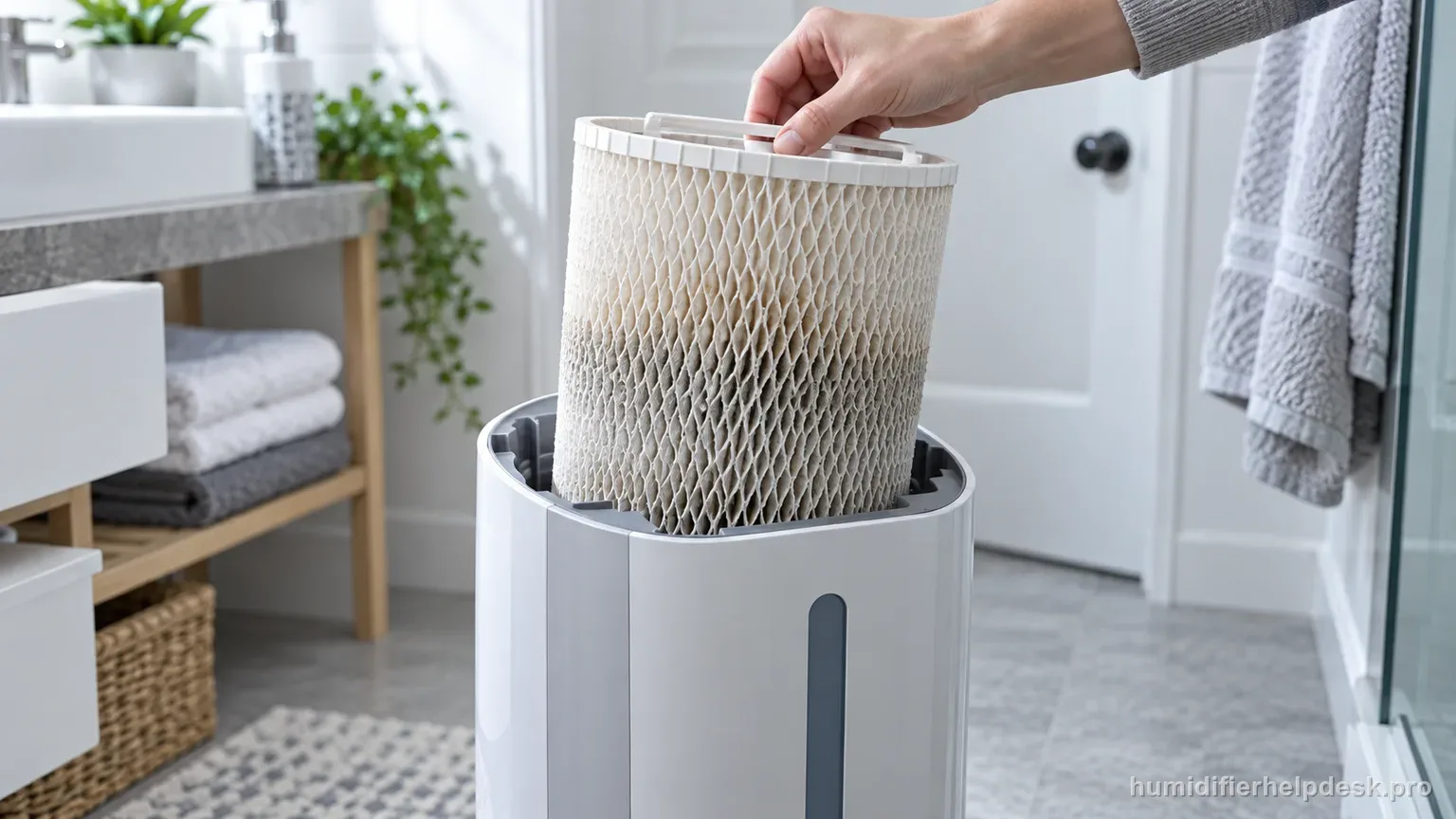
A hard, crusty, odorous, or mineral-loaded wick can reduce output. Honeywell recommends wetting/flipping the wick and replacing it based on condition and use.
Does this match what you are seeing?
Owners describe this Honeywell HEV615 problem in a few different ways. If one of these sounds like yours, this guide covers it:
- Humidity not increasing
- Room humidity not going up
- Not reaching target humidity
- Running but room still dry
Check these in order
- Wet the wick before use for faster humidification.
- Inspect the HFT600 wick for hardness, crusting, odor, or reduced output.
- Turn the wick over when refilling so it ages more evenly.
- Replace it when condition/performance indicates; Honeywell gives a typical 30–60 day interval depending on water quality and use.
Diagnostic decision path
Low output on the HEV615 is often a wick-condition problem rather than a fan failure. Honeywell’s HFT600 guidance emphasizes pre-wetting, flipping the wick when refilling, and judging replacement by hardness, crusting, odor, and reduced moisture output. The common 30–60 day interval is a guideline that can shorten with hard water or heavy use.
- Unplug before removing the wick.
- Confirm the installed wick is the HFT600 family specified for this tower.
- Judge the wick by texture, odor, wetting, and output—not calendar age or discoloration alone.
If: A relatively new wick is dry or slow to wet
What it means: The evaporation surface is not fully loaded with water yet.
Do next: Wet the wick with cool water before use and reinstall it correctly.
If: One side/top dries or ages faster
What it means: Uneven exposure can reduce useful wet surface area over time.
Do next: Flip the wick top-to-bottom when refilling as Honeywell recommends so it ages more evenly.
If: The wick is hard, crusty, odorous, or output has materially dropped
What it means: Those are Honeywell’s replacement-condition signals.
Do next: Replace the HFT600 rather than cleaning it with vinegar, bleach, or another chemical solution.
If: A wet, serviceable wick still gives weak output in dry-room conditions
What it means: The ordinary wick restriction is no longer sufficient to explain the complaint.
Do next: Verify fan/humidistat operation and use Honeywell support if output remains poor with correct placement and assembly.
How to interpret the retest
Begin with a wetting test because Honeywell recommends pre-wetting the HFT600 for faster humidification. A fan moving air through a dry or only partly saturated wick cannot deliver normal evaporative output. Wet the filter with cool water, reinstall it correctly, and then compare water use and humidity response.
Flip the HFT600 top-to-bottom during refills so one edge does not remain the chronically dry side. Honeywell recommends this routine to help the wick age more evenly. Uneven hardening can reduce usable wet surface before the entire filter looks obviously worn out.
Replace based on condition as well as time. Honeywell lists hard/crusty texture, odor, and decreased moisture output as service signals, while the 30–60 day guidance changes with water quality and use. Hard water can shorten useful life, so a calendar-only rule can understate real mineral loading.
A cool-water soak can temporarily loosen mineral buildup on a hard wick, but do not treat it as permanent restoration. If the media quickly becomes rigid again or will not wet evenly, replacement is the more useful next step. Never clean the HFT600 with vinegar, bleach, soap, or other chemicals.
Separate filter output from normal humidistat cycling. If the HEV615 has already reached the selected humidity, lower water use or a stopped fan can be expected. Evaluate the wick during a dry-room period when the humidifier is actually calling for moisture, not only while the target is satisfied.
Move beyond the wick diagnosis if a flexible, evenly wet HFT600, normal water feed, and active fan still do not raise humidity. Check placement and room conditions, then contact Honeywell if output remains weak. The motor housing is not an owner repair area for a persistent performance complaint.
Model-specific context that changes the diagnosis
Low output usually starts at the HFT600 wick
The HEV615 is evaporative, so the wick is the central moisture-transfer surface. Honeywell says to replace the HFT600 when it becomes hard and crusty, develops odor, or moisture output decreases. A running fan with a mineral-loaded wick can sound normal while producing much less humidity, which is why filter condition deserves priority over generic motor troubleshooting.
Give a correctly wetted wick a fair test
Wet the wick as directed and flip it top-to-bottom when refilling so it ages more evenly. That handling helps prevent one portion from drying and loading faster than the rest. After correcting the wick position, run the humidifier long enough to observe water consumption and room-humidity movement. Do not judge an evaporative model by whether you can see a mist plume.
Do not chemically wash the paper wick
Honeywell allows a cool-water soak as a temporary way to loosen mineral buildup on a hardened wick, but specifically warns against vinegar, soap, bleach, or other chemical solutions on the filter. Those chemicals can damage the media. If a temporary soak no longer restores usable absorption, replacement is the appropriate maintenance step.
Use the 30–60 day range as guidance, not a guarantee
Honeywell’s typical replacement range changes with water quality and usage. Hard water can shorten it substantially, while lighter use may extend it. Condition and performance are therefore more important than the calendar alone. If a fresh, correctly wetted HFT600 still gives weak humidity gain, review room size, starting RH, airflow, and the manufacturer support path.
Common mistakes that make this harder to diagnose
- Treating 30 days as an automatic failure date regardless of water quality.
- Using vinegar or bleach on the HFT600.
- Never flipping the wick and allowing one edge to dry repeatedly.
- Replacing a wick only because it has changed color.
The HEV615 output issue is resolved when a wet, flexible, correctly seated HFT600 supports normal water use and room-humidity rise. A persistently hard/crusty or odorous wick should be replaced; poor output with a healthy wet wick belongs to the broader unit diagnostic.
Questions people ask about this exact symptom
Why is my Honeywell HEV615 running but putting out very little moisture?
Honeywell points to a wick that is hard/crusty, has developed odor, or is associated with reduced moisture output. Those signs matter more than color alone. Next, check “Wet the wick before use for faster humidification” on the Honeywell HEV615 and note whether the symptom changes.
Can I wash the HEV615 wick with vinegar or bleach?
No. Honeywell warns against vinegar, soap, bleach, or other chemical solutions on the wick. A cool-water soak may temporarily loosen mineral buildup, but a worn filter should be replaced. For the next Honeywell HEV615 check, use “Inspect the HFT600 wick for hardness, crusting, odor, or reduced output” and note whether the symptom changes.
Why can a new wick still seem slow at first?
Make sure the wick is properly wetted and seated, then allow time for an evaporative humidifier to raise room humidity. A very dry room and furnishings can absorb moisture before the room reading climbs noticeably. Before escalating the Honeywell HEV615, confirm “Turn the wick over when refilling so it ages more evenly” and note the result.
Why this path is model-specific
Honeywell’s cool-moisture support ties reduced output to wick condition and advises wetting, flipping, and replacing wicks based on water quality and use.
For the Honeywell HEV615, the machine type matters: it is evaporative. Its moisture output is not supposed to look like ultrasonic fog, so “I cannot see mist” by itself is not evidence of a failure.
This symptom appears on other humidifiers too, but the meaning and reset path can change by technology, sensor logic, and control layout. Use the exact model source above before borrowing a fix from a neighboring model.
Compare this symptom across verified models
If you are still deciding whether this behavior is normal or model-specific, use the symptom hub to compare only manufacturer-linked guides. Keep the Honeywell HEV615 instructions above as the controlling path for this machine.
If the problem is still there
If the checks above do not change the symptom, use the manufacturer support path for this exact model. We intentionally stop before undocumented resets, sensor bypasses, internal mains work, or parts replacement that the consumer manual does not authorize.
What we do not recommend
Do not defeat a float, water-level sensor, overheat protection, interlock, or other safety feature. Do not open mains-powered sections for live testing. If the unit smells burned, becomes abnormally hot, smokes, sparks, has water near electrical parts, or repeatedly trips a circuit, stop using it and keep clear. Unplug it only if the plug, outlet, and surrounding area are dry and safe to reach; otherwise do not touch wet equipment and contact manufacturer support for next steps.
Primary source for this diagnosis
Source checked during the September 4, 2026 editorial review. Manufacturer documents can change; a material re-review updates this guide’s reviewed date rather than stamping unrelated pages.