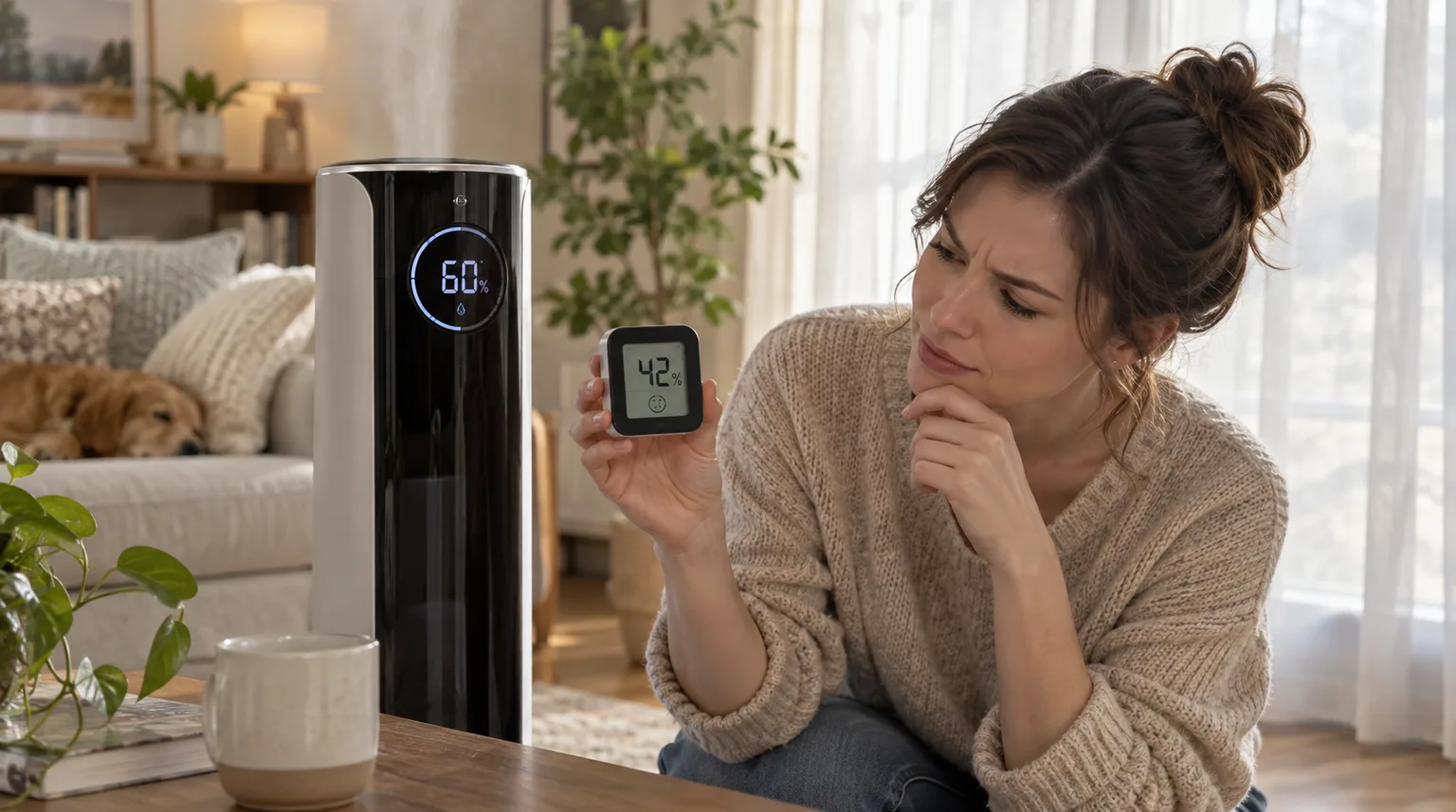
A small sensor difference can be normal; direct mist hitting the sensor can make the display look too high.
Does this match what you are seeing?
Owners describe this Dreo HM713S problem in a few different ways. If one of these sounds like yours, this guide covers it:
- Humidity reading wrong
- Humidity sensor inaccurate
- Humidity display too high
- Humidity display too low
Check these in order
- Treat a small difference around ±5% as potentially normal.
- Aim the fog outlet away from the humidity sensor near the aroma tank.
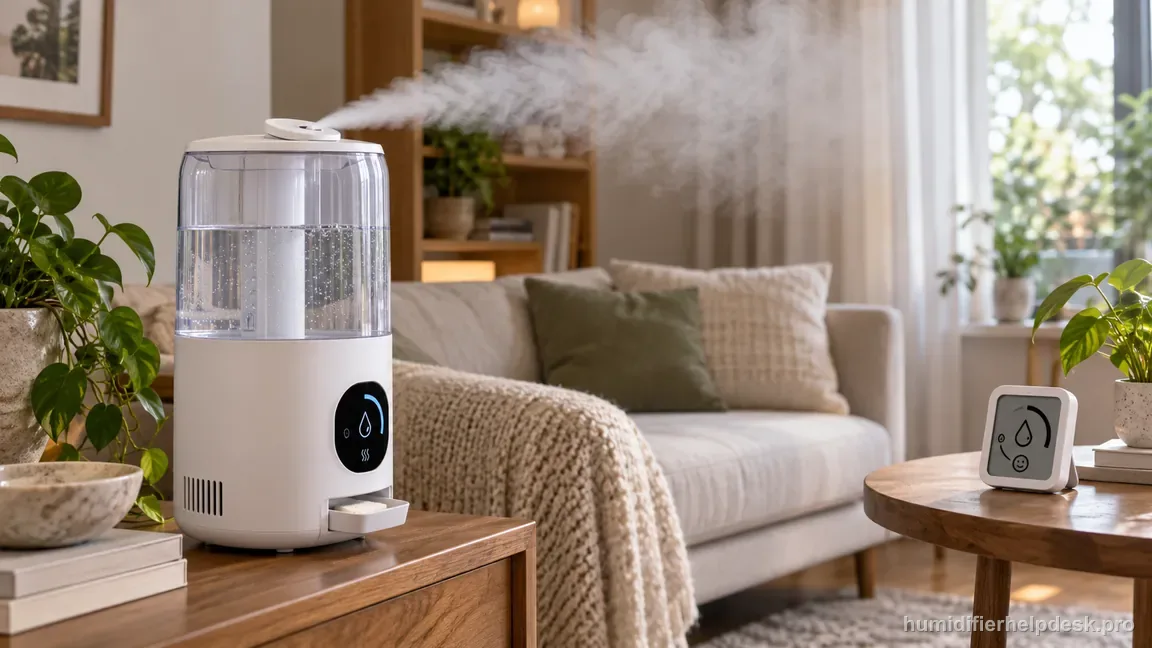
Illustrative: Aim the HM713S mist outlet away from the humidity sensor near the aroma tank, then allow room air to mix before comparing readings. - Allow air to mix throughout the room before comparing sensors.
Diagnostic decision path
The HM713S humidity display should be judged as a room-sampling measurement, not as a laboratory reference. Dreo says a difference of about ±5% can be normal and specifically warns that mist aimed toward the sensor near the aroma tank can bias what the humidifier sees.
- Compare readings only after both sensors have been in the same room long enough to stabilize.
- Keep the mist outlet aimed away from the humidity sensor near the aroma tank.
- Avoid comparing one sensor beside the mist plume with another across the room.
If: The HM713S differs from another hygrometer by roughly 5 percentage points
What it means: That size of difference falls within the tolerance Dreo describes as potentially normal.
Do next: Use the trend rather than chasing an exact match between two consumer sensors.
If: The displayed humidity runs high while mist is directed toward the sensor area
What it means: Local moisture can make the humidifier sample a wetter pocket than the room average.
Do next: Redirect the outlet away from the sensor and let room air mix before comparing again.
If: Readings vary sharply from one part of the room to another
What it means: The room itself may have uneven humidity rather than one obviously bad sensor.
Do next: Improve air mixing or ventilation and repeat the comparison from similar locations.
If: The difference remains large after placement, direction, and air-mixing checks
What it means: The normal ±5% and local-mist explanations no longer fit well.
Do next: Document both readings and contact Dreo support instead of trying to calibrate or open the sensor.
How to interpret the retest
Treat this step as a clean A/B test of the same complaint. Check “Treat a small difference around ±5% as potentially normal” on the Dreo HM713S, then look specifically for “The HM713S differs from another hygrometer by roughly 5 percentage points”. A match supports the manual's interpretation “That size of difference falls within the tolerance Dreo describes as potentially normal” and sends you to “Use the trend rather than chasing an exact match between two consumer sensors”. If the observation is missing, that result narrows the Dreo HM713S humidity reading off diagnosis without jumping to an unrelated reset.
Use “The displayed humidity runs high while mist is directed toward the sensor area” to select the next manual-supported check; the observation is not a diagnosis by itself. On the Dreo HM713S, it corresponds to “Local moisture can make the humidifier sample a wetter pocket than the room average”. Use “Aim the fog outlet away from the humidity sensor near the aroma tank” and retest. When the observation is present, continue with “Redirect the outlet away from the sensor and let room air mix before comparing again”. When it is absent, rule out that explanation for now and keep the result with the current Dreo HM713S humidity reading off notes.
For this branch, start with “Allow air to mix throughout the room before comparing sensors”. On the retest, compare the Dreo HM713S with “Readings vary sharply from one part of the room to another”. When those observations match, use the manufacturer-supported reading “The room itself may have uneven humidity rather than one obviously bad sensor” and then “Improve air mixing or ventilation and repeat the comparison from similar locations”. If they do not match, leave this Dreo HM713S path and continue; that non-match helps rule out this explanation for the humidity reading off complaint.
Model-specific context that changes the diagnosis
Let the Dreo HM713S observation choose the next step
Before choosing a fix, identify which state you actually have. If the Dreo HM713S shows “The HM713S differs from another hygrometer by roughly 5 percentage points”, the source-backed interpretation is “That size of difference falls within the tolerance Dreo describes as potentially normal” and the next step is “Use the trend rather than chasing an exact match between two consumer sensors”. If it instead shows “The displayed humidity runs high while mist is directed toward the sensor area”, use the separate interpretation “Local moisture can make the humidifier sample a wetter pocket than the room average” and follow with “Redirect the outlet away from the sensor and let room air mix before comparing again”. On the Dreo HM713S, do not combine both responses; retest the explanation that matches the current humidity reading off complaint first.
Retest the Dreo HM713S without changing multiple variables
Keep the comparison clean: one variable, one retest. For the Dreo HM713S, begin with “Treat a small difference around ±5% as potentially normal”. If that does not change the outcome, continue to “Aim the fog outlet away from the humidity sensor near the aroma tank”, followed by “Allow air to mix throughout the room before comparing sensors” if needed. During this Dreo HM713S humidity reading off retest, avoid changing water level, placement, mode, and cleaning state together unless the step itself requires it.
Common mistakes that make this harder to diagnose
- Expecting two inexpensive hygrometers to display the identical number every minute.
- Pointing the fog outlet at the HM713S sensor and then trusting the elevated local reading.
- Moving the comparison hygrometer repeatedly during the test.
- Trying to adjust an internal humidity sensor that Dreo does not expose as a user-service item.
The concern is resolved when the HM713S tracks room humidity within a reasonable difference after the nozzle is redirected and the room has stabilized. A persistent large mismatch under controlled placement should be documented for Dreo support.
Questions people ask about this exact symptom
Why does the humidity reading on my Dreo HM713S look wrong?
For the Dreo HM713S, a small sensor difference can be normal; direct mist hitting the sensor can make the display look too high. For this humidity reading off check on the Dreo HM713S, start with “Treat a small difference around ±5% as potentially normal” and check the result before making another change. If the behavior is unchanged, continue with “Aim the fog outlet away from the humidity sensor near the aroma tank”.
What should I check first if my Dreo HM713S shows a humidity reading that looks wrong?
Work through the checks in order: “Treat a small difference around ±5% as potentially normal”, then “Aim the fog outlet away from the humidity sensor near the aroma tank”, then “Allow air to mix throughout the room before comparing sensors”. After each step, check whether the humidity reading off complaint on the Dreo HM713S changed instead of making all three changes together.
When should I contact Dreo about this Dreo HM713S problem?
If the Dreo HM713S still has the same problem after the manual-supported checks for humidity reading off, contact Dreo rather than disassembling the unit. Tell support what changed after the last humidity reading off check on the Dreo HM713S, and do not bypass any protection or interlock. Do not open powered sections on the Dreo HM713S or assume an internal failed part unless Dreo documents that procedure for this humidity reading off case.
Why this path is model-specific
Dreo’s HM713S FAQ gives a ±5% tolerance note and warns against aiming fog at the humidity sensor.
For the Dreo HM713S, the machine type matters: it is hybrid. Visible mist is part of normal output when mist production is active, so a true no-mist complaint deserves model-specific troubleshooting.
This symptom appears on other humidifiers too, but the meaning and reset path can change by technology, sensor logic, and control layout. Use the exact model source above before borrowing a fix from a neighboring model.
Compare this symptom across verified models
If you are still deciding whether this behavior is normal or model-specific, use the symptom hub to compare only manufacturer-linked guides. Keep the Dreo HM713S instructions above as the controlling path for this machine.
If the problem is still there
If the checks above do not change the symptom, use the manufacturer support path for this exact model. We intentionally stop before undocumented resets, sensor bypasses, internal mains work, or parts replacement that the consumer manual does not authorize.
What we do not recommend
Do not defeat a float, water-level sensor, overheat protection, interlock, or other safety feature. Do not open mains-powered sections for live testing. If the unit smells burned, becomes abnormally hot, smokes, sparks, has water near electrical parts, or repeatedly trips a circuit, stop using it and keep clear. Unplug it only if the plug, outlet, and surrounding area are dry and safe to reach; otherwise do not touch wet equipment and contact manufacturer support for next steps.
Primary source for this diagnosis
Source checked during the September 3, 2026 editorial review. Manufacturer documents can change; a material re-review updates this guide’s reviewed date rather than stamping unrelated pages.