On the HM717S, Dreo’s red-light FAQ points first to an empty tank, incorrect tank placement, or a water filter that needs cleaning or replacement. Dreo’s troubleshooting guide also tells owners to check that the float is seated and clicks into place.
Does this match what you are seeing?
Owners describe this Dreo HM717S Smart Humidifier problem in a few different ways. If one of these sounds like yours, this guide covers it:
- Red light with water in tank
- Red water light stays on
- Low water light but tank is full
- Refill light will not turn off
Check these in order
- Refill the tank with the water type recommended for the model and keep the fill below the MAX line.
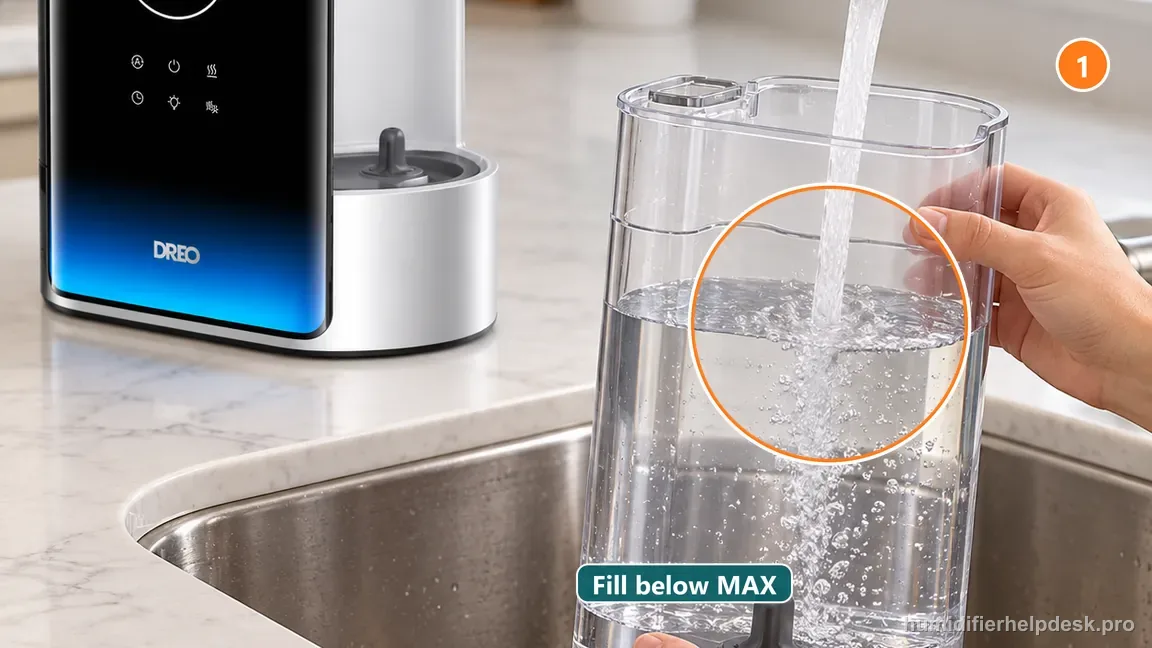
Illustrative: Refill the detached tank with the water type Dreo recommends and stop below MAX; never pour into the base. - Reseat the water tank squarely on the base, confirm the base float is in its normal position and clicks into place as described by Dreo, and make sure no packaging or misplaced part prevents normal seating.
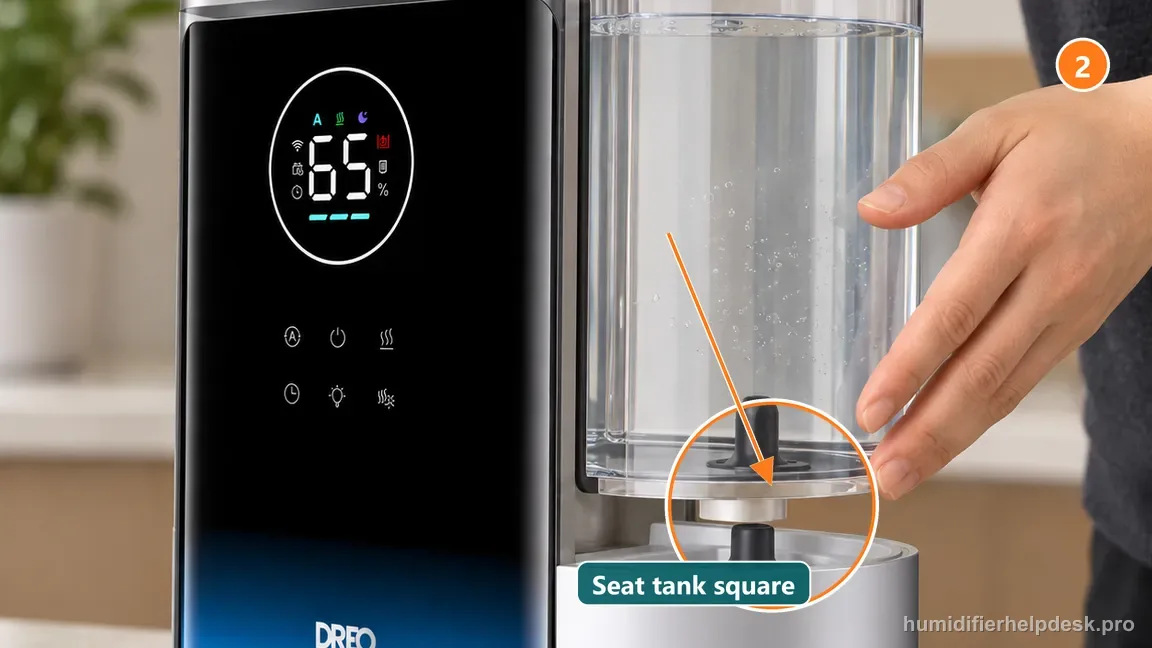
Illustrative: Reseat the tank squarely and evenly without forcing it down. - Inspect the water filter/cartridge area and clean or replace the filter only as directed by Dreo.
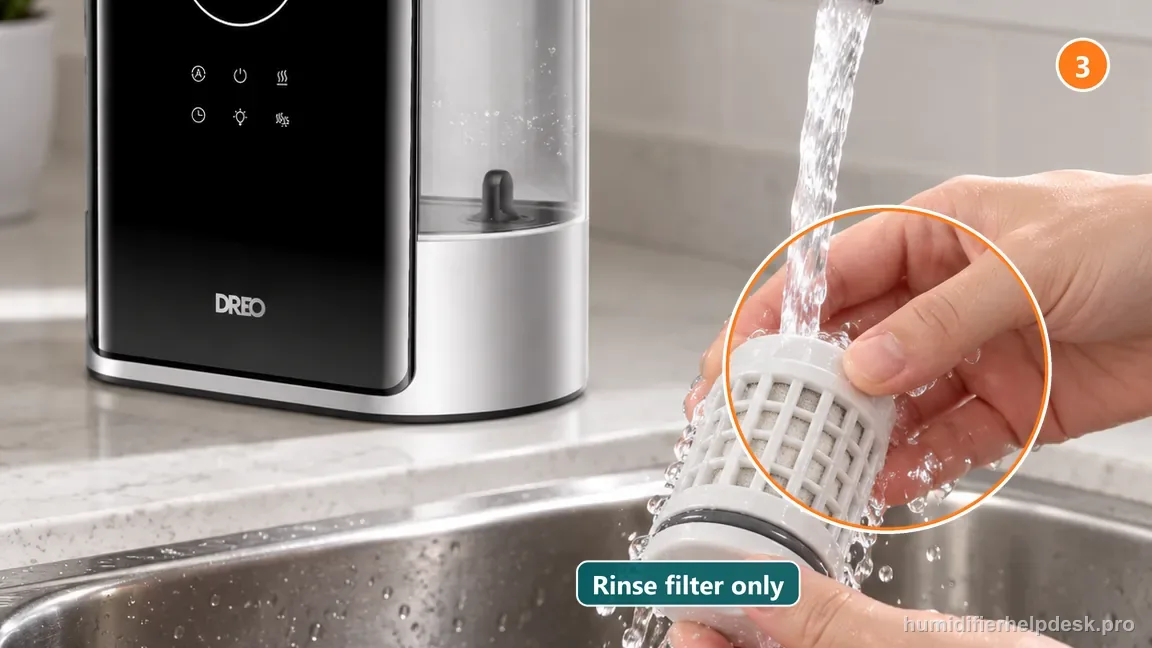
Illustrative: Clean the HM717S filter only as Dreo directs, or replace it with the specified part. - Power the unit after the tank is seated and watch whether the low-water warning clears during a normal startup.
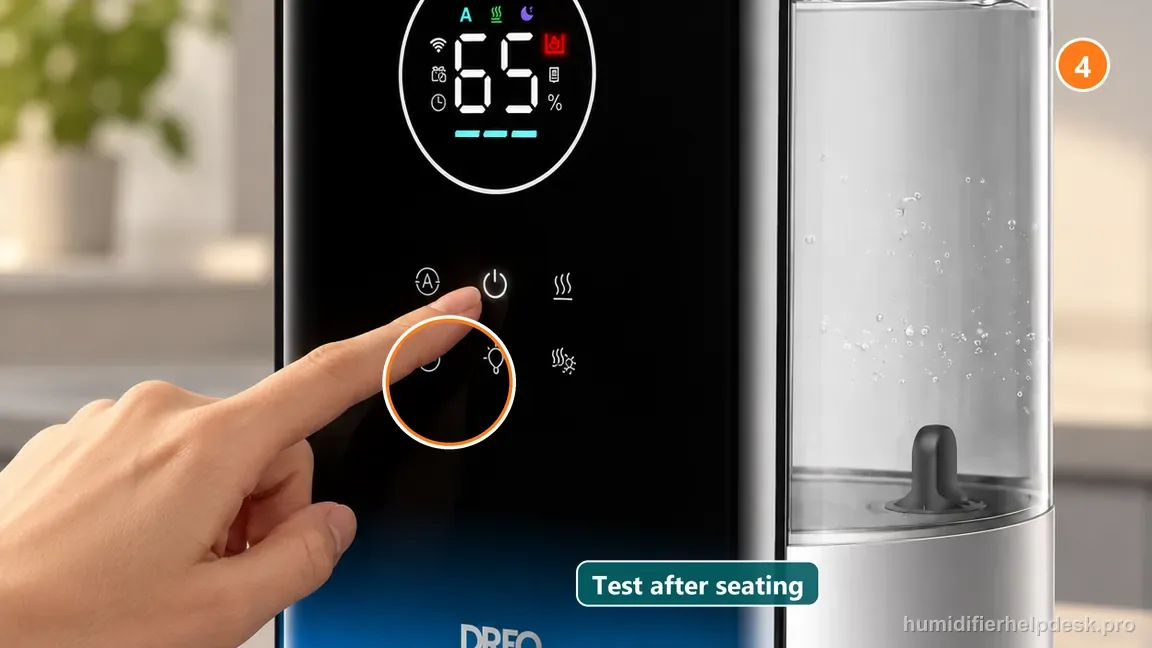
Illustrative: Start the humidifier normally after reassembly and observe whether the warning clears. - If the warning remains with a full, correctly seated tank and serviced filter, stop at the external checks and document the state for Dreo support.
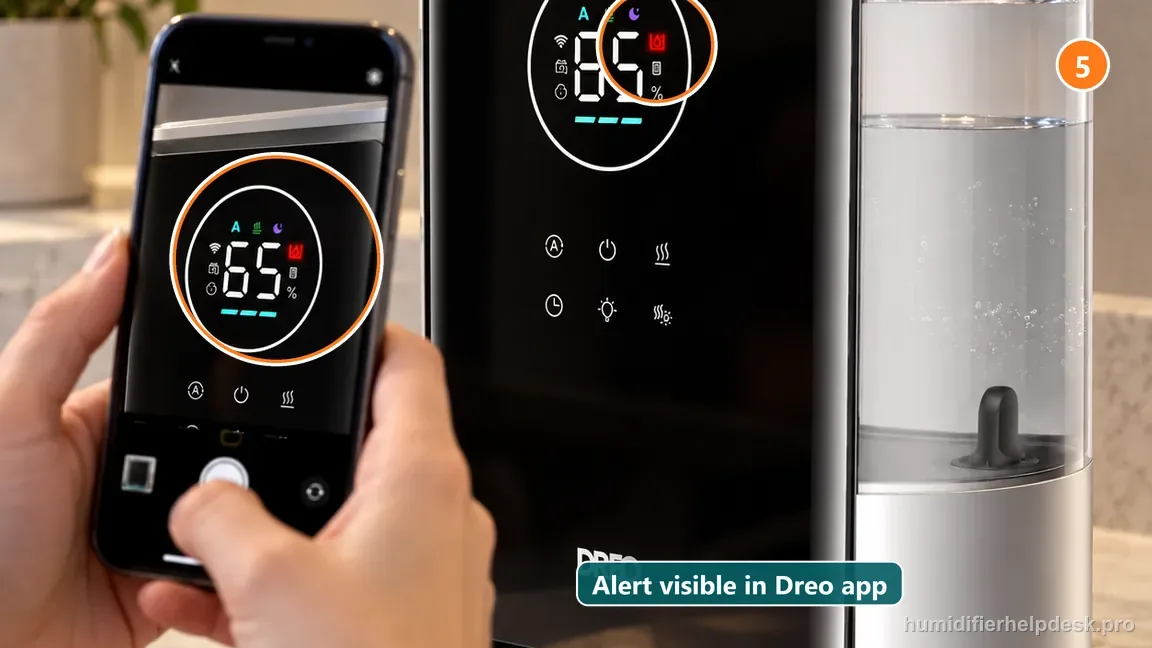
Illustrative: If the warning returns, stop repeated cycling and report the display and checks to support.
Diagnostic decision path
The red or low-water warning on the Dreo HM717S is best treated as a water-availability and seating signal before it is treated as an electronics problem. Dreo’s current FAQ names three causes: the tank can actually be empty, the tank can be incorrectly placed on the base, or the water filter can need cleaning or replacement. Dreo’s general low-water troubleshooting also says to verify that the float is fixed in position and clicks into place. The HM717S manual says the low-water indicator flashes for five seconds and then the humidifier switches to standby; that short warning followed by a stop can be normal protection, while a warning that remains after refilling still needs the seating, float, and filter checks below.
- Turn the humidifier off before removing the tank or filter area. Refill the tank normally and keep water below the MAX line rather than pouring water into the mist tube or base.
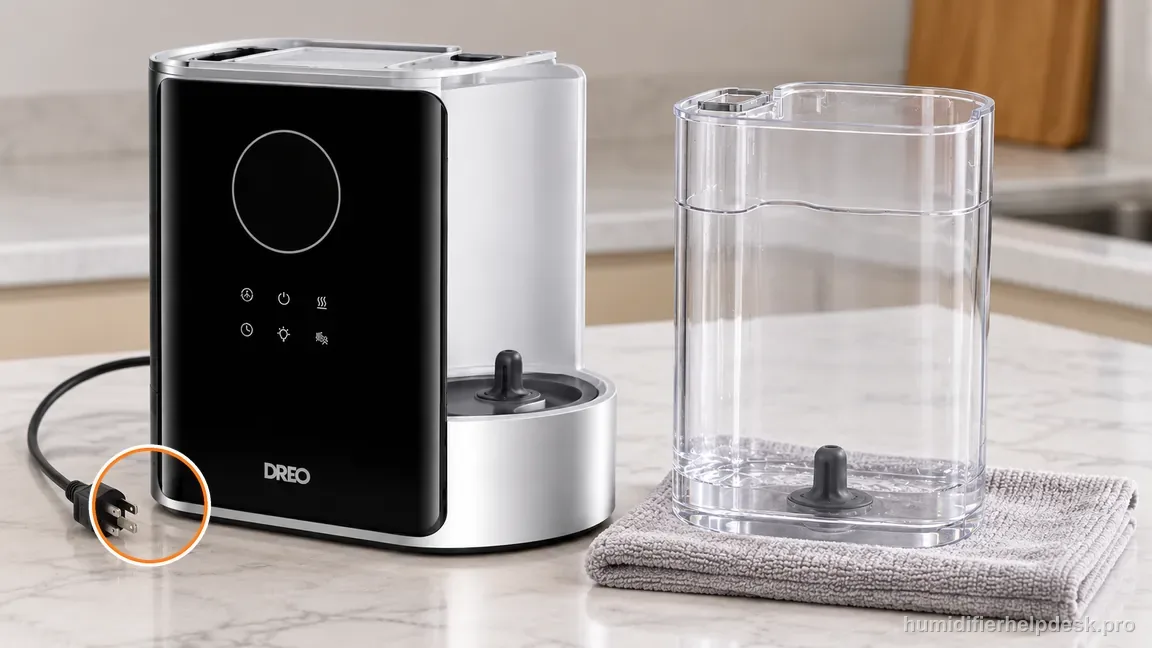
Turn the HM717S off and unplug it before removing the tank or water filter. - Dry the tank-bottom and base seating surfaces before reinstalling the tank so trapped water is not mistaken for a new leak while you diagnose the warning.
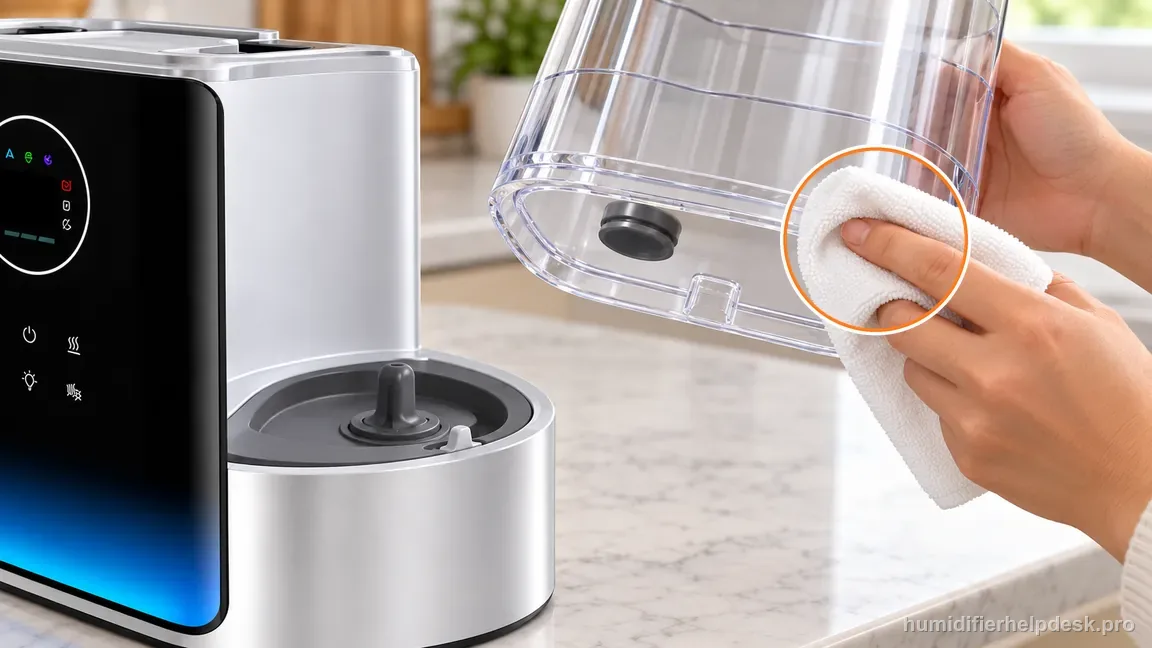
Dry the accessible tank and base seating surfaces before reinstalling the reservoir. - Note whether the warning appeared after the tank ran low, after cleaning/reassembly, or after a filter/cartridge maintenance event. That sequence helps distinguish an actual empty tank from a seating or maintenance problem.
If: The warning clears immediately after refilling
What it means: The low-water system was responding normally to an empty or nearly empty tank.
Do next: Resume normal operation and use the warning as the refill cue rather than repeatedly resetting the humidifier.
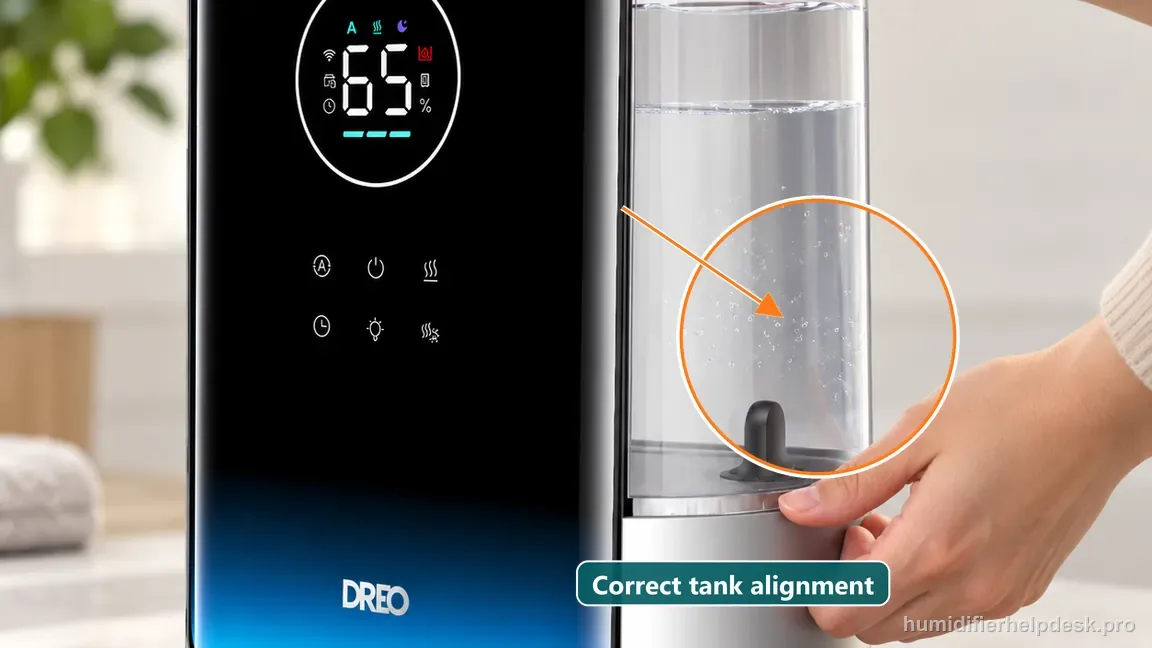
If: The tank is full but visibly not sitting squarely on the base
What it means: Dreo explicitly lists incorrect tank placement as a red-light cause and separately asks owners to confirm that the float is fixed in position.
Do next: Remove the tank, inspect for misplaced user-serviceable parts or packaging, then reseat it evenly. Check that the user-accessible float is correctly aligned and clicks into place as Dreo describes; do not force it or use a tool.
If: The warning appeared after filter/cartridge maintenance
What it means: The water filter may be dirty, overdue, or not correctly reinstalled.
Do next: Clean or replace the filter as Dreo directs and confirm the assembly is fully seated before the next startup.
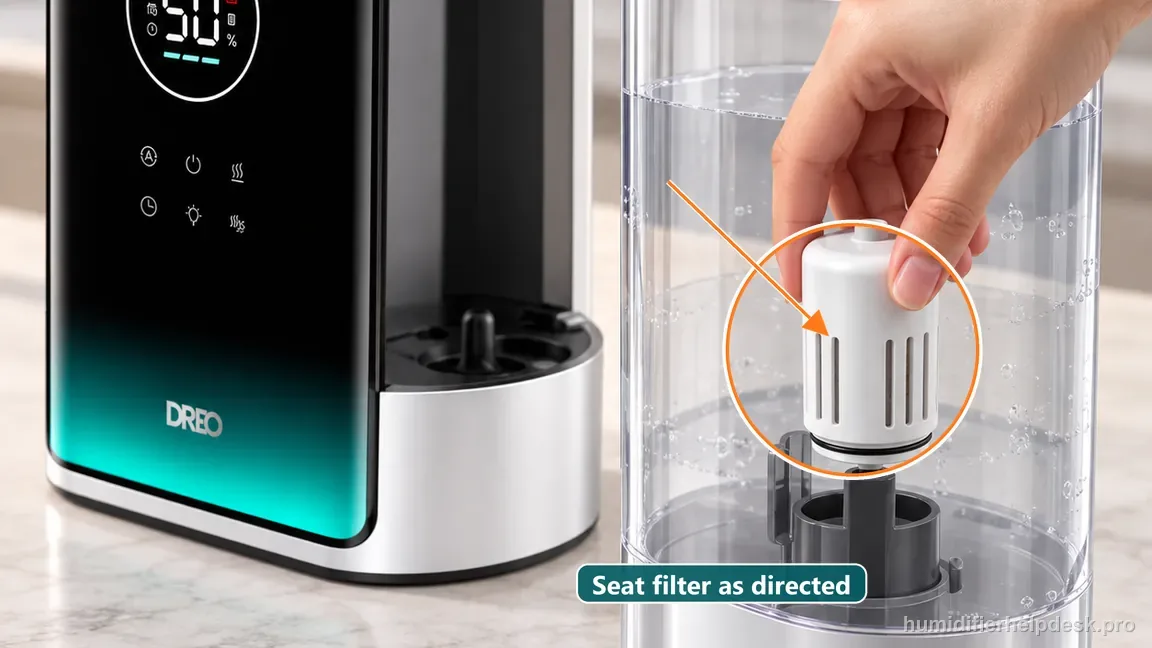
If: The tank is seated but water remains on the base or the float is visibly out of position
What it means: Dreo’s low-water troubleshooting calls out excess water on the base and a float that is not fixed in position.
Do next: Unplug the humidifier, pour water out of the base, realign the user-accessible float as shown in the HM717S manual until it clicks, and reseat the tank. Do not pour water into the base or pry the float.
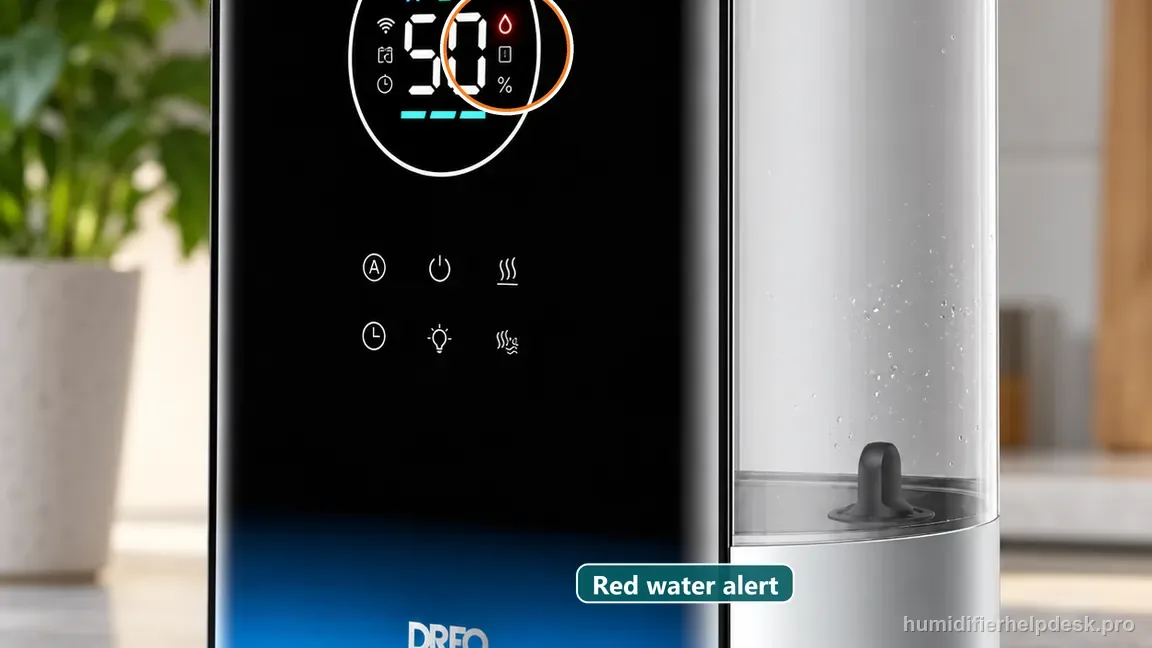
If: The warning remains with a full tank, correct seating, and serviced filter
What it means: The three external causes in Dreo’s red-light FAQ are exhausted.
Do next: Do not bypass the warning or manipulate internal sensors; document the full-tank state and contact Dreo support.
If: The unit repeatedly returns to the warning after initially clearing
What it means: Intermittent seating or water-path behavior is more likely than a simple empty-tank event.
Do next: Stop repeated cycling, recheck the user-accessible seating/filter path once, then escalate if the warning remains repeatable.
How to interpret the retest
A low-water warning is not the same as “no power.” The display can remain active while the humidifier protects itself by moving to standby, so the diagnosis should start with water and seating rather than the wall outlet.
Do not use the red warning as proof that an internal sensor has failed. Dreo provides three external causes first, and those should be completed before a sensor fault is inferred.
Filter maintenance belongs in this warning path because Dreo explicitly includes cleaning or replacement of the water filter. It is not a generic suggestion added to every Dreo symptom.
Dreo’s general low-water troubleshooting adds two checks that help when the tank is full: the float should be fixed in position and click into place, and water pooled on the base should be removed before reinstalling the tank. Keep both checks external and gentle; do not bend the float or use a tool.
The tank should be reseated, not pressed or weighted down. If normal seating does not clear the warning, forcing the tank can damage the valve or water path and create a second problem.
Repeated resets can hide the relationship between refill, seating, and the warning. Preserve the sequence of events so support can distinguish an intermittent mechanical seating problem from a persistent warning state.
Model-specific context that changes the diagnosis
Use one full-tank control test
After filling and seating the tank, confirm the float is aligned and fixed in position, then start the humidifier once and note whether the warning clears. If it does not, further refilling adds no new evidence; move to filter/seating verification.
Inspect after cleaning events
If the red light first appeared after maintenance, concentrate on parts that were actually moved. A filter or tank that is slightly out of position is more plausible than an unrelated electrical failure that happened at the same moment.
Keep low-water protection intact
The warning exists to prevent dry operation. Treat bypassing it or holding a sensor in an artificial position as outside the owner-service boundary.
Common mistakes that make this harder to diagnose
- Adding water to the base instead of refilling the tank.
- Forcing the tank down to make the warning disappear.
- Resetting repeatedly before checking whether the filter was correctly reinstalled.
- Assuming the red light automatically means a failed electrical sensor.
- Running the humidifier dry or bypassing low-water protection to test it.
The warning is resolved when a normal refill, correct tank seating, or proper water-filter service clears the low-water indicator and the HM717S returns to ordinary operation without repeated warnings. If a full correctly seated tank and serviced filter do not clear the state, or the warning returns predictably despite those conditions, stop at the external checklist and contact Dreo with the exact sequence rather than bypassing the protection.
Questions people ask about this exact symptom
Why is the red light on my Dreo HM717S?
Dreo lists an empty tank, incorrect tank placement, and a water filter needing service as HM717S red-light causes. Its low-water troubleshooting also says to confirm the float is fixed in place and clicks into position. Check these external parts gently; if the warning remains with a full tank, correctly seated float, and serviced filter, stop and contact Dreo rather than bypassing the protection.
Why does the HM717S red light stay on after I refill it?
A refill alone will not clear the warning if the tank is not seated correctly, the float is out of position, or the water filter is dirty or improperly installed. Turn the unit off, remove and reseat the tank, check that the float clicks into place as Dreo describes, and inspect the filter area. If the warning remains, document the state and use Dreo support.
Can I bypass the HM717S low-water sensor to keep it running?
No. The low-water warning is part of the humidifier’s protective operating logic, and Dreo does not provide an owner bypass procedure. Bypassing or holding an internal sensor can allow dry operation or create a false water state. Complete the fill, tank-seating, and filter checks only. If those do not clear the warning, leave the protection intact and contact Dreo.
Why this path is model-specific
Dreo’s live HM717S FAQ says the red light can mean the tank is out of water, the tank is not correctly placed on the base, or the water filter needs cleaning or replacement. The HM717S display documentation identifies a dedicated low-water indicator. Dreo’s official troubleshooting guide separately says to confirm the float is fixed in position and pressed down until it clicks when the low-water light remains on.
For the Dreo HM717S Smart Humidifier, the machine type matters: it is ultrasonic. Visible mist is part of normal output when mist production is active, so a true no-mist complaint deserves model-specific troubleshooting.
Compare this symptom across verified models
If you are still deciding whether this behavior is normal or model-specific, use the symptom hub to compare only manufacturer-linked guides. Keep the Dreo HM717S Smart Humidifier instructions above as the controlling path for this machine.
If the problem is still there
If the checks above do not change the symptom, use the manufacturer support path for this exact model. We intentionally stop before undocumented resets, sensor bypasses, internal mains work, or parts replacement that the consumer manual does not authorize.
What we do not recommend
Do not defeat a float, water-level sensor, overheat protection, interlock, or other safety feature. Do not open mains-powered sections for live testing. If the unit smells burned, becomes abnormally hot, smokes, sparks, has water near electrical parts, or repeatedly trips a circuit, stop using it and keep clear. Unplug it only if the plug, outlet, and surrounding area are dry and safe to reach; otherwise do not touch wet equipment and contact manufacturer support for next steps.
Primary source for this diagnosis
Source checked during the October 10, 2026 editorial review. Manufacturer documents can change; a material re-review updates this guide’s reviewed date rather than stamping unrelated pages.