Dreo’s current HM717S leak FAQ keeps the owner path external: check the silicone sealing ring around the water outlet valve, avoid running above about 60% room humidity, wipe away old exterior water, do not shake the filled unit, keep it level, confirm the float in the base is in place, and inspect the tank for a true leak.
Does this match what you are seeing?
Owners describe this Dreo HM717S Smart Humidifier problem in a few different ways. If one of these sounds like yours, this guide covers it:
- Leaking water
- Water under the base
- Humidifier leaking from bottom
- Reservoir leaking or overflowing
Check these in order
- Unplug and dry the tank, base exterior, and supporting surface so the first fresh water can be traced.
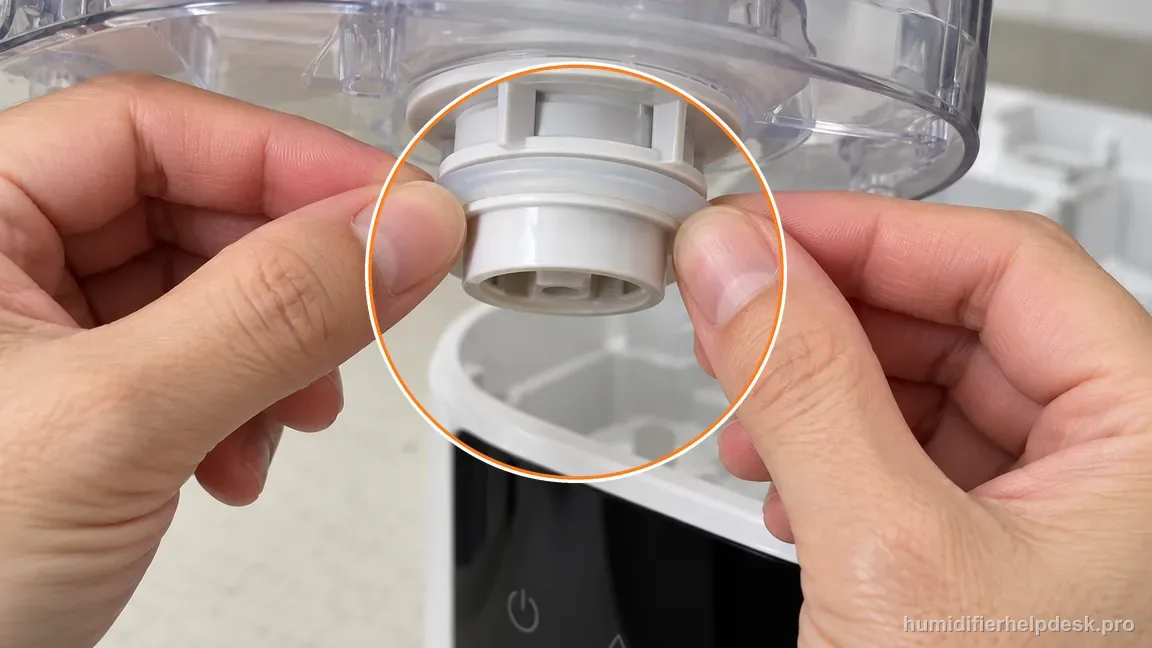
- Inspect the user-accessible silicone sealing ring around the water outlet valve and confirm it is secure.
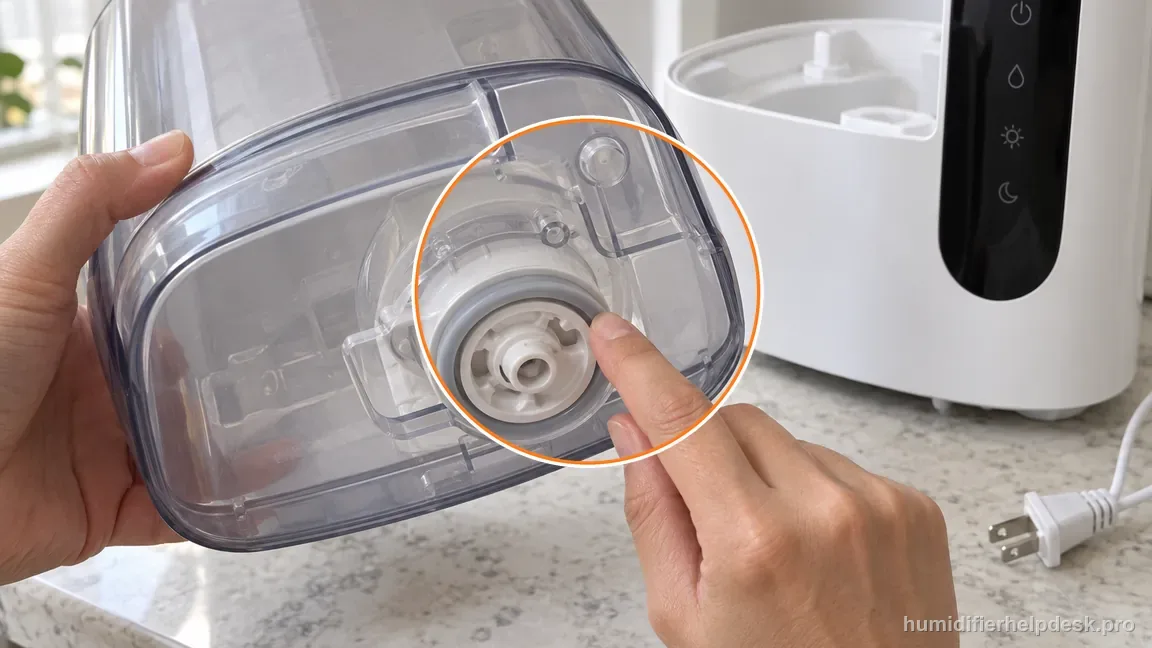
With the unit unplugged, confirm the user-accessible outlet-valve sealing ring is intact and sitting evenly. - If room RH is already above about 60%, lower output or pause the humidifier and ventilate before calling broad dampness a structural leak.
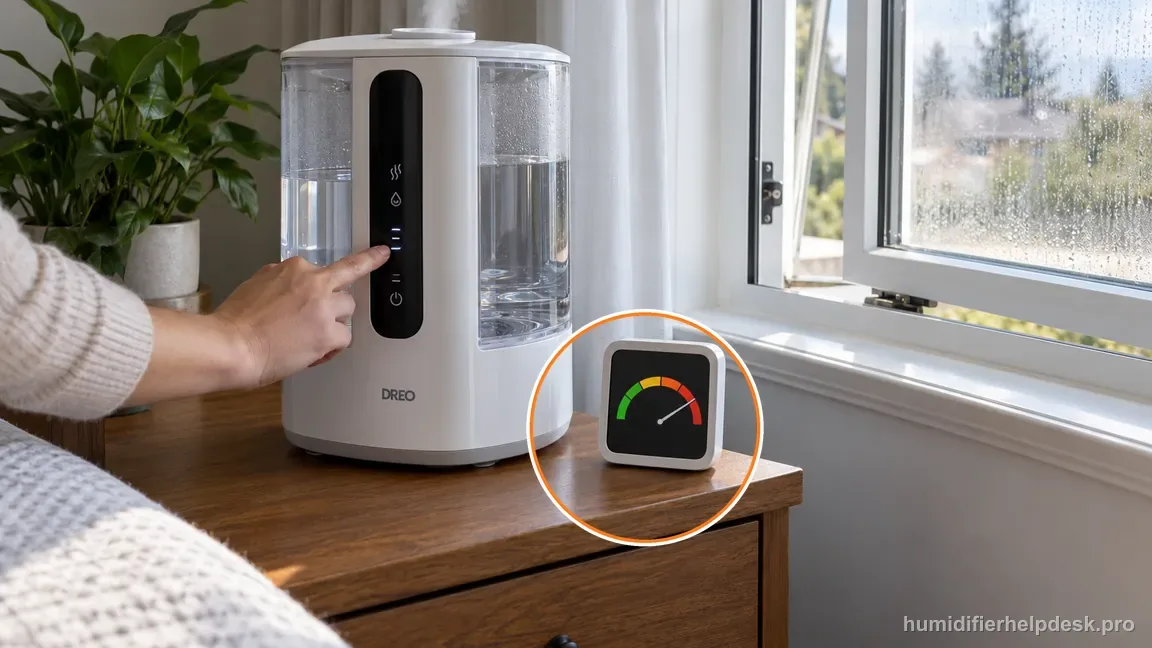
If room relative humidity is above about 60%, lower output or pause the unit and ventilate before diagnosing a mechanical leak. - Confirm the float in the base is in its normal user-accessible position without bending or modifying it.
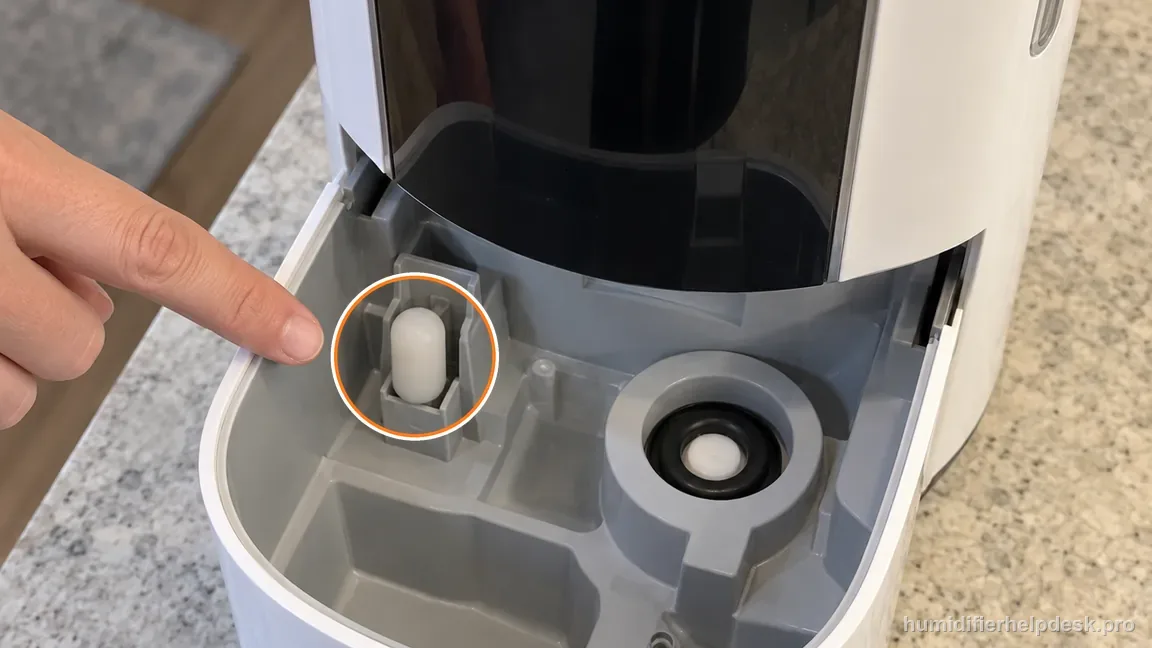
Check that the float is present and normally seated; do not bend, weight, or bypass it. - Do not shake or tilt the filled unit; retest it on a firm, flat, level, water-resistant surface.
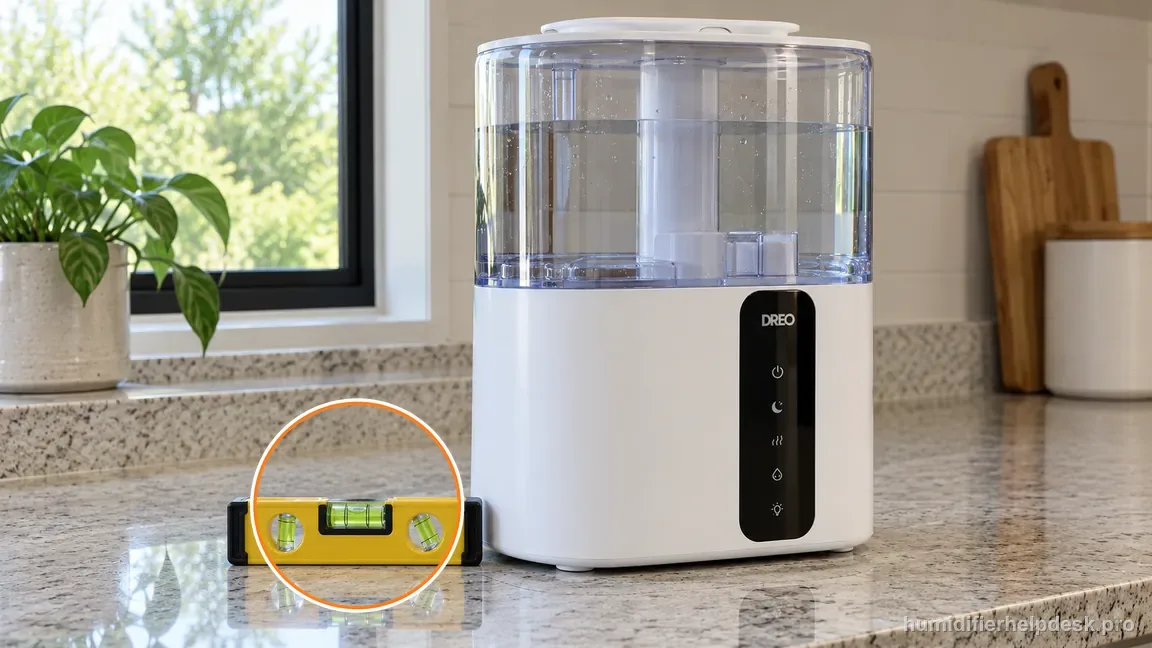
Retest the humidifier upright and stationary on a firm, flat, level, water-resistant surface. - Inspect the tank for a repeatable leak during refill and stop if a crack or damaged water-bearing part is visible.
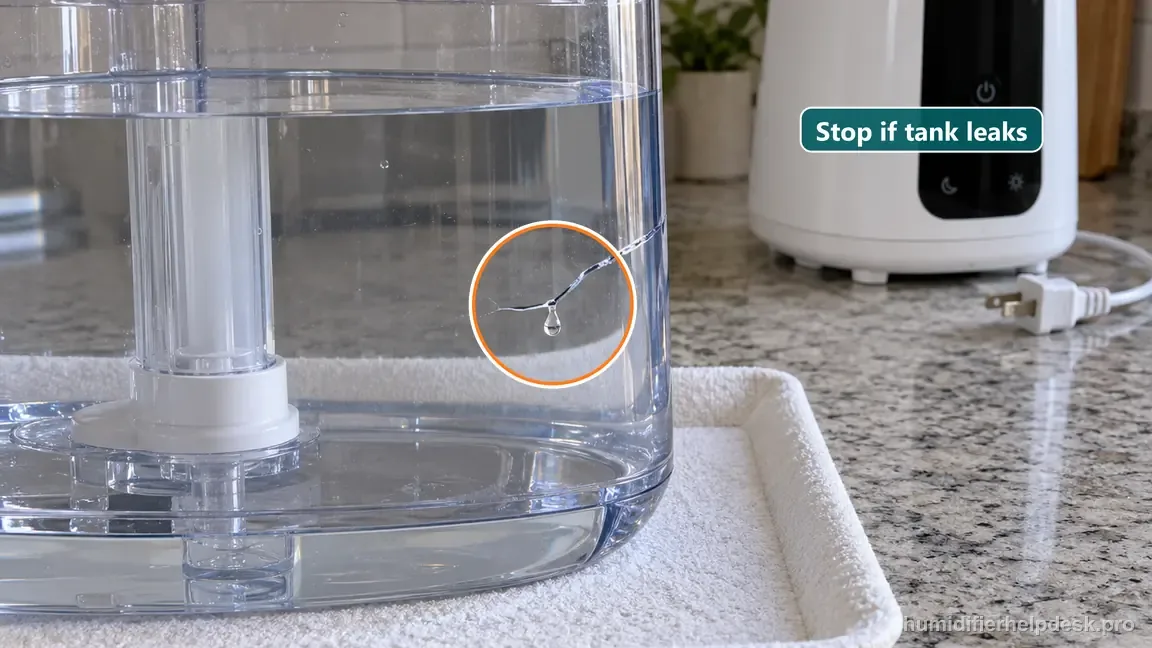
If the tank leaks while away from the base, stop using it and contact Dreo; do not patch a damaged tank.
Diagnostic decision path
Dreo’s live HM717S leak FAQ is narrower than many generic humidifier leak lists, and that is useful. The current first-party path names the silicone sealing ring around the water outlet valve, room relative humidity above about 60 percent, exterior water that needs to be wiped away, shaking or moving the filled humidifier, level placement, the float in the base, and a tank that actually leaks. Keeping the diagnosis inside those documented boundaries prevents unrelated causes from other humidifier models from being mistaken for confirmed HM717S fixes.
- Turn the HM717S off and unplug it. Dry the tank, base exterior, and supporting surface completely so old water does not keep spreading while you try to identify a fresh leak.
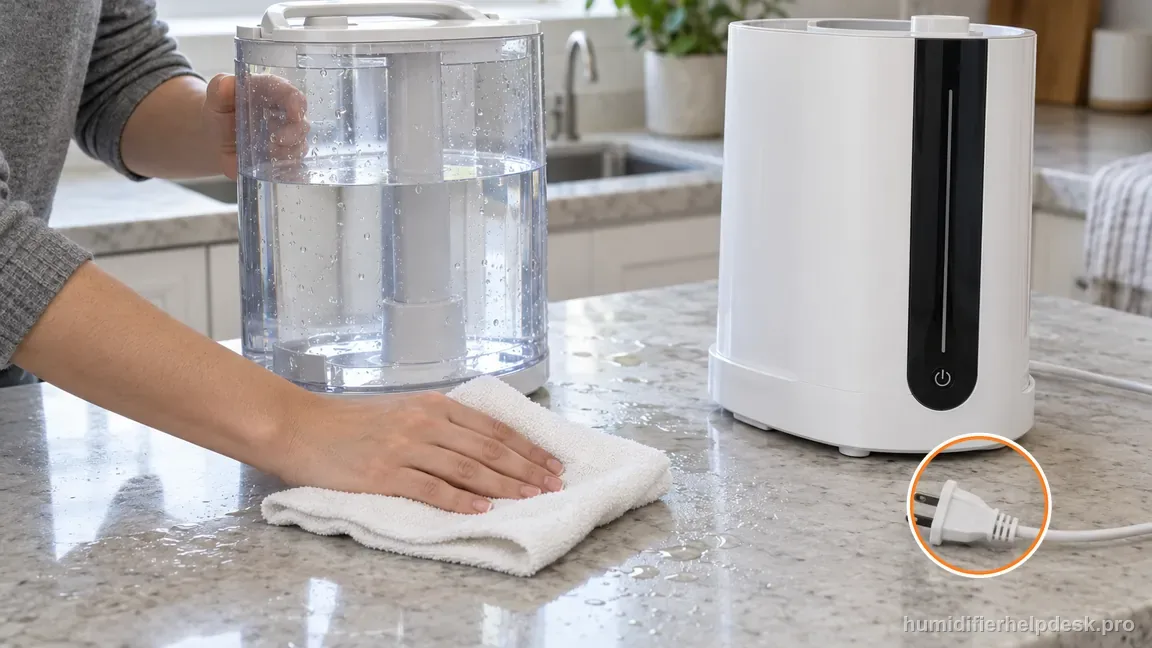
Switch the HM717S off, unplug it, and dry the tank exterior, base exterior, and support surface before looking for new water. - Place the humidifier on a firm, flat, level, water-resistant surface and leave it stationary. Do not shake or tilt the tank or base to make water move faster during a diagnostic test.
- Note the room relative humidity if available. If the room is already above about 60 percent, reduce output or pause the unit and ventilate before deciding that broad dampness must be a mechanical leak.
If: The silicone sealing ring around the water outlet valve is visibly displaced
What it means: Dreo specifically identifies that user-accessible seal as part of the leak path. A poor seat can let water escape where the tank feeds the base.
Do next: With power disconnected, reseat the ring only if it is intact and designed to be user-accessible. If it is torn, missing, or deformed, stop wet testing and contact Dreo.
If: The base float is visibly out of its normal position
What it means: The current HM717S FAQ includes “float in base not in place” as a leak condition, so the water-level mechanism deserves an external seating check.
Do next: Restore only the normal user-accessible position without bending, weighting, or modifying the float. If the part is damaged or will not remain seated, use support.
If: Broad moisture stops after room RH is reduced below the very humid range
What it means: The original wetness was at least partly environmental rather than a repeatable tank or valve leak.
Do next: Keep output lower and continue to watch for a specific fresh droplet. Do not label the tank cracked unless water can be traced to the tank or valve path.
If: Fresh water appears only after the filled unit is moved or shaken
What it means: Dreo explicitly says not to shake the humidifier in its leak guidance. Movement can disturb the water path and create a spill that does not occur during normal stationary use.
Do next: Dry the unit and retest it stationary on a level surface. Avoid carrying or tilting the HM717S while it contains water.
If: The leak disappears after moving the unit to a firm, level surface
What it means: Placement was contributing to the water-path problem.
Do next: Keep the humidifier on that stable surface and do not use carpet, a soft pad, or a sloped table for the next comparison.
If: The tank leaks while being filled or while sitting away from the base
What it means: That is direct evidence of a tank-side structural leak rather than room humidity, float seating, or old exterior water.
Do next: Stop using the leaking tank and contact Dreo. Do not patch a water-bearing tank above powered electronics with household adhesive.
HM717S leak branches at a glance
Each row restates a branch of the decision path above, using only the checks Dreo’s HM717S leak guidance names.
| What you find | What it points to | Next step |
|---|---|---|
| Silicone sealing ring around the water outlet valve is displaced | The user-accessible seal that Dreo names as part of the leak path | With power disconnected, reseat the ring only if it is intact and designed to be user-accessible; if it is torn, missing, or deformed, stop wet testing and contact Dreo |
| The base float is out of its normal position | The water-level mechanism needs an external seating check | Restore only the normal user-accessible position without bending, weighting, or modifying the float; if it is damaged or will not stay seated, use support |
| Broad moisture stops after room humidity drops below the very humid range | The wetness was at least partly environmental; Dreo advises against running above about 60 percent relative humidity | Keep output lower and watch for a specific fresh droplet; do not call the tank cracked unless water traces to the tank or valve path |
| Fresh water appears only after the filled unit is moved or shaken | Movement disturbed the water path; Dreo’s leak guidance says not to shake the humidifier | Dry the unit and retest it stationary on a level surface, and avoid carrying or tilting it while it contains water |
| The leak disappears on a firm, level surface | Placement was contributing to the water-path problem | Keep it on that stable surface; do not use carpet, a soft pad, or a sloped table for the next comparison |
| The tank leaks while being filled or while away from the base | A tank-side structural leak, not humidity, float seating, or old exterior water | Stop using the tank and contact Dreo; do not patch it with household adhesive |
Mistakes that hide the real HM717S leak
| Mistake | Why it gets in the way | Do this instead |
|---|---|---|
| Continuing powered tests while old water is pooled around the base | Old water keeps spreading, so a fresh leak cannot be identified | Turn it off, unplug it, and dry the tank, base exterior, and surface completely before a controlled refill |
| Treating high room humidity as proof there cannot also be a mechanical leak | Dampness and a leak can both be present | If a specific tank or valve point becomes wet again, switch back to the mechanical leak branch |
| Bending or weighting the float | It forces a different water level instead of restoring the normal one | Restore only the normal user-accessible position, or use support if the part is damaged |
| Shaking or tilting a filled HM717S during diagnosis | It can create a spill that does not happen in normal stationary use | Retest without movement on a level surface |
| Improvising a gasket or adhesive repair for a damaged tank or silicone ring | It is not part of Dreo’s owner troubleshooting and sits above electrical components | Keep the humidifier unplugged and contact Dreo with the model, leak location, and a photo |
How to interpret the retest
Before moving the HM717S, switch it off and unplug it only when the plug and surrounding area are dry. Wipe the outside, then identify where the first new water appears during a stationary retest: tank seam, valve area, base edge, or condensation on the cool surface. Dreo's HM717S guidance calls for a level location, correctly seated sealing ring, and avoiding shaking or carrying the filled unit. A source photo of the dry setup helps distinguish a leak from water left over after filling.
Do not seal a cracked tank with adhesive or continue operating a unit that leaks toward electrical parts. Check only the external ring and tank surfaces the product guidance identifies. Keep the humidifier level and make one careful, supervised retest on a dry surface. If a drop reappears from a damaged tank or base, stop using it and contact Dreo with the model, leak location, and a photo. Never open the powered base or tilt a filled reservoir to chase a leak.
Model-specific context that changes the diagnosis
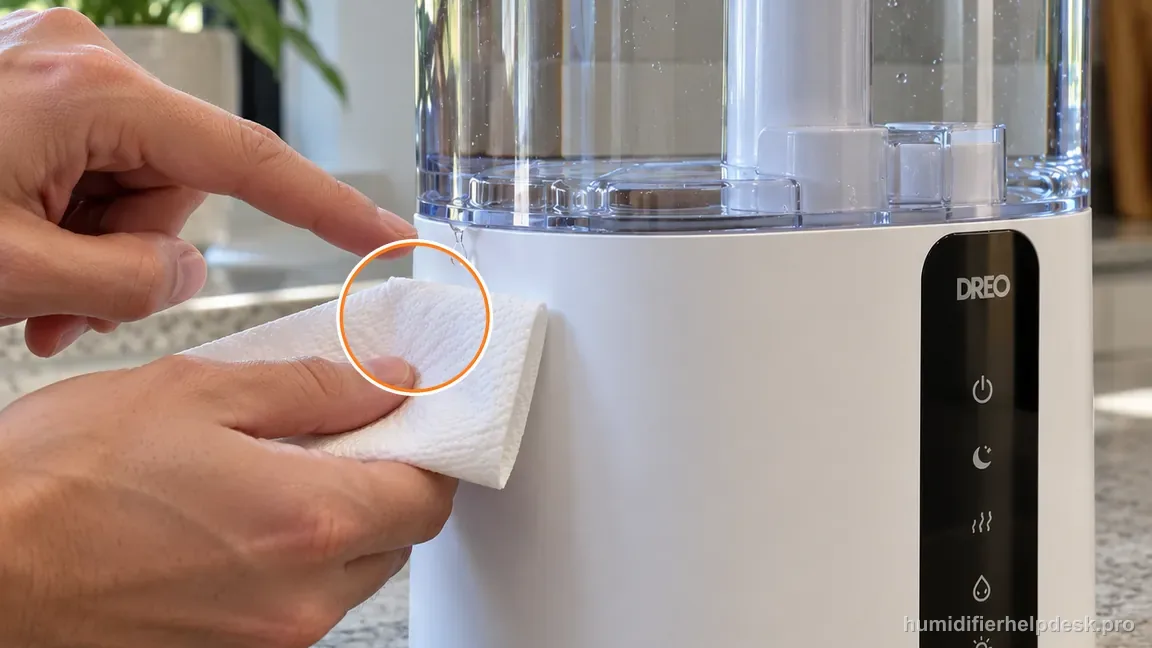
Trace the first new droplet
After drying the unit and table, perform one controlled refill and observe where fresh water first appears. A small first droplet at the tank or valve is more useful than a large puddle that may contain water from several earlier spills.
Separate room dampness from a repeatable leak
If windows and surfaces are broadly wet while the unit itself stays dry after wiping, reduce output and ventilation conditions first. If a specific tank or valve point becomes wet again, switch back to the mechanical leak branch.
Keep the filled unit stationary
Dreo explicitly includes “do not shake” in the leak guidance. A leak that appears only after moving a full humidifier should be retested without movement before the water-bearing parts are blamed.
Common mistakes that make this harder to diagnose
- Continuing powered tests while old water is still pooled around the base.
- Using high room humidity as proof there cannot also be a mechanical leak.
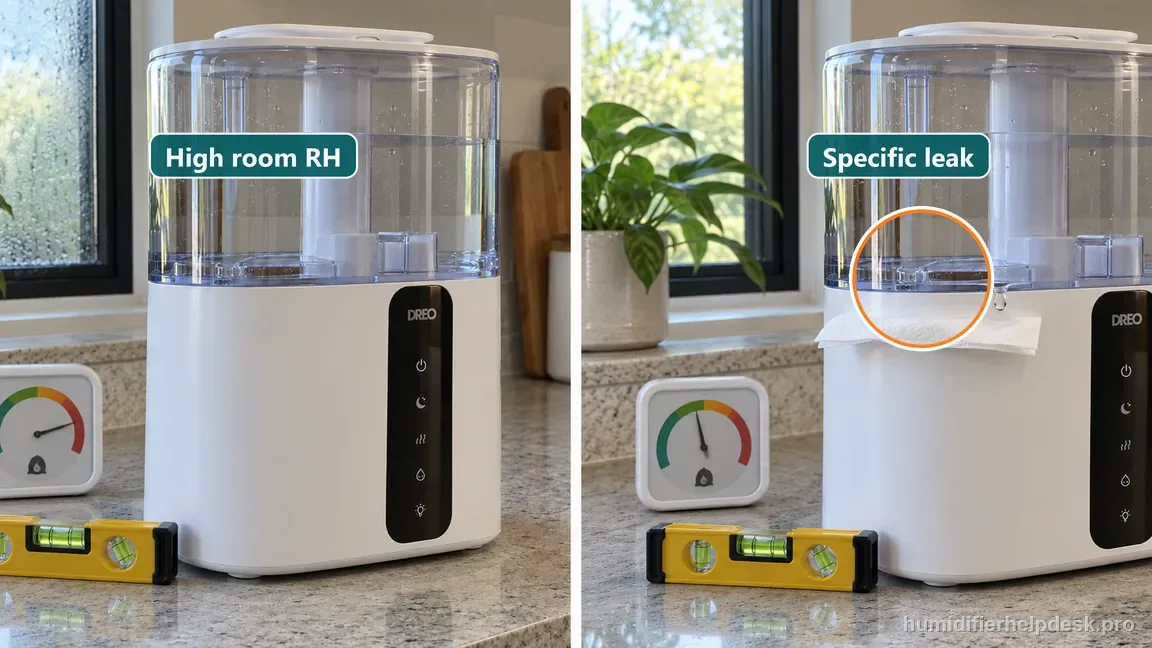
High room humidity can explain broad dampness, but it does not rule out a specific leak at the tank or valve. - Bending or weighting the float to force a different water level.
- Shaking or tilting a filled HM717S during leak diagnosis.
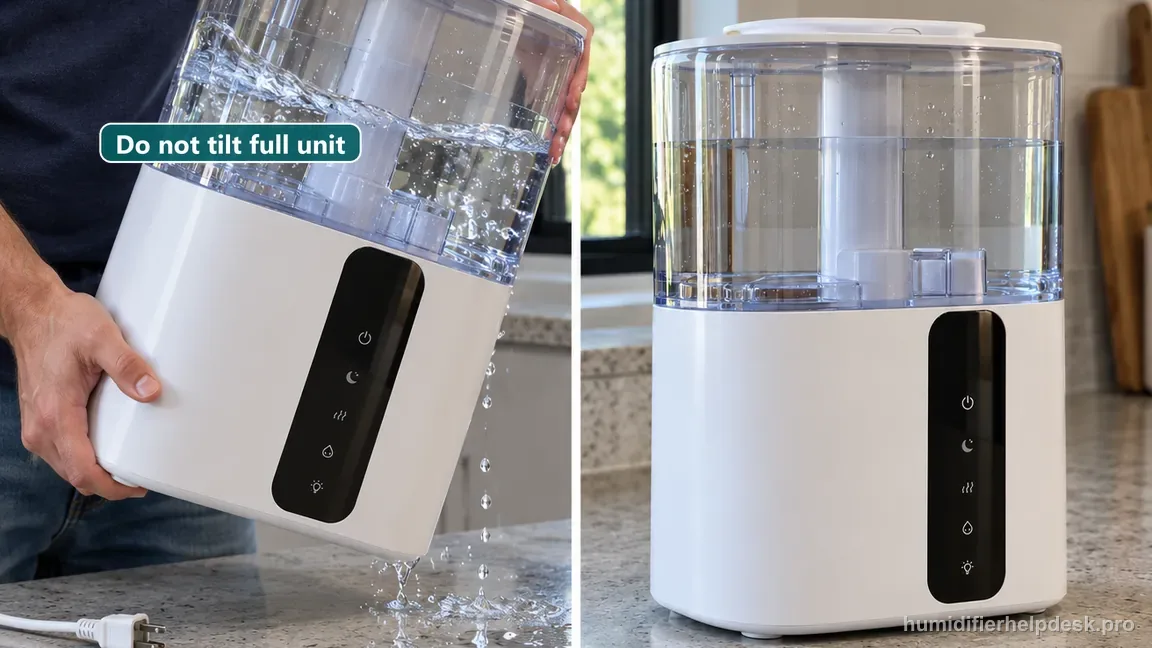
Do not shake, carry, or tilt a filled HM717S during leak diagnosis; retest it upright and stationary. - Improvising a gasket or adhesive repair for a damaged tank or silicone ring.
The HM717S leak complaint is resolved when the unit remains dry through a controlled stationary refill and run after a documented external cause—silicone-ring seating, float position, high room humidity, old exterior water, movement, or unlevel placement—is corrected. A tank that leaks independently, a damaged or missing seal/float, water in powered areas, or recurring leakage after these checks means the owner-service boundary has been reached; keep the humidifier unplugged and use Dreo support.
Questions people ask about this exact symptom
What should I check first if my Dreo HM717S is leaking?
Unplug and dry the unit first so you can trace fresh water. Dreo’s current HM717S FAQ says to check the silicone sealing ring around the water outlet valve, room humidity above about 60 percent, excess water around the unit, shaking or movement, level placement, the float in the base, and the tank itself. Keep the humidifier stationary and stop if water reaches powered parts.
Can high humidity make my HM717S look like it is leaking?
Yes. Dreo specifically says to avoid running the HM717S in a room above about 60 percent relative humidity in its leak guidance. High humidity can contribute to broad dampness or condensation. Dry the area, reduce output or pause the humidifier, and ventilate. If a specific fresh droplet still returns from the tank or valve path, treat that as a mechanical leak instead.
Can I repair a damaged HM717S seal or tank with glue?
That is not part of Dreo’s owner troubleshooting. The manufacturer tells users to make sure the outlet-valve silicone sealing ring is secure and to check the tank for leaks. If the ring is torn or missing, the tank is cracked, or water continues to escape after normal seating checks, keep the unit unplugged and contact Dreo rather than applying an improvised seal above electrical components.
Why this path is model-specific
Dreo’s live HM717S product FAQ lists the outlet-valve silicone sealing ring, room humidity above 60%, excess exterior water, shaking, level placement, the base float, and tank leakage for water-leak complaints.
For the Dreo HM717S Smart Humidifier, the machine type matters: it is ultrasonic. Visible mist is part of normal output when mist production is active, so a true no-mist complaint deserves model-specific troubleshooting.
This symptom appears on other humidifiers too, but the meaning and reset path can change by technology, sensor logic, and control layout. Use the exact model source above before borrowing a fix from a neighboring model.
Compare this symptom across verified models
If you are still deciding whether this behavior is normal or model-specific, use the symptom hub to compare only manufacturer-linked guides. Keep the Dreo HM717S Smart Humidifier instructions above as the controlling path for this machine.
If the problem is still there
If the checks above do not change the symptom, use the manufacturer support path for this exact model. We intentionally stop before undocumented resets, sensor bypasses, internal mains work, or parts replacement that the consumer manual does not authorize.
What we do not recommend
Do not defeat a float, water-level sensor, overheat protection, interlock, or other safety feature. Do not open mains-powered sections for live testing. If the unit smells burned, becomes abnormally hot, smokes, sparks, has water near electrical parts, or repeatedly trips a circuit, stop using it and keep clear. Unplug it only if the plug, outlet, and surrounding area are dry and safe to reach; otherwise do not touch wet equipment and contact manufacturer support for next steps.
Primary source for this diagnosis
Source checked during the September 4, 2026 editorial review. Manufacturer documents can change; a material re-review updates this guide’s reviewed date rather than stamping unrelated pages.