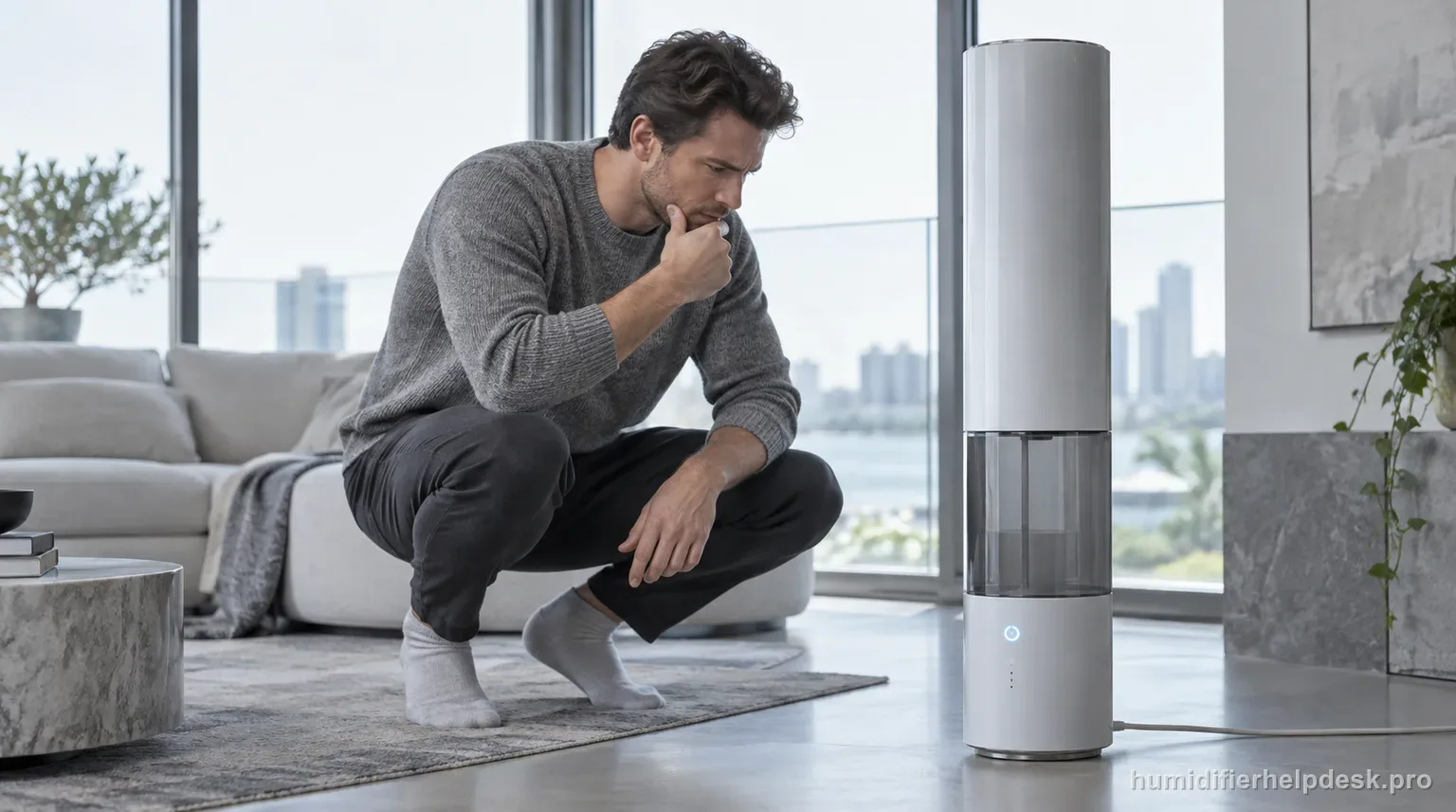
The HM735S no-mist path is unusually specific because the tower uses a pump-fed water path. Dreo says to check the air inlet, reservoir water level, room ventilation, Auto Mode target, atomizer scale, and then allow about 15 seconds for the pump to move water after the inlet tank has run dry.
Does this match what you are seeing?
Owners describe this Dreo HM735S problem in a few different ways. If one of these sounds like yours, this guide covers it:
- Not misting
- Not producing mist
- Stopped making mist
- Has power but no mist
Check these in order
- Confirm the lower air inlet is not blocked by a wall, fabric, carpet, dust buildup, or another object.
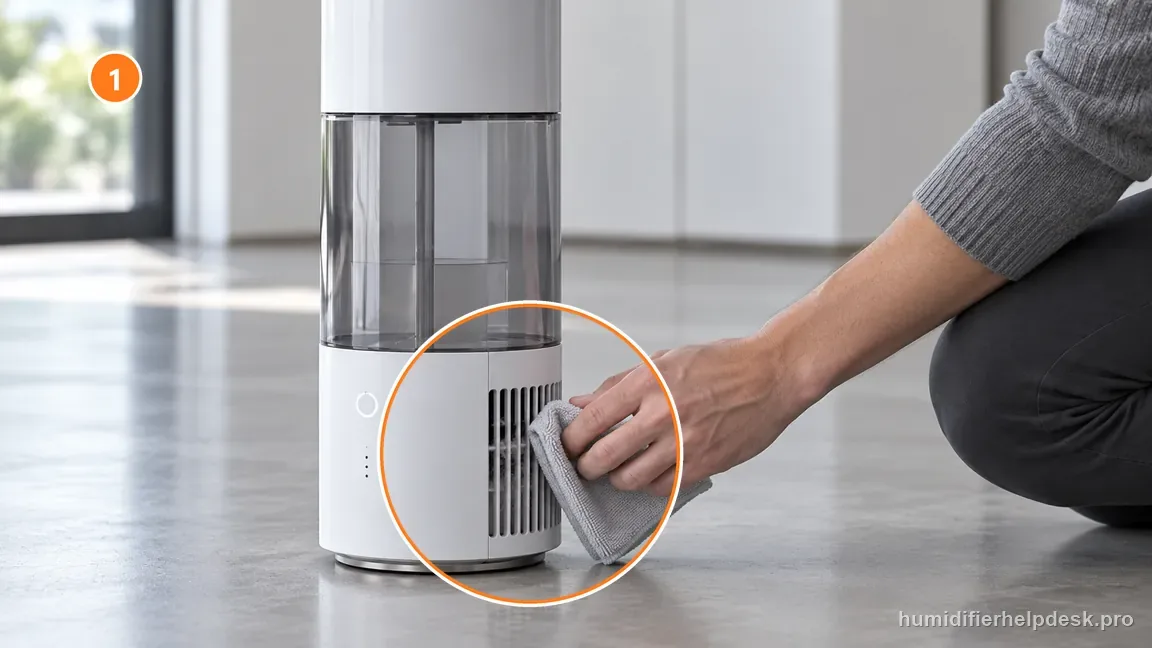
With the unit unplugged, gently clear lint from the outside of the lower air inlet without opening the tower. - Check that the water reservoir has enough water and that the inlet tank is seated normally.
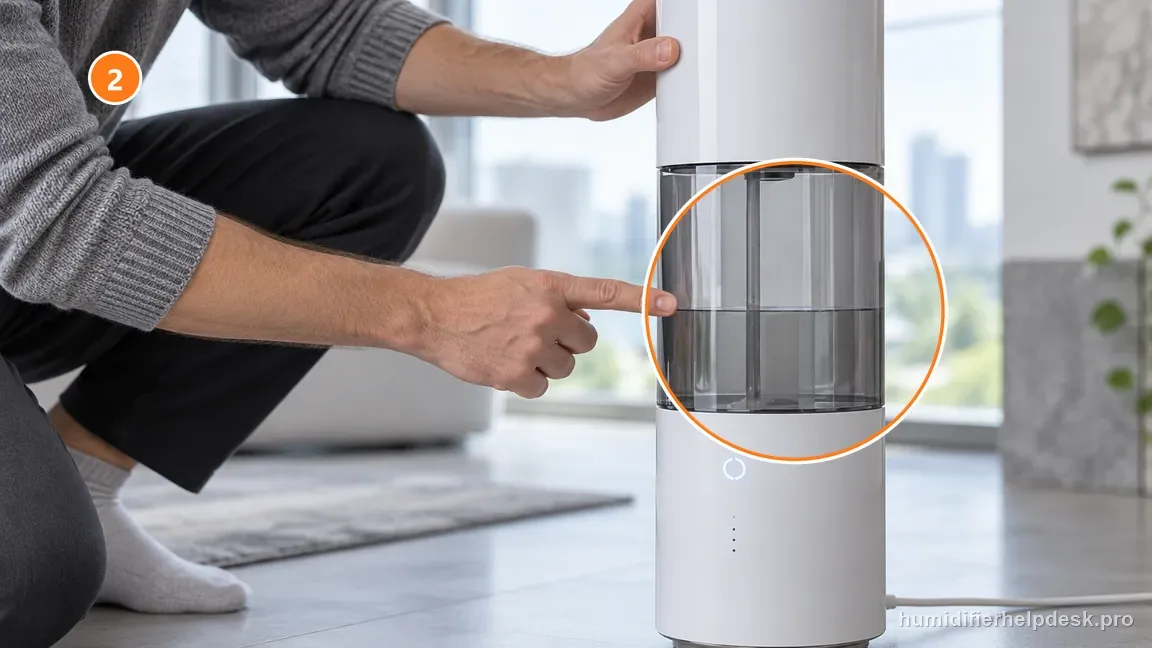
Check the visible reservoir water and make sure the inlet tank sits normally before testing mist. - Temporarily reduce strong room ventilation by closing open doors or windows so mist is not immediately dispersed.
- If Auto Mode is active, compare the set humidity with the ambient reading; a target below the current room humidity can stop mist output.
- Inspect the atomizer area for mineral scale and descale it according to Dreo cleaning guidance if deposits are present.
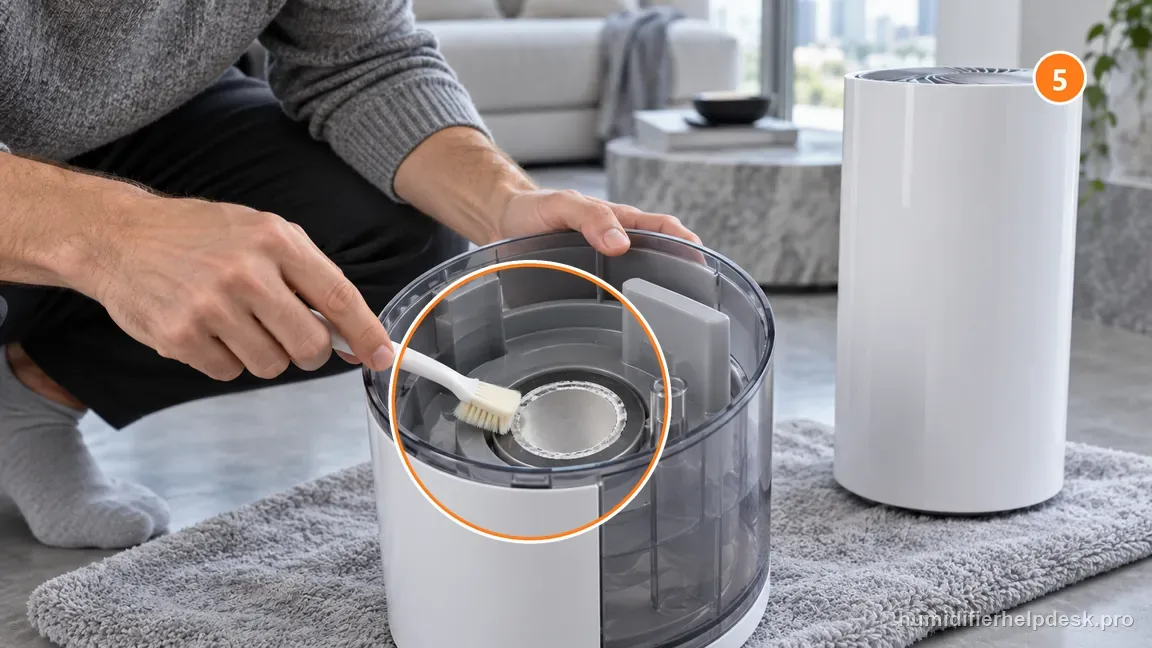
Unplug first and use Dreo’s cleaning method on visible atomizer scale; do not scrape the surface. - After the inlet tank has run empty, refill and allow roughly 15 seconds after power-up for the pump to transfer water before judging the mist result.
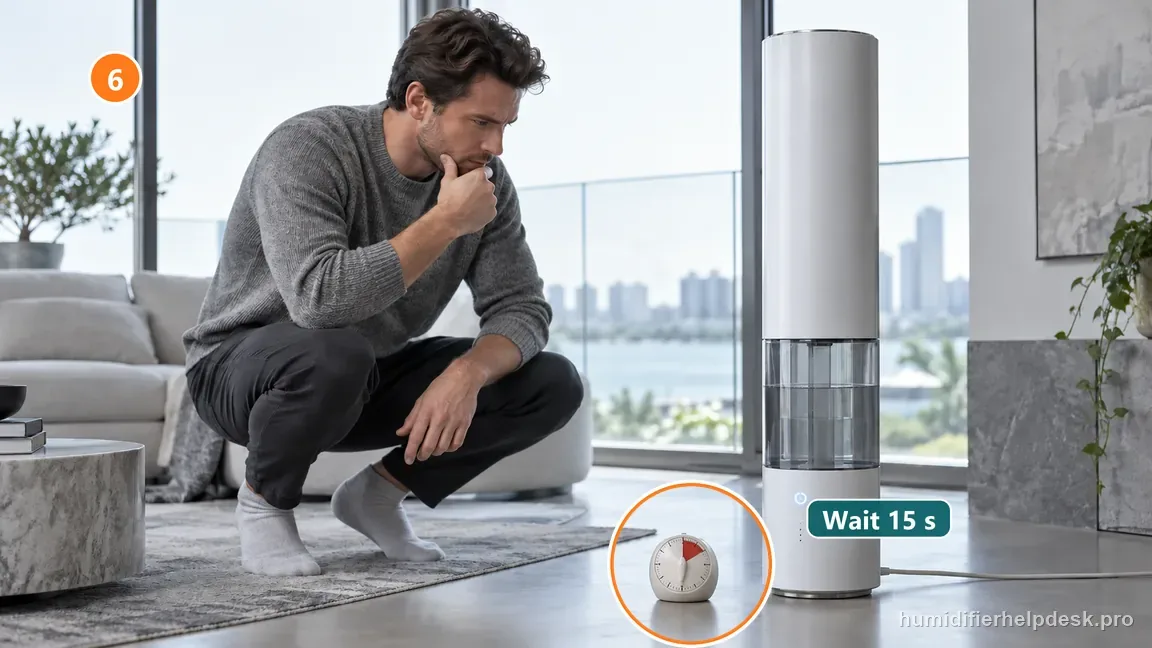
After the inlet tank ran dry, refill and allow about 15 seconds for the pump to transfer water.
Diagnostic decision path
A no-mist complaint on the Dreo HM735S needs one extra distinction that smaller tank-on-base humidifiers do not: this 11 L tower uses a pump-fed water path. The machine can therefore have water in the upper inlet tank yet still need a short transfer interval before the atomizer has the water it needs. Dreo also lists airflow, room ventilation, Auto Mode, and scale as separate checks. The useful test is to change one condition at a time and watch whether mist returns, rather than repeatedly power-cycling a full tank.
- Use a manual mist setting for the first test instead of relying on Auto Mode, and note the displayed room humidity and target before changing either value.
- Keep the tower upright on a hard, level surface with the lower air inlet open. Do not place fabric, a curtain, or soft flooring against the intake area.
- If water was spilled into the powered interior during cleaning or refilling, stop. Dreo says not to power the unit immediately; place it in a dry, well-ventilated area and let it dry for at least 24 hours before use.
If: Mist returns after Auto Mode is changed to a manual output level
What it means: The atomizer and water path can make mist. The earlier stop was consistent with humidity-target logic rather than a failed mist system.
Do next: Return to Auto only after checking that the selected target is actually above the current ambient humidity. If the target is already satisfied, no mist can be normal behavior.
If: The inlet tank was empty and the unit was just refilled
What it means: The pump may need time to move water into the working reservoir. Dreo documents about a 15-second wait after the inlet tank has run out.
Do next: Leave the refilled unit level and powered for the documented transfer interval. Do not keep lifting the tank during those few seconds because that changes the water path again.
If: The unit is full but no mist appears and the lower inlet is obstructed
What it means: The humidifier cannot move air through the mist system correctly even though water is available.
Do next: Power off, clear the inlet, and retest in open space. Keep the intake away from curtains, bedding, or accumulated dust that could restrict airflow.
If: The no-mist symptom improves after doors or windows are closed
What it means: Heavy ventilation was dispersing the mist faster than it could be observed or was making the unit chase a changing room condition.
Do next: Judge output in a stable room before changing hardware-related variables. Reopen the room gradually after confirming that the humidifier itself can produce a normal plume.
If: Scale is visible on the atomizer and the other external checks are normal
What it means: Mineral buildup is now the documented user-serviceable explanation that best matches the remaining symptom.
Do next: Use Dreo descaling guidance, rinse the serviced areas thoroughly, reassemble, and run one clean-water test. Do not scrape the atomizer with a hard tool.
How to interpret the retest
The presence of water in the large inlet tank does not by itself prove that water has already reached the atomizing section. The HM735S pump changes how refill timing should be interpreted, especially immediately after the inlet tank has been allowed to run dry.
Auto Mode belongs near the beginning of the diagnosis because it can intentionally stop moisture output when the room target is met. A unit that mists normally in manual mode should not be treated like a unit that cannot generate mist at any setting.
Room ventilation is not a universal excuse for no mist. It matters here because Dreo explicitly lists excessive ventilation in the HM735S troubleshooting path. Use it as a controlled observation: temporarily stabilize the room and see whether the visible result changes.
A blocked inlet and scale on the atomizer are different failure paths. Clearing airflow should change the way the unit breathes; descaling addresses the mist-producing surface. Doing both at once erases useful diagnostic evidence.
If internal water intrusion occurred, the safety question overrides the search for mist. A successful plume is not worth proving while moisture may still be inside a powered section that Dreo expects to remain dry.
Model-specific context that changes the diagnosis
Use the pump delay as a timing clue
After a dry-tank refill, note when power is applied and whether the pump can be heard briefly. Give the documented transfer interval before judging the plume. If mist begins after the delay, the result fits normal water transfer. If the unit remains dry after the wait, move to airflow, Auto target, and atomizer scale rather than repeating the refill over and over.
A manual-mode comparison is more informative than repeated restarts
One clean comparison between Auto and a fixed manual mist level answers an important question: can the HM735S make mist when humidity logic is removed from the test? Repeatedly unplugging and restarting does not isolate that variable and can reintroduce pump-transfer delay each time.
Record the first condition that restores output
If clearing the inlet, stabilizing room ventilation, waiting for pump transfer, or descaling restores mist, stop changing things and observe a short stable run. That single correction is more useful for future maintenance than a full reset-and-clean routine where several causes were changed at once.
Common mistakes that make this harder to diagnose
- Judging the unit immediately after a dry-tank refill without allowing the pump-transfer interval.
- Treating Auto Mode target shutdown as proof that the atomizer failed.
- Closing the room, clearing the inlet, and descaling all at once so the successful change cannot be identified.
- Powering the humidifier after water entered the powered interior instead of respecting the drying boundary.
The HM735S no-mist complaint is resolved when the unit produces stable mist after one documented correction—such as restoring pump-fed water after a refill, clearing the air inlet, using an appropriate manual/Auto target, stabilizing excessive ventilation, or removing atomizer scale—and continues to operate normally for a short retest. If external checks are complete and no mist returns, or if water entered the powered interior, stop at the manufacturer support boundary instead of opening the tower.
Questions people ask about this exact symptom
Why does my Dreo HM735S still have no mist right after I refill it?
If the inlet tank had run dry, the HM735S may need a short transfer interval before the pump supplies the working reservoir. Dreo documents about 15 seconds after refill in this condition. Keep the unit level, avoid lifting the tank again during that interval, and then judge the plume. If no mist appears, continue with the air-inlet, Auto Mode, ventilation, and scale checks.
Can Auto Mode make the HM735S look like it has stopped misting?
Yes. Dreo states that Auto Mode can stop adding moisture once the selected room-humidity target is reached. Test a manual mist setting and compare the current humidity with the target before cleaning or assuming an atomizer fault. If mist returns in manual mode, the hardware can produce output and the next check is the target logic rather than a hidden reset.
When should I stop troubleshooting an HM735S that will not mist?
Stop owner troubleshooting if water entered the powered interior, the unit shows overheating or an electrical odor, or the documented external path is complete without restored mist. Dreo does not instruct owners to open the powered tower or service the atomizer electronics. Record the water state, mode, room humidity, airflow result, pump delay, and scale check so support can use concrete evidence.
Why this path is model-specific
Dreo’s HM735S product FAQ and troubleshooting guidance list a blocked air inlet, low reservoir water, excessive room ventilation, Auto Mode target logic, atomizer scale, and a roughly 15-second pump delay after the inlet tank has run out of water.
For the Dreo HM735S, the machine type matters: it is ultrasonic. Visible mist is part of normal output when mist production is active, so a true no-mist complaint deserves model-specific troubleshooting.
This symptom appears on other humidifiers too, but the meaning and reset path can change by technology, sensor logic, and control layout. Use the exact model source above before borrowing a fix from a neighboring model.
Compare this symptom across verified models
If you are still deciding whether this behavior is normal or model-specific, use the symptom hub to compare only manufacturer-linked guides. Keep the Dreo HM735S instructions above as the controlling path for this machine.
If the problem is still there
If the checks above do not change the symptom, use the manufacturer support path for this exact model. We intentionally stop before undocumented resets, sensor bypasses, internal mains work, or parts replacement that the consumer manual does not authorize.
What we do not recommend
Do not defeat a float, water-level sensor, overheat protection, interlock, or other safety feature. Do not open mains-powered sections for live testing. If the unit smells burned, becomes abnormally hot, smokes, sparks, has water near electrical parts, or repeatedly trips a circuit, stop using it and keep clear. Unplug it only if the plug, outlet, and surrounding area are dry and safe to reach; otherwise do not touch wet equipment and contact manufacturer support for next steps.
Primary source for this diagnosis
Source checked during the September 4, 2026 editorial review. Manufacturer documents can change; a material re-review updates this guide’s reviewed date rather than stamping unrelated pages.