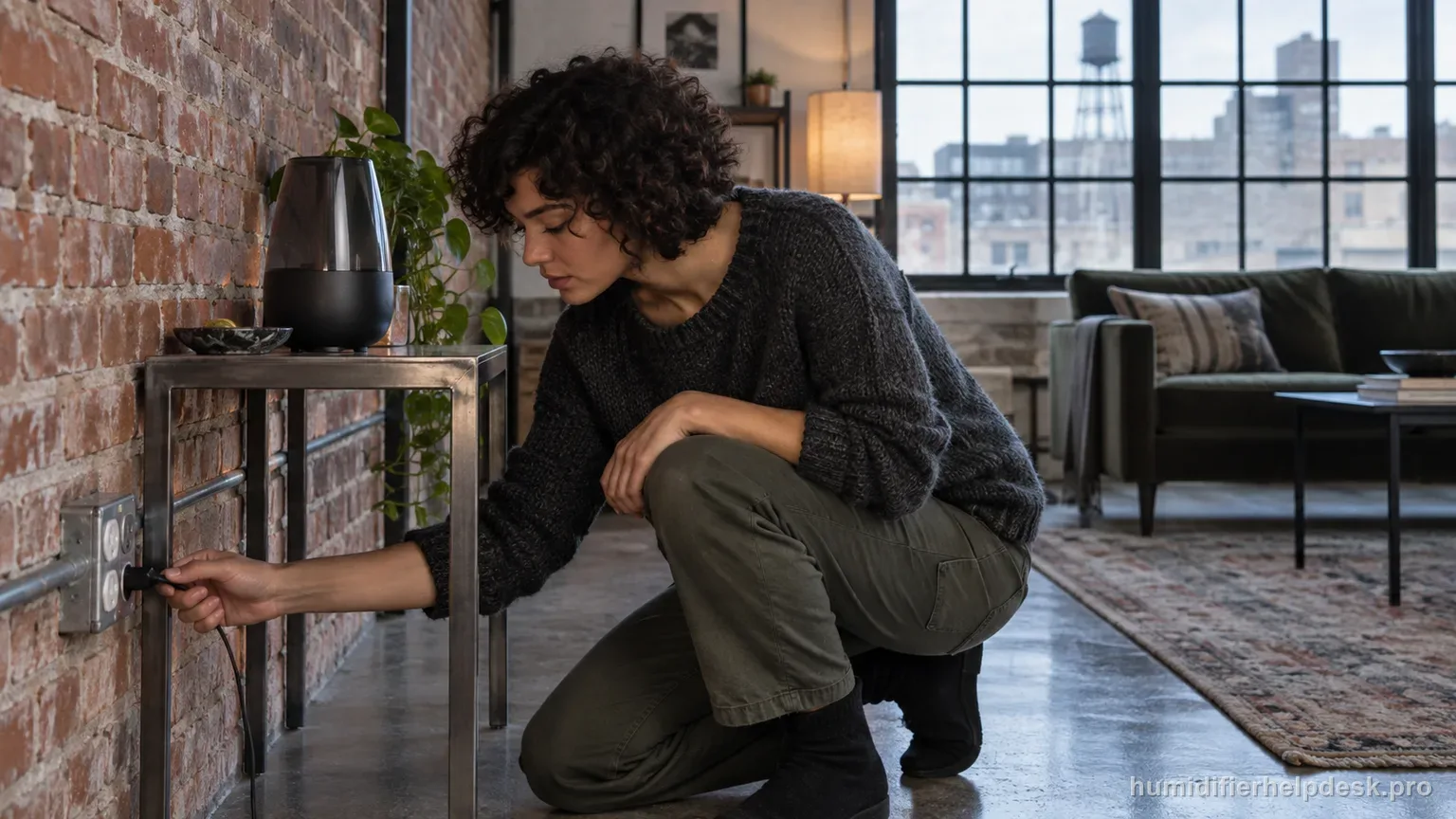
The CMTF32 troubleshooting table starts with the plug, power control, and outlet/circuit.
Does this match what you are seeing?
Owners describe this HoMedics UHE-CMTF32 problem in a few different ways. If one of these sounds like yours, this guide covers it:
- Will not turn on
- No power
- Display or power light stays off
- Stopped powering on
Check these in order
- Confirm the adapter and humidifier are connected as instructed.
- Turn the power/adjustable-mist control on.
- Try a known working outlet or check the home circuit/fuse.
Diagnostic decision path
The UHE-CMTF32 no-power diagnosis is intentionally short: verify the unit is connected, switched on through its power/mist control, and supplied by a working outlet. The manual also makes the service boundary explicit—internal adjustment or repair belongs with authorized Homedics personnel.
- Keep hands dry and unplug before inspecting the adapter or connections.
- Do not continue power testing if the base, cord, or adapter is wet or visibly damaged.
- Use the exact supplied adapter; the manual identifies PP-CMTF34ADP for this model.
If: The adapter or humidifier connection is loose
What it means: The unit may have no usable power even though the wall outlet is live.
Do next: Reconnect the supplied adapter firmly and retest.
If: The outlet does not power another known-good device
What it means: The problem is likely the household circuit/outlet rather than the humidifier.
Do next: Try a safe working outlet or address the circuit/fuse before further CMTF32 diagnosis.
If: Power returns after operating the power/adjustable-mist control correctly
What it means: The humidifier itself has not demonstrated an electrical fault.
Do next: Resume use and avoid changing unrelated water or cleaning variables.
If: The adapter, cord, or unit shows damage, overheating, or unusual odor
What it means: Further live testing may be unsafe.
Do next: Keep it unplugged and use Homedics service/support.
If: A known-good outlet and correct supplied adapter still produce no power
What it means: The manual’s external no-power causes have been ruled out.
Do next: Use authorized Homedics service rather than opening the base or substituting an unapproved adapter.
How to interpret the retest
Make this the first check: “Confirm the adapter and humidifier are connected as instructed”. With that step complete, compare the HoMedics UHE-CMTF32 with “The adapter or humidifier connection is loose”. If the two states match, the source-backed interpretation is “The unit may have no usable power even though the wall outlet is live” and then “Reconnect the supplied adapter firmly and retest”. If they do not match, leave this HoMedics UHE-CMTF32 path and continue; that non-match helps rule out this explanation for the no power complaint.
This possibility becomes relevant when you can reproduce “The outlet does not power another known-good device”. For the HoMedics UHE-CMTF32, use “Turn the power/adjustable-mist control on” as the controlled test. If the same observation appears, the source meaning is “The problem is likely the household circuit/outlet rather than the humidifier” and the next action is “Try a safe working outlet or address the circuit/fuse before further CMTF32 diagnosis”. If it does not appear, record the non-match and continue through the remaining HoMedics UHE-CMTF32 checks for no power.
Use the next step as a controlled before-and-after comparison. Check “Try a known working outlet or check the home circuit/fuse” on the HoMedics UHE-CMTF32, then look specifically for “Power returns after operating the power/adjustable-mist control correctly”. A match supports the manual's interpretation “The humidifier itself has not demonstrated an electrical fault” and sends you to “Resume use and avoid changing unrelated water or cleaning variables”. If the observation is missing, that result narrows the HoMedics UHE-CMTF32 no power diagnosis without jumping to an unrelated reset.
Use “The adapter, cord, or unit shows damage, overheating, or unusual odor” to select the next manual-supported check; the observation is not a diagnosis by itself. On the HoMedics UHE-CMTF32, it corresponds to “Further live testing may be unsafe”. Use “Confirm the adapter and humidifier are connected as instructed” and retest. When the observation is present, continue with “Keep it unplugged and use Homedics service/support”. When it is absent, rule out that explanation for now and keep the result with the current HoMedics UHE-CMTF32 no power notes.
Model-specific context that changes the diagnosis
Two HoMedics UHE-CMTF32 clues that point to different fixes
The first decision comes from the observed state, not from guessing at hardware. On the HoMedics UHE-CMTF32, “The adapter or humidifier connection is loose” supports the interpretation “The unit may have no usable power even though the wall outlet is live” and leads to “Reconnect the supplied adapter firmly and retest”. “The outlet does not power another known-good device” supports “The problem is likely the household circuit/outlet rather than the humidifier” and leads to “Try a safe working outlet or address the circuit/fuse before further CMTF32 diagnosis”. For the current HoMedics UHE-CMTF32 no power complaint, choose the state you can actually reproduce and work from that result.
Retest no power after each correction
Keep the setup steady while you work through the next few checks. Start with “Confirm the adapter and humidifier are connected as instructed” and retest the HoMedics UHE-CMTF32. If the no power complaint is unchanged, move to “Turn the power/adjustable-mist control on”. Use “Try a known working outlet or check the home circuit/fuse” only after judging the earlier result. Change only one thing at a time during this HoMedics UHE-CMTF32 no power retest so the result stays clear.
Common mistakes that make this harder to diagnose
- Starting with the water level or transducer before confirming the unit can power on.
- Using a random adapter because the plug fits; the manual specifies the supplied adapter part.
- Opening the base after outlet checks fail.
- Retesting while there is water near electrical parts.
The CMTF32 no-power issue is resolved when the unit powers normally from a known-good outlet with its correct adapter and power/mist control. If it remains dead after those external checks, authorized Homedics service is the documented boundary.
Questions people ask about this exact symptom
Why will my HoMedics UHE-CMTF32 not power on or operate normally?
For the HoMedics UHE-CMTF32, the CMTF32 troubleshooting table starts with the plug, power control, and outlet/circuit. For this no power check on the HoMedics UHE-CMTF32, start with “Confirm the adapter and humidifier are connected as instructed” and check the result before making another change. If the behavior is unchanged, continue with “Turn the power/adjustable-mist control on”.
What should I check first if my HoMedics UHE-CMTF32 will not turn on or show normal power?
Use the HoMedics UHE-CMTF32 checklist as an ordered troubleshooting sequence, with one change at a time. Try “Confirm the adapter and humidifier are connected as instructed”, retest, then move to “Turn the power/adjustable-mist control on” and “Try a known working outlet or check the home circuit/fuse” only as required. With no power, this makes it much easier to separate a documented cause from a condition that simply happened to be present.
When should I contact HoMedics about this HoMedics UHE-CMTF32 problem?
Escalate the HoMedics UHE-CMTF32 to HoMedics if the documented checks do not resolve no power. When you contact support about no power on the HoMedics UHE-CMTF32, report what changed and what stayed the same; do not guess at an internal part. This safety boundary applies immediately at any point: “If the cord/adapter is damaged or the unit still will not power after external checks, use authorized HoMedics service rather than opening the base”.
Why this path is model-specific
The UHE-CMTF32 manual lists not plugged in, not turned on, and no power at the outlet as no-power causes.
For the HoMedics UHE-CMTF32, the machine type matters: it is ultrasonic. Visible mist is part of normal output when mist production is active, so a true no-mist complaint deserves model-specific troubleshooting.
This symptom appears on other humidifiers too, but the meaning and reset path can change by technology, sensor logic, and control layout. Use the exact model source above before borrowing a fix from a neighboring model.
Compare this symptom across verified models
If you are still deciding whether this behavior is normal or model-specific, use the symptom hub to compare only manufacturer-linked guides. Keep the HoMedics UHE-CMTF32 instructions above as the controlling path for this machine.
If the problem is still there
If the checks above do not change the symptom, use the manufacturer support path for this exact model. We intentionally stop before undocumented resets, sensor bypasses, internal mains work, or parts replacement that the consumer manual does not authorize.
What we do not recommend
Do not defeat a float, water-level sensor, overheat protection, interlock, or other safety feature. Do not open mains-powered sections for live testing. If the unit smells burned, becomes abnormally hot, smokes, sparks, has water near electrical parts, or repeatedly trips a circuit, stop using it and keep clear. Unplug it only if the plug, outlet, and surrounding area are dry and safe to reach; otherwise do not touch wet equipment and contact manufacturer support for next steps.
Primary source for this diagnosis
Source checked during the September 3, 2026 editorial review. Manufacturer documents can change; a material re-review updates this guide’s reviewed date rather than stamping unrelated pages.