Problems / Power & Shutoff
MODEL COMPARISON HUB · 30 VERIFIED PATHS

Humidifier Will Not Turn On or Keeps Shutting Off by Model

Low-water protection, humidistat targets, outlet problems, wet-base safeguards, and genuine faults can all look like “it just stopped.” Match the exact model before escalating.

Do not skip the model check.

This hub spans 4 humidifier technologies. The correct next step can change because evaporative, ultrasonic, hybrid, and true warm-mist machines do not behave the same way.

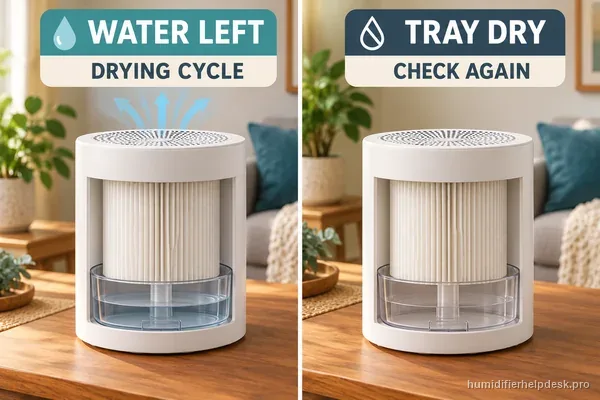
If a Canopy Large Room unit restarts after Off, first check for water in the tray or a damp wick. The Canopy Large Room restart guide explains when that drying cycle is expected and what to record if the unit restarts while dry.

Start by separating no power from no output

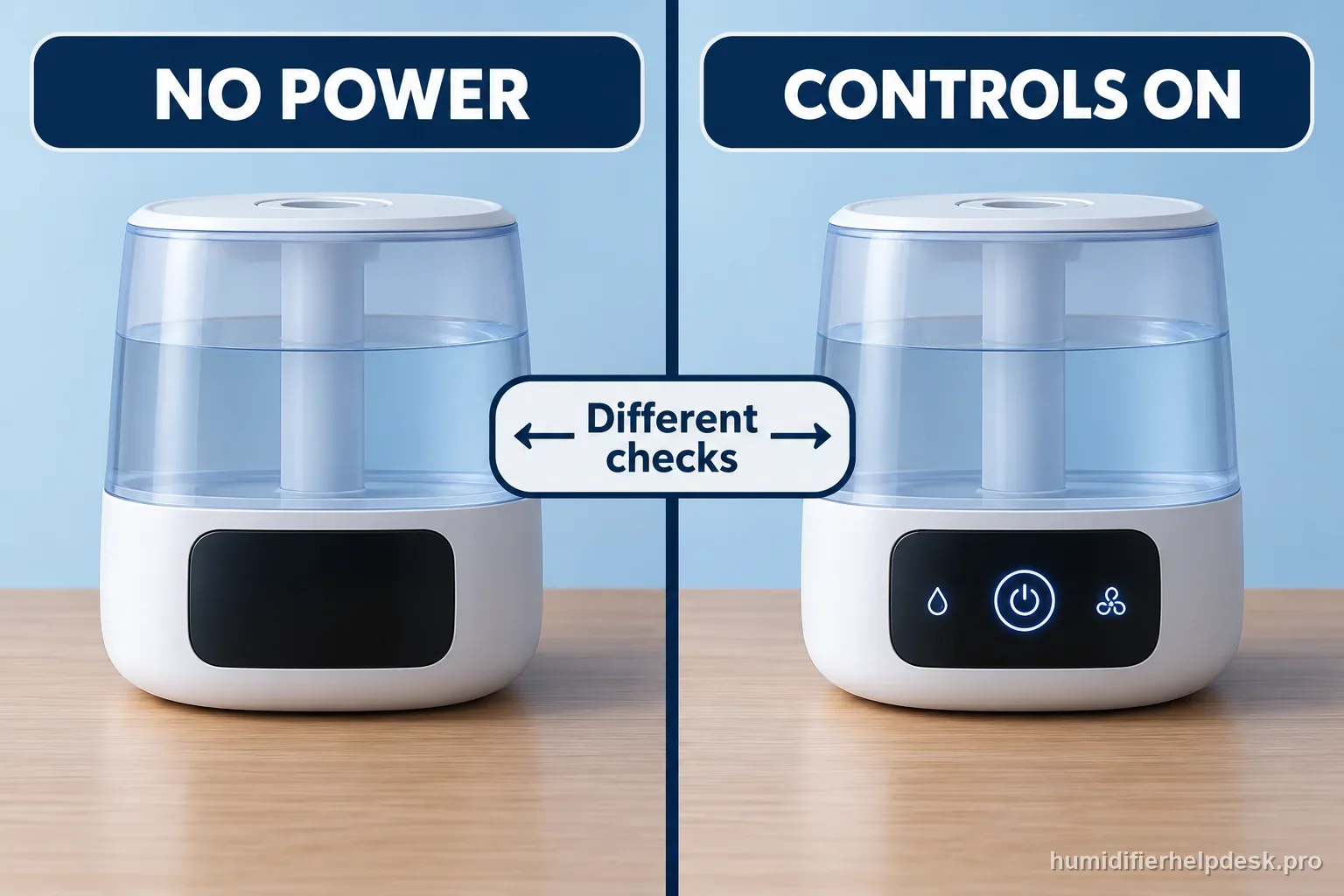
If a humidifier will not turn on, first notice whether every control is dark or whether the controls still respond while the fan or mist has stopped. Those are different states. A low-water indicator, a humidity target, or a model-specific grille interlock may stop output while power remains on. Use the exact model guide before trying a reset or opening the appliance.

Two generic humidifiers compare a blank control panel with a lit panel while mist output is stopped, showing different checks.
A dark panel and a powered unit that stopped misting are different symptoms.
Use the visible state to choose the model-specific guide
What you observeLikely categoryNext safe step
Display and controls are all darkPower path or a documented safety conditionCheck the exact model's outlet, cord, and assembly guidance only while dry and undamaged
Controls respond; refill light is onLow-water detection or tank seatingFollow the named model's refill and reseating steps
Controls respond; output pauses in AutoHumidity-target behavior may be normalCompare room reading with the target and consult the manual
Fan resumes after OffSome evaporative models dry the wick or trayCheck the exact model's shutdown behavior before calling it a fault

A short model-first sequence

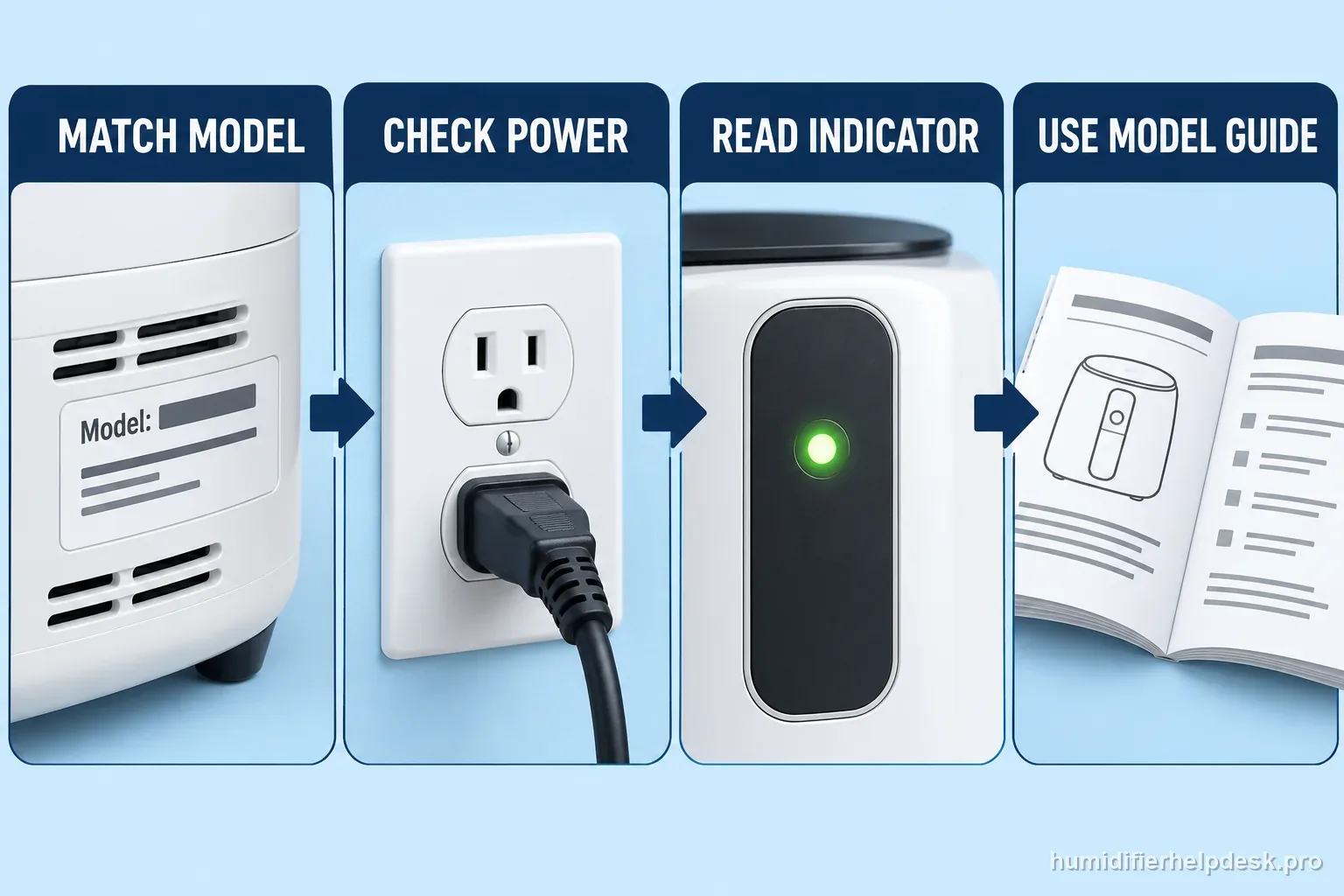
Four labeled steps match the humidifier model, check power safely, read the indicator, and use the exact model guide.
Keep the checks in order and stop at the model's documented boundary.
  1. Read the model label and identify the exact controls and indicators.
  2. From a dry position, look for a damaged cord, wet outlet area, active warning light, or display response. Do not handle wet electrical equipment.
  3. Match the observed state to the exact model guide below. Change one user-accessible condition at a time.
  4. If all controls remain dead after the documented external checks, stop and contact the manufacturer or a qualified service provider.

Illustrative path: match the model → classify the control state → read the indicator → follow that model's guide. This is a navigation aid, not a universal repair sequence.

Compare the common shutoff states

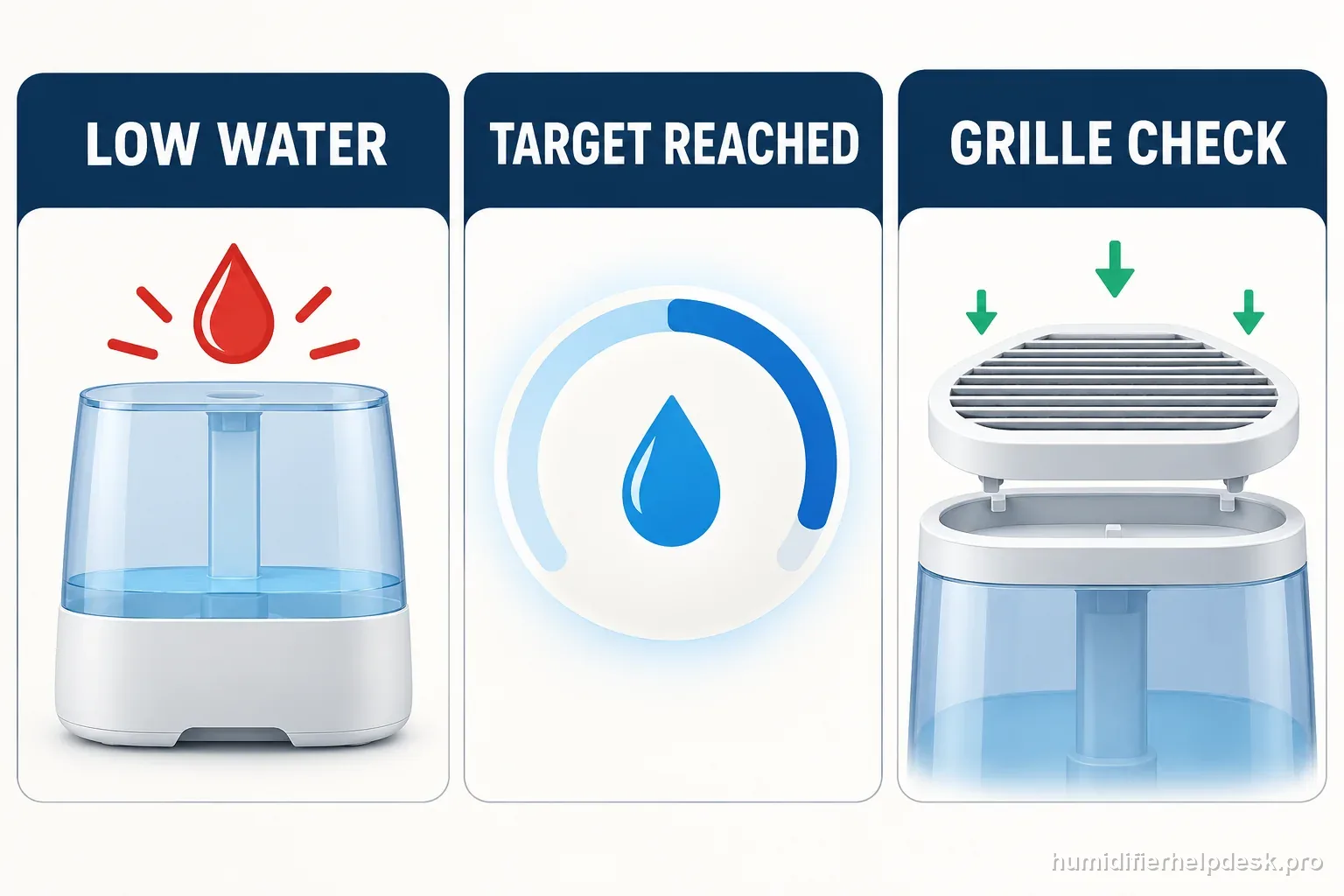
Three illustrated humidifier states compare low water, a reached humidity target, and a correctly seated grille interlock.
A warning, a setpoint, and an assembly interlock call for different model checks.
What to record before opening the exact model guide
StateRecordDo not assume
Low-water stopVisible water level and indicator stateThat a sensor has failed
Auto or target stopSelected mode and whether controls respondThat the appliance lost power
Recently reassembledWhich removable parts were lifted or reseatedThat an interlock should be bypassed
All controls darkModel, outlet condition, and any cord damageThat internal electrical repair is safe for an owner

Two worked examples

Example 1: no response at 7:10

At 7:10, the owner notes that the display, fan, and controls are all dark. At 7:12, they confirm from a dry location that the outlet area and cord show no visible damage. At 7:14, they identify the model label and open that model's no-power guide. If the documented external checks do not restore operation, the example ends at manufacturer support. No base is opened and no live test is attempted.
Example 2: output pauses at 9:00

At 9:00, the display remains on, the room has reached the unit's selected target, and Auto Mode is active. The owner records those three observations, then checks the exact manual to see whether target-based cycling is documented. They do not treat the pause as a dead power supply or reset the machine automatically. If the unit instead stops while dry and below its target, they use its exact shutoff guide and report that different state.

When to stop and call for help

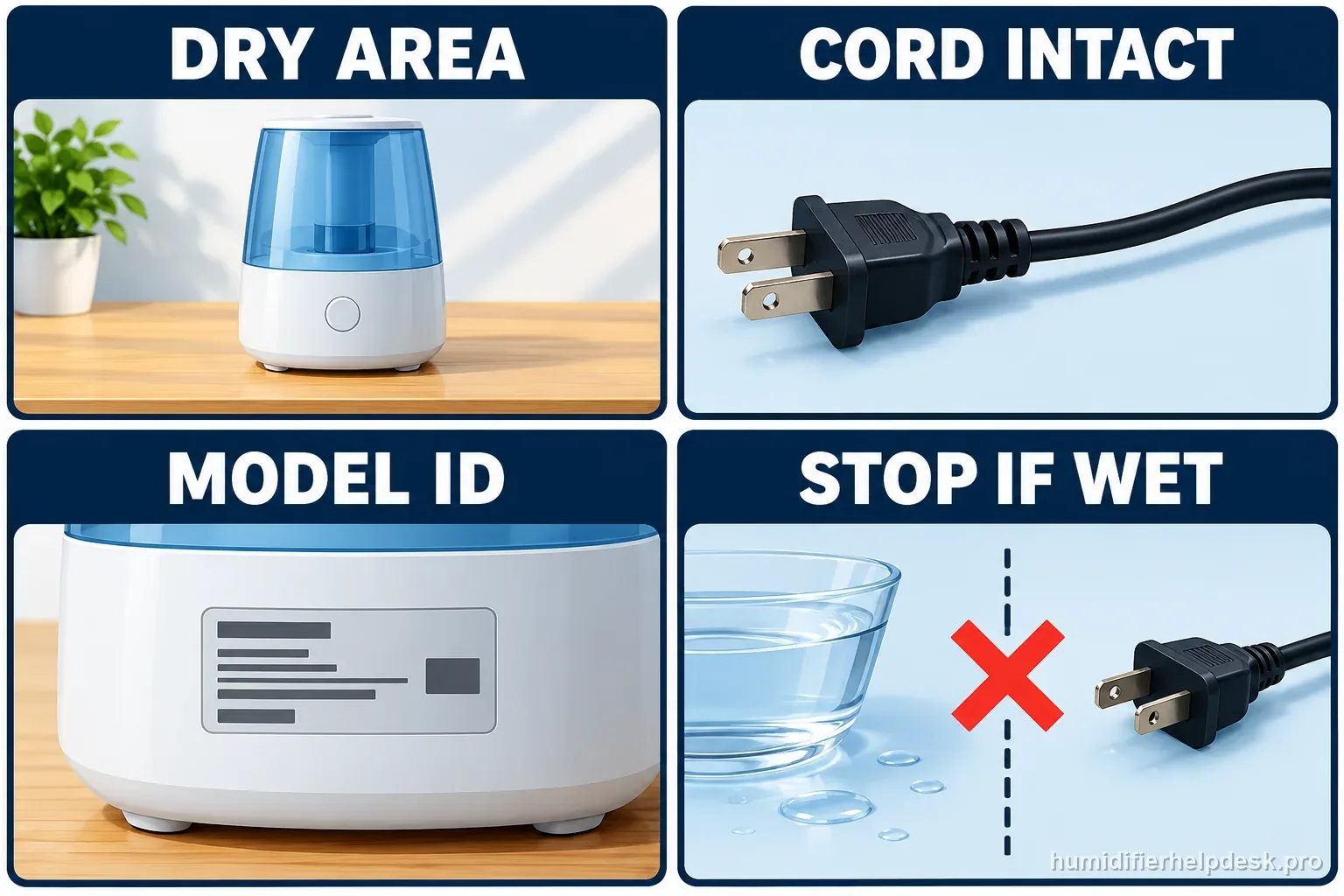
A four-part safety graphic shows a dry area, intact cord, model identification, and stopping if electrical equipment is wet.
Keep water away from the cord, outlet, and powered base.
  • Stop if the cord or plug is damaged, the unit smokes, smells electrical, becomes abnormally hot, or trips a breaker.
  • Do not touch a wet plug, outlet, cord, or powered base. Keep clear and seek manufacturer or qualified service guidance.
  • Do not open the housing, test live voltage, defeat a float or grille interlock, or borrow a reset from another model.
  • For a whole-home unit wired into HVAC, stop at external controls and use a qualified HVAC technician for electrical or water-line service.

Choose a relevant model guide

These examples cover different mechanisms. The guide title and source for each model control its steps; do not transfer one model's reset or interlock instructions to another.

MASTER DIAGNOSTIC PATH

Separate normal shutoff logic from a true power failure

Humidifiers stop for very different reasons: an empty tank, a reached humidity target, a magnetic/grate interlock, a wet-base safeguard, or a real electrical problem. The first test is whether the unit is intentionally protecting or controlling itself.

First questionDid the humidifier lose all power, or did it simply stop fan/mist output while the controls still respond?
Low-water stop

The tank is empty or the model shows its documented refill state.

Do next: Refill and reseat the exact model normally, then verify the warning clears without bypassing the float/sensor.

Avoid: Do not hold a float or water sensor in the “run” position.

Humidistat / Auto Mode

Controls remain on and output resumes on a manual setting or after room humidity drops.

Do next: Compare room humidity with the target and treat target-based cycling as normal when the manual documents it.

Avoid: Do not reset or clean the machine solely because Auto Mode reached its target.

True no-power state

Display, fan, and controls are all dead even with normal water state.

Do next: Use the exact model’s outlet, cord, tank/grate/interlock, or reset checks only if the manufacturer documents them.

Avoid: Do not open mains-powered sections or perform live-voltage testing.

What a good diagnosis looks like

A normal low-water or humidity-target stop should be distinguishable from a dead appliance before any deeper troubleshooting begins.

Technologies on this hub

Check which technology your humidifier uses before you follow a path.

Power & Shutoff: exact model paths by technology
TechnologyWhat you should seeExact model paths
ultrasonicVisible mist expected14
evaporativeVisible fog not expected11
hybridVisible mist expected3
warm-mistVisible steam expected2

Brands and models on this hub

A quick map of the exact-model paths listed below.

Power & Shutoff: exact model paths by brand
BrandExact model pathsModels covered
Vicks4Vicks VUL520; Vicks VUL600 CoolRelief; Vicks VUL525 / VUL545; Vicks V750 Warm Mist
Crane2Crane EE-5301 Drop; Crane EE-5302 Droplet
HoMedics6HoMedics UHE-CM18; HoMedics UHE-CMTF32; HoMedics UHE-CMTF91; HoMedics UHE-WMTF185
Vornado2Vornado EV200; Vornado EVDC300
Dreo3Dreo HM512S; Dreo HM524S; Dreo HM713S
AIRCARE1AIRCARE EP9500 / EP9800 Pedestal
Levoit2Levoit Superior 6000S; Levoit Dual 200S
Blueair1Blueair DreamWell 1 Gal / 2 Gal
Canopy6Canopy Bedside / Nursery Humidifier 2.0; Canopy Large Room Humidifier
Honeywell3Honeywell HUL430 Designer Series; Honeywell HWM845 Soothing Comfort; Honeywell MistMate HUL520
Vicks

Vicks VUL520

ultrasonic · visible mist expected

Turns off unexpectedly

An empty tank can trigger the VUL520 auto shut-off safety feature.

Open exact guide →
Crane

Crane EE-5301 Drop

ultrasonic · visible mist expected

No power

Confirm the outlet and control knob first. If the power indicator still does not illuminate, Crane directs owners to Customer Care.

Open exact guide →
Vicks

Vicks VUL600 CoolRelief

ultrasonic · visible mist expected

Power light off

If the knob is on but the light is off, start with the plug, outlet, home circuit, and fuse—not internal repair.

Open exact guide →
Vicks

Vicks VUL525 / VUL545

ultrasonic · visible mist expected

Turns off unexpectedly

An empty tank can trigger the built-in auto-shutoff safety feature on the VUL525/VUL545 family.

Open exact guide →
HoMedics

HoMedics UHE-CM18

ultrasonic · visible mist expected

No power / no mist

The manual starts with plug/power, low water, and the ultrasonic membrane. A dirty membrane can cause reduced or no mist.

Open exact guide →
Vornado

Vornado EV200

evaporative · visible fog not expected

No power

Start with the outlet and household breaker/GFCI. If the EV200 appears damaged or still will not power on, Vornado directs the owner to stop use and contact service.

Open exact guide →
Dreo

Dreo HM512S

ultrasonic · visible mist expected

Not working / turns off

The HM512S can stop for low water, a mis-seated tank, or because Auto Mode has already reached its humidity target.

Open exact guide →
Dreo

Dreo HM524S

ultrasonic · visible mist expected

No power

Check the outlet first. If the base became wet during cleaning, Dreo says the sensor may need time to dry before retesting.

Open exact guide →
HoMedics

HoMedics UHE-CMTF32

ultrasonic · visible mist expected

No power

The CMTF32 troubleshooting table starts with the plug, power control, and outlet/circuit.

Open exact guide →
HoMedics

HoMedics UHE-CMTF32

ultrasonic · visible mist expected

Turns off during operation

The manual’s first explanation is simple: the CMTF32 is out of water and its humidifying function has shut off.

Open exact guide →
AIRCARE

AIRCARE EP9500 / EP9800 Pedestal

evaporative · visible fog not expected

Will not run

Before suspecting an internal fault, check that the 1043 wick and float rod are installed correctly and that the humidistat has not already reached its target.

Open exact guide →
Levoit

Levoit Superior 6000S

evaporative · visible fog not expected

Turns off unexpectedly

First separate normal shutoff from a fault: the 6000S can stop when the tank is empty, when the top is removed/misaligned, or when Auto Mode reaches its target.

Open exact guide →
Crane

Crane EE-5302 Droplet

ultrasonic · visible mist expected

No power

Confirm the outlet and control setting first. If the power indicator still does not come on, Crane directs the owner to Customer Care.

Open exact guide →
Dreo

Dreo HM713S

hybrid · visible mist expected

Does not work

Start with the three checks in Dreo’s current US HM713S FAQ: power, low-water shutoff, and correct tank installation.

Open exact guide →
HoMedics

HoMedics UHE-CMTF91

ultrasonic · visible mist expected

Stops at humidity target

This is normal humidistat behavior. The unit turns off when it reaches the set humidity and resumes when room humidity drops about 5% below the setting.

Open exact guide →
HoMedics

HoMedics UHE-WMTF185

hybrid · visible mist expected

No power / no mist

Check the outlet, water level, humidistat target, and the ultrasonic membrane before assuming a hardware fault.

Open exact guide →
HoMedics

HoMedics UHE-WMTF185

hybrid · visible mist expected

Stops at humidity target

This can be normal. The programmable humidistat cycles the unit off at the set humidity and back on after room humidity drops 7% below the target.

Open exact guide →
Blueair

Blueair DreamWell 1 Gal / 2 Gal

evaporative · visible fog not expected

Stops in Auto Mode

This can be normal. In Auto Mode, DreamWell enters standby when the target humidity is reached and resumes after humidity falls.

Open exact guide →
Canopy

Canopy Bedside / Nursery Humidifier 2.0

evaporative · visible fog not expected

Will not turn on / stay on

Start with the water probes, filter position, grate/spacer safety, and external USB-C power path before treating the main unit as failed.

Open exact guide →
Canopy

Canopy Bedside / Nursery Humidifier 2.0

evaporative · visible fog not expected

Fan not running

A stopped fan can be caused by a shifted filter or an incompletely attached grate/spacer. Both are documented user-checkable safety/airflow conditions.

Open exact guide →
Canopy

Canopy Bedside / Nursery Humidifier 2.0

evaporative · visible fog not expected

Turns back on after power-off

This can be normal Smart Persistent Airflow behavior. If water remains in the tray or the filter is damp, the fan can reactivate to dry the unit.

Open exact guide →
Canopy

Canopy Large Room Humidifier

evaporative · visible fog not expected

Will not turn on / stay on

For the Large Room model, Canopy points to water-probe scale, filter placement, the magnetic grate safety, and external power before escalation.

Open exact guide →
Canopy

Canopy Large Room Humidifier

evaporative · visible fog not expected

Turns back on after power-off

This can be expected SPA behavior. The fan may restart while water remains or the filter is still damp.

Open exact guide →
Canopy

Canopy Large Room Humidifier

evaporative · visible fog not expected

Fan stops / grate magnet

The Large Room grate is part of a safety interlock. If the magnet nearest the power button is missing or the grate is not secured, the fan can stay off.

Open exact guide →
Levoit

Levoit Dual 200S

ultrasonic · visible mist expected

Stops misting in Auto Mode

This can be normal. Auto Mode is designed to maintain a humidity target and can stop mist output when the upper target is reached.

Open exact guide →
Honeywell

Honeywell HUL430 Designer Series

ultrasonic · visible mist expected

No lights / will not turn on

First separate a tank-light setting from a true no-power symptom. The HUL430 tank light can be set to Off independently; if the mist-level indicators are also dark, Honeywell says to verify the plug and turn the mist control wheel on.

Open exact guide →
Vicks

Vicks V750 Warm Mist

warm-mist · visible steam expected

No power / nightlight off

On the V750, the green nightlight on the control knob is an operating indicator. If the switch is on but that light is dark, Vicks says to check the direct 120V outlet and household circuit before doing anything inside the humidifier.

Open exact guide →
Honeywell

Honeywell HWM845 Soothing Comfort

warm-mist · visible steam expected

No power / power light off

On the HWM845, an On knob with a dark power light points first to the external power path. Honeywell says to confirm the unit is plugged in and the outlet/circuit has power before doing anything inside the humidifier.

Open exact guide →
Honeywell

Honeywell MistMate HUL520

ultrasonic · visible mist expected

No power / power light off

On the HUL520, an On power knob with a dark light points first to the external power path. Honeywell says to confirm the unit is plugged in and the outlet/circuit has power before doing anything inside the base.

Open exact guide →
Vornado

Vornado EVDC300

evaporative · visible fog not expected

No power, blank display, or unit will not start

Vornado's EVDC300 troubleshooting table puts the power path in a clear order: outlet power, household breaker/GFCI or fuse, and the removable power head's seating. The power head is part of the electrical interlock, so an EVDC300 that looks assembled but has the head sitting incorrectly can appear dead. If those external checks pass, Vornado directs owners to stop using a damaged unit and contact Consumer Service rather than open the power head.

Open exact guide →