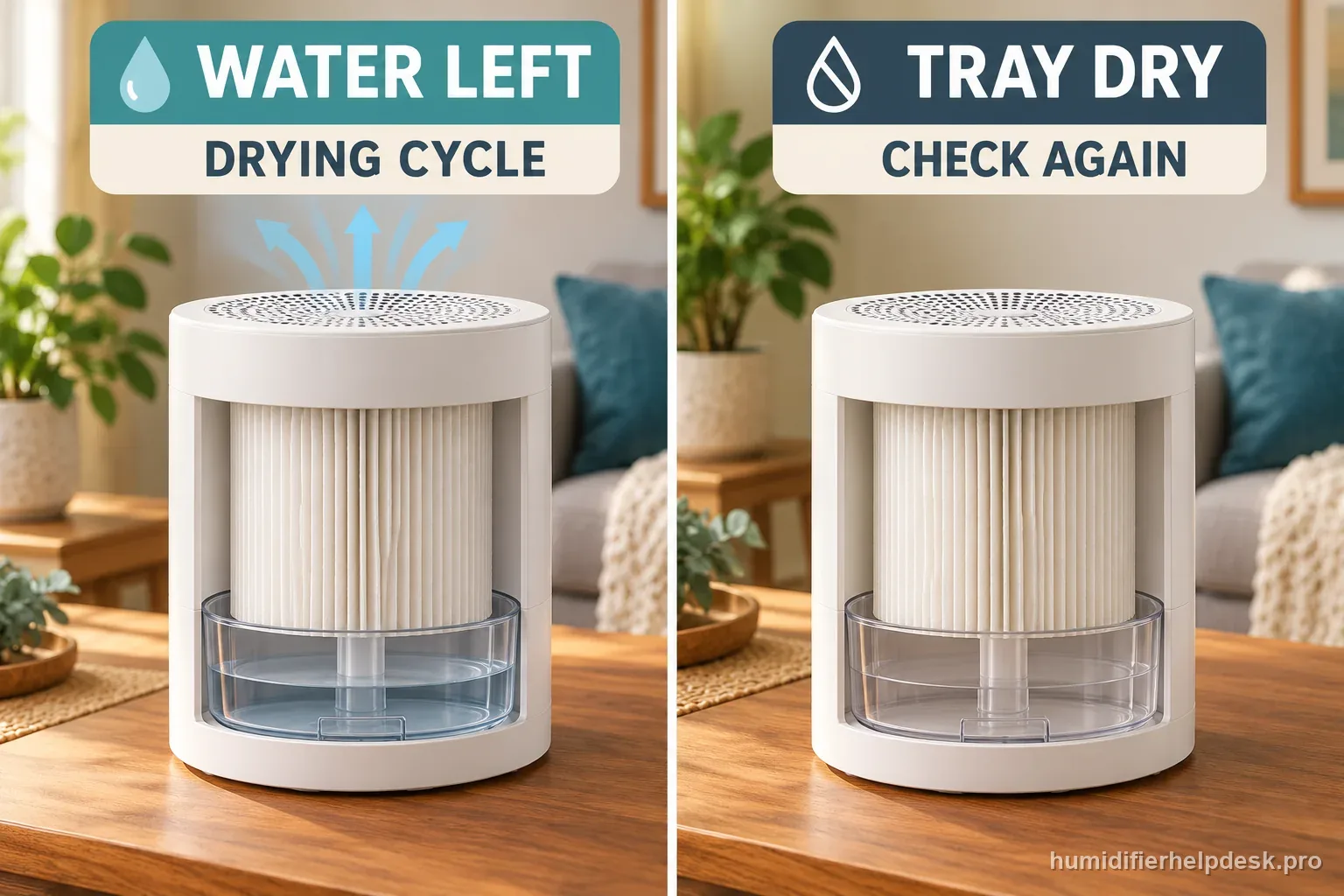
This can be expected SPA behavior. The fan may restart while water remains or the filter is still damp.
Does this match what you are seeing?
Owners describe this Canopy Large Room Humidifier problem in a few different ways. If one of these sounds like yours, this guide covers it:
- Turns back on after power-off
- Turns back on after power-off troubleshooting
- Problem Turns back on after power-off
- Help for Turns back on after power-off
Check these in order
If the Filter indicator is also lit, use the Canopy Large Room filter light reset guide for that separate maintenance task. Record fan behavior and the reminder result independently.
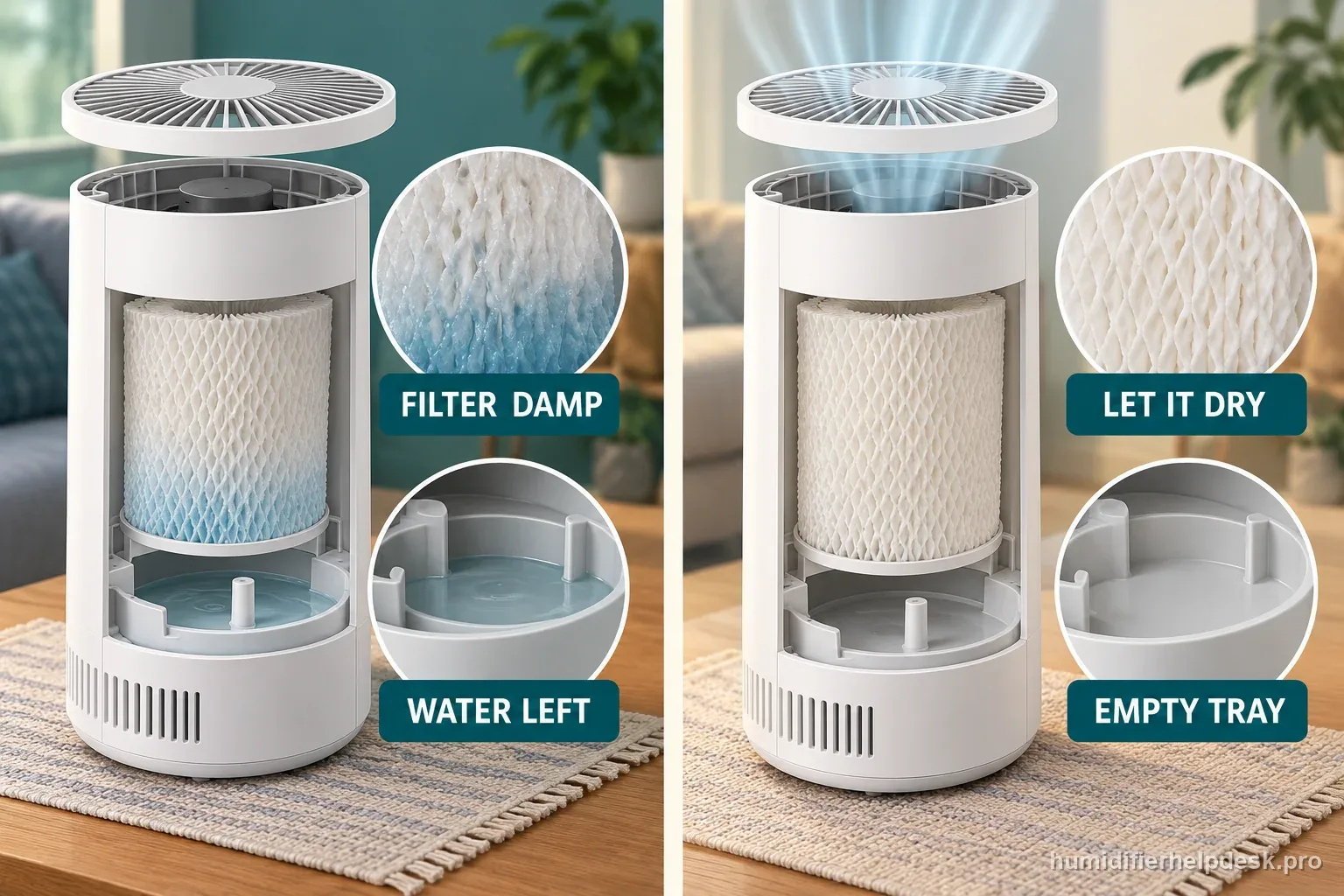
- Check for remaining tray water or a damp filter.
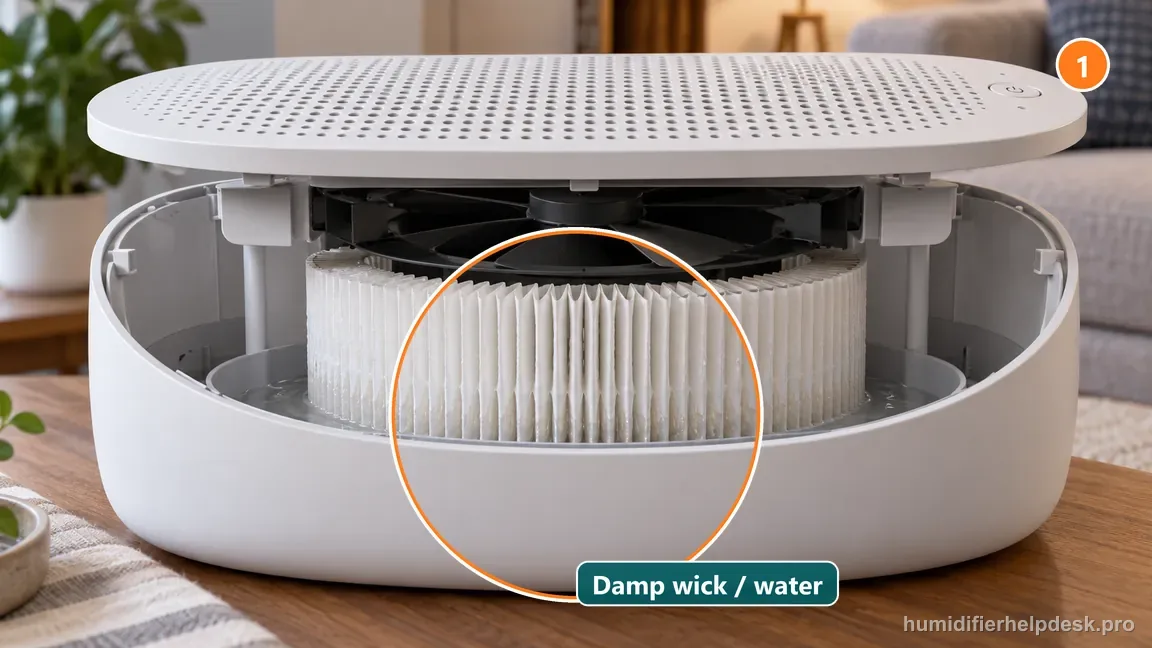
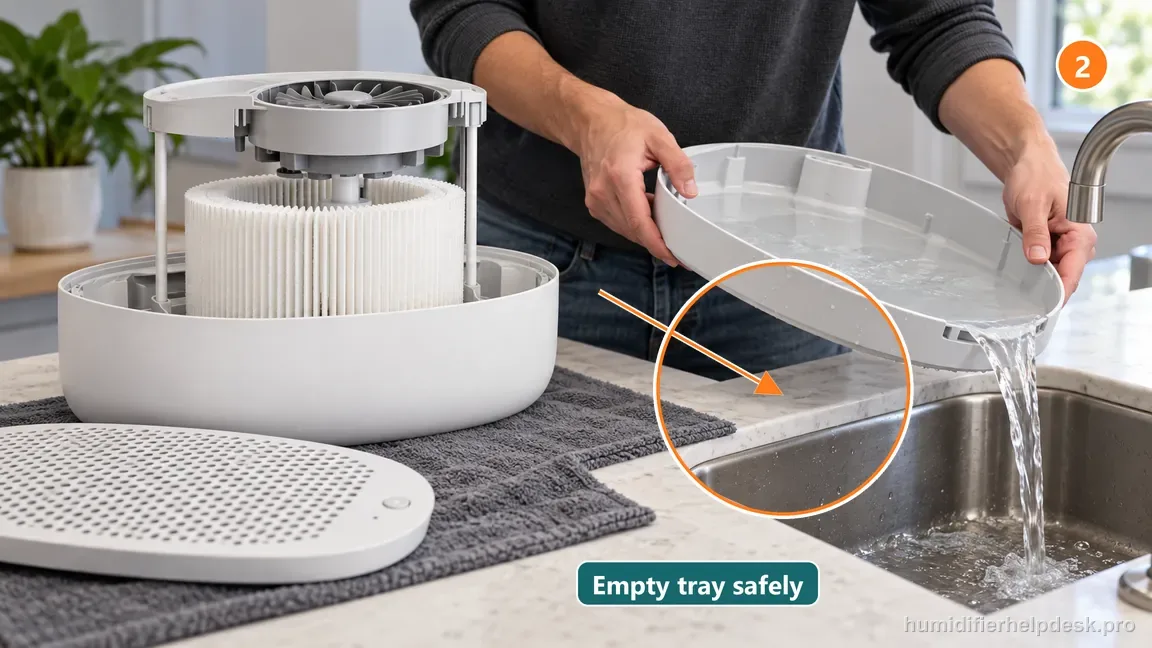
Illustrative: Check the tray and wick to see whether normal drying airflow is still expected. - Remove the tank and empty the tray if you need to finish drying the unit.
Illustrative: Remove the tank and empty tray water if you want to end the drying cycle. - Allow the fan to dry the interior before storage.
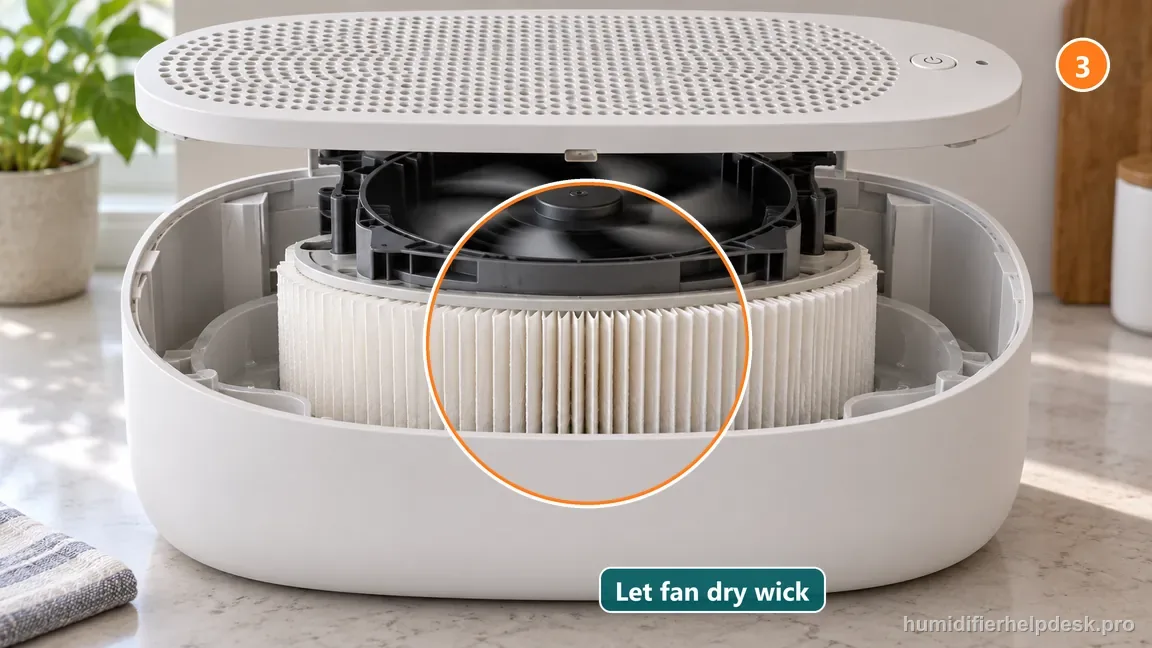
Illustrative: Let the fan dry the wick and interior before storing the unit.
Diagnostic decision path
Large Room fan reactivation after pressing Off can be normal Smart Persistent Airflow behavior. Canopy uses SPA to keep moving air while water remains or the filter/interior is damp, helping the unit use residual water and dry itself instead of leaving moisture sitting inside. Because this is an evaporative model, use tray and wick condition rather than visible fog to judge whether drying is underway.
- Check whether there is remaining water in the tray and whether the filter is still damp.
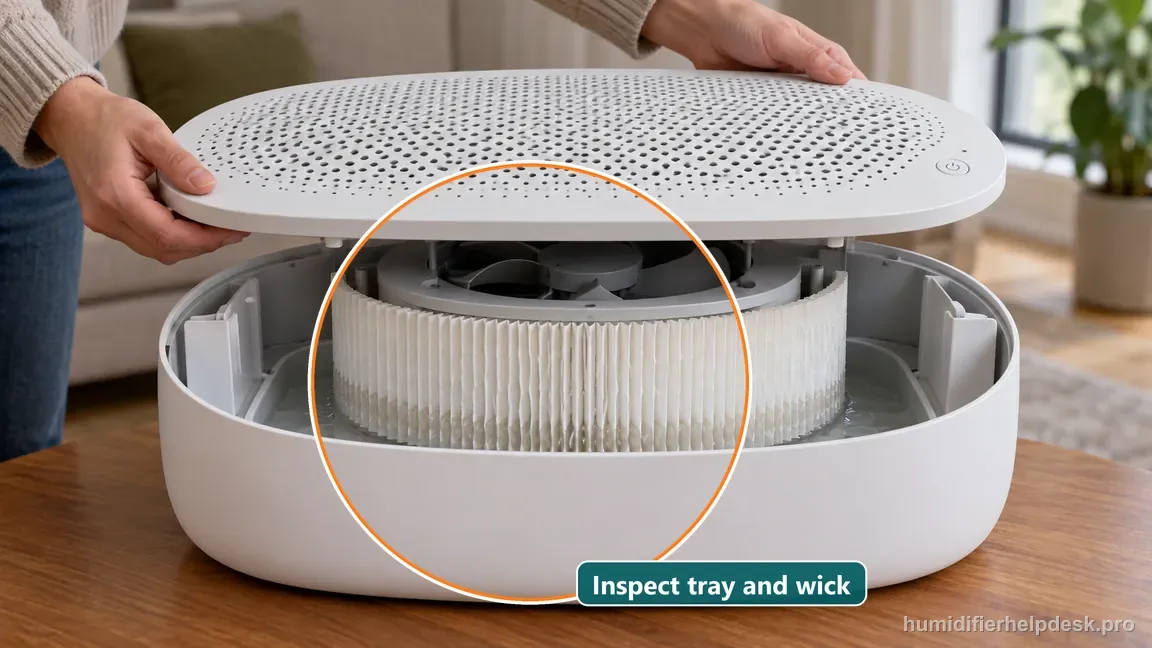
Illustrative: Check for tray water and a damp filter before treating a restart as a fault. - Observe whether the restart ends after the unit dries rather than assuming the power button is stuck.
- Do not disconnect a wet unit as the first response if it is simply completing the documented drying behavior.
- Keep the removable grille installed and the air path clear while observing the drying cycle. Canopy describes continued fan airflow, not a hidden button reset, as the wet-state behavior.
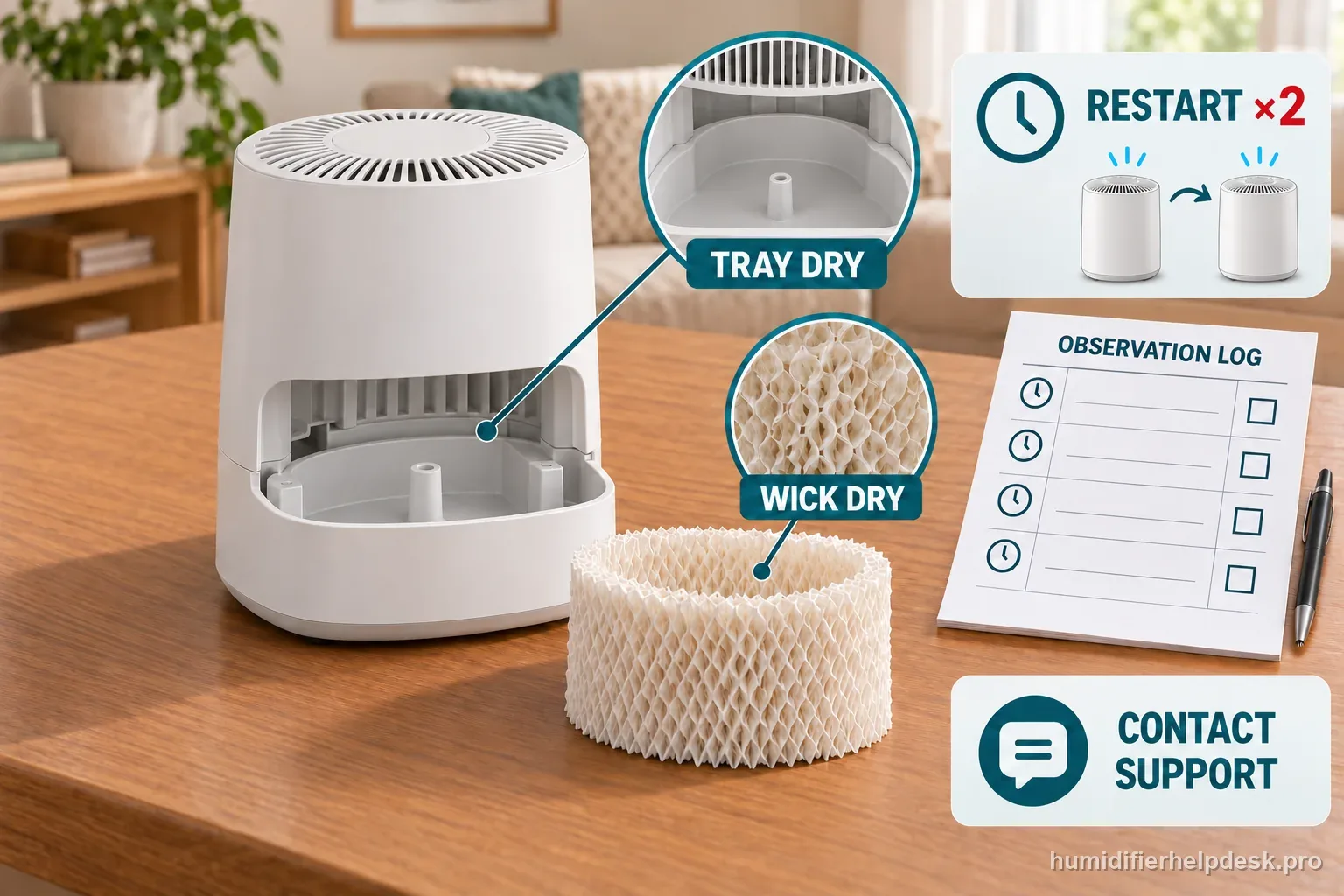
- Write down the time of the Off press and any later restart. Also note whether a new button press occurred, so an automatic restart is not confused with a second command.
- Treat the Filter indicator as a separate observation. Its maintenance reminder does not show whether the tray is empty or the wick is dry.
If: The fan restarts with water still present
What it means: SPA may use the remaining tray water and keep airflow moving as the unit dries.
Do next: Allow it to finish, or remove the tank and empty the tray if you need to complete shutdown sooner. Record whether the fan later stays off.
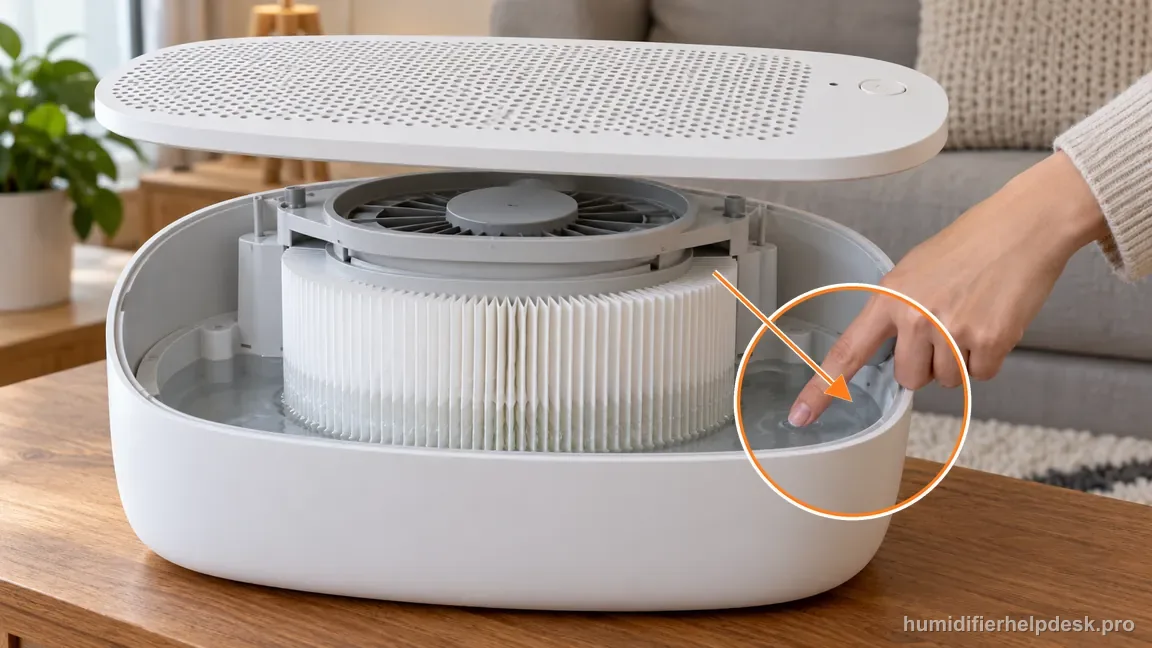
If: The tank is removed but the filter remains damp
What it means: Residual moisture in the wick can still explain airflow after the tank is removed.
Do next: Let the fan dry the media/interior before storage. Keep the grille attached and do not cover the intake or outlet.
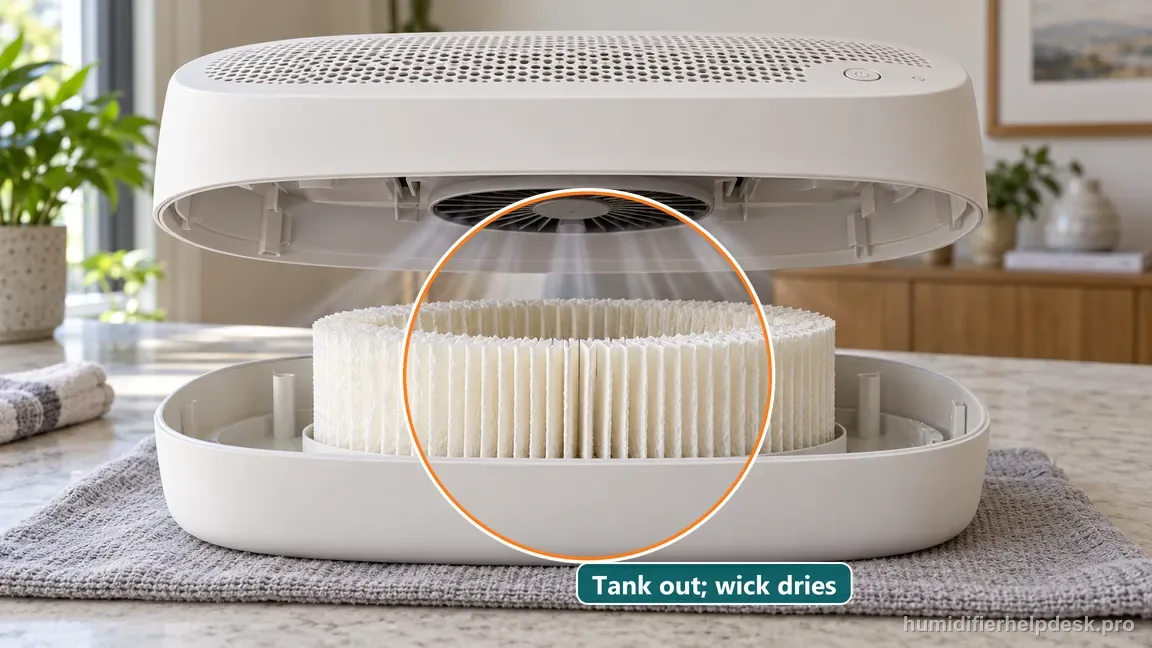
If: The unit stays off once tray and filter are dry
What it means: With the water-contact parts dry and the fan staying off, the restart fits the documented drying behavior.
Do next: No reset is needed. Record the dry state if you are preparing the unit for storage.
If: It repeatedly restarts with genuinely dry water-contact parts
What it means: A repeat restart in a dry state is outside the published water-and-dampness explanation.
Do next: Check probes and grille assembly, record timing and button activity, then contact Canopy instead of repeating the Off test.
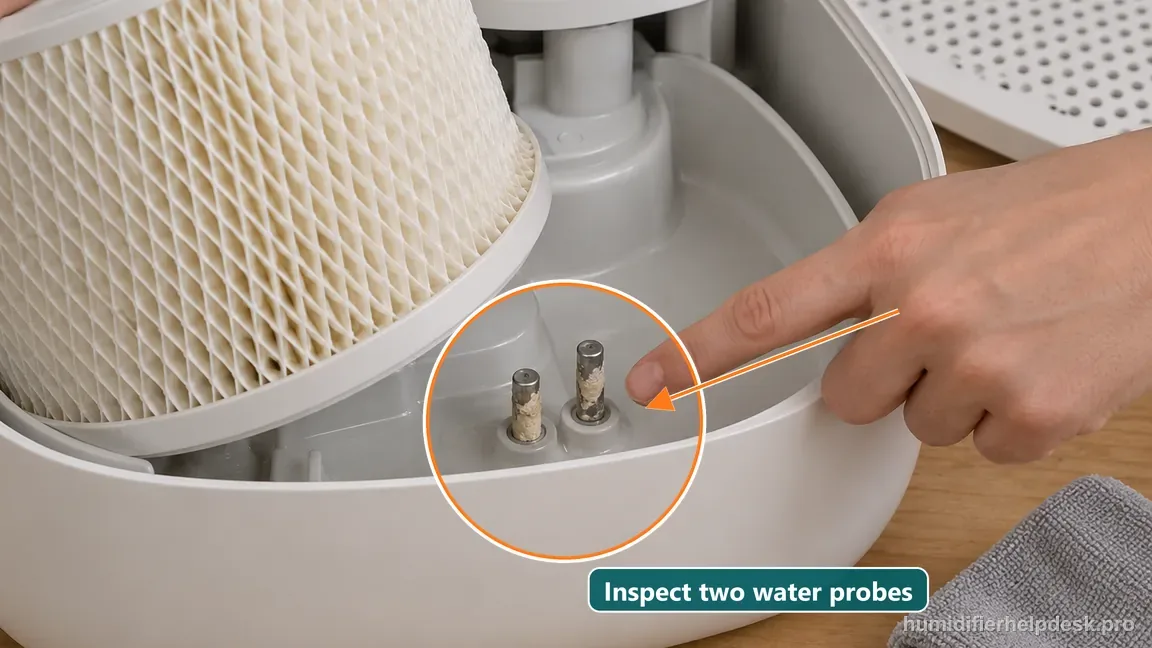
If: Restarts are accompanied by intermittent total power loss
What it means: A total loss of lights and fan is distinct from normal drying airflow.
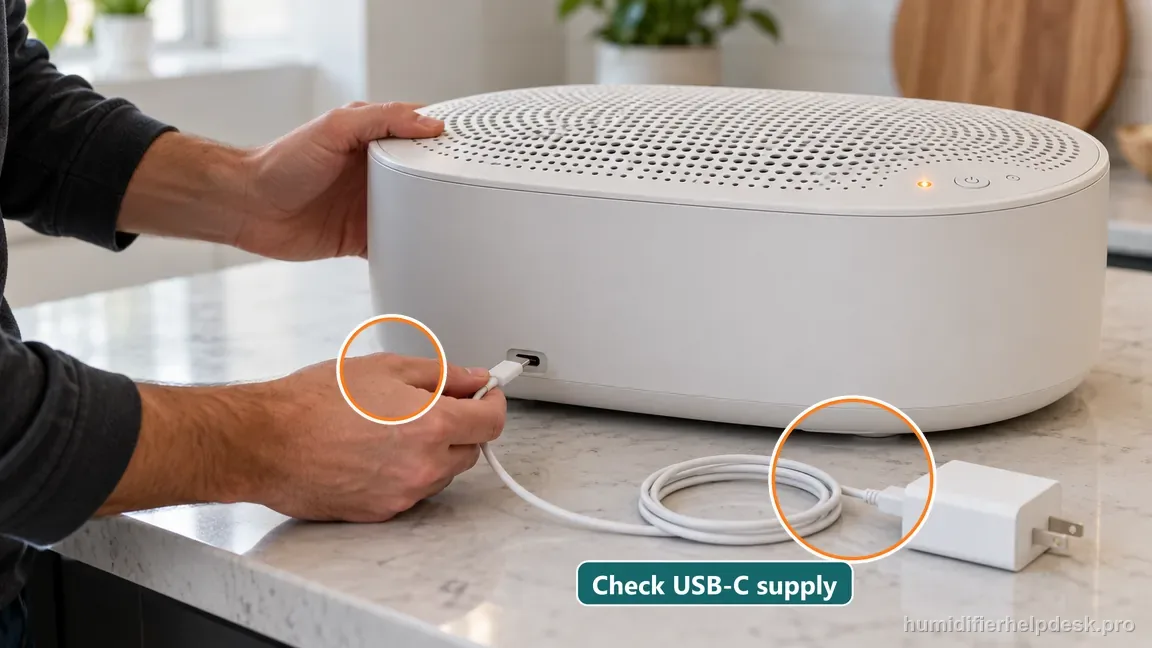
Do next: Check only the external cable and adapter path described by Canopy. Stop if a plug or outlet is hot, wet, or damaged.
Separate a drying restart from a dry-state fault
Canopy says Smart Persistent Airflow can bring the fan back on while water remains or the filter is damp. The official turn-off guidanceexplains the drying behavior. Compare the tray and wick before treating a restart as a failed control.
| State after Off | What it suggests | Next safe check |
|---|---|---|
| Water remains or wick is damp | Drying airflow may still be expected. | Let the unit finish drying. |
| Tank removed, wick still damp | Residual moisture can explain airflow. | Keep the grille fitted and wait. |
| Tray and wick are dry; unit stays off | The drying cycle appears complete. | No reset is needed. |
| Tray and wick are dry; unit restarts | Residual water no longer explains it. | Record the pattern for Canopy. |
Two example logs, not universal thresholds
Example 1: moisture is still present
At 8:00, the owner presses Off. The fan restarts at 8:02; about 12 mL remains in the tray and the wick feels damp. Those two observations fit the published drying explanation. The owner removes the tank, empties the tray, leaves the grille in place, and lets airflow dry the unit.
Example 2: the unit is dry but restarts
At 9:00, the tray and wick are dry. The unit restarts twice by 9:20 without another button press. The count and times describe this example only, not a diagnostic cutoff. The owner stops repeating the test and sends Canopy the model, dry-state checks, and observation log.
| Record | Example entry | Why it helps |
|---|---|---|
| Tray and wick | Both dry before test | Separates this from residual drying. |
| Timing | Off at 9:00; restart at 9:08 | Shows when the behavior returned. |
| Button presses | No new press before restart | Distinguishes a new command. |
| Other symptoms | Fan runs; no power dropout | Separates reactivation from power loss. |
Use this order before contacting support
- Record whether water remains in the tray and whether the wick is damp.
- If you need shutdown sooner, remove the tank and empty the tray as Canopy describes.
- Keep the grille installed and let the fan dry the wick and interior.
- After the water-contact parts are dry, note any restart, time, and button activity.
- If it restarts while dry, stop repeating the test and contact Canopy with the log.
How to interpret the retest
For a useful dry-state retest, leave the filter and grille correctly installed. Record whether the fan stops after the wick and tray dry. If it reactivates while dry, note the time and whether another button press occurred, then contact Canopy. Do not cover the grille, defeat its magnet, or bypass the water probes.
When reporting the symptom, include the model label, tray and wick condition, restart times, and any separate power loss. A short video can show the indicator, airflow, and the dry state without opening the electrical body.
Model-specific context that changes the diagnosis
The restart can be an intentional drying cycle
Canopy calls the behavior Smart Persistent Airflow. If water remains in the tray or the filter is still damp, the fan may restart after you press Off so the interior can continue drying. That makes this symptom unusual compared with many humidifiers: a restart does not automatically mean a stuck switch, bad relay, or failed app command.
Test the humidifier in a genuinely dry state
To distinguish SPA from a fault, remove the tank if you want to stop additional water, empty the tray, and let the fan finish drying the wet filter and interior. Do not unplug simply to force silence while the unit is still wet. Once the water-contact parts are dry, observe whether the humidifier remains off. That dry-state comparison is the most useful split.
Why unplugging a wet unit is the wrong diagnostic shortcut
Canopy designed persistent airflow to reduce the time moisture sits in the appliance. Repeatedly unplugging the unit while the filter and tray are damp may stop the fan, but it also prevents the behavior you are trying to evaluate and can leave residual moisture behind. Let the documented drying process complete unless there is a separate electrical or safety concern.
When a restart no longer fits SPA
If the Large Room unit repeatedly powers itself back up after the tray, filter, and interior are actually dry, treat that as different from normal SPA. Recheck the water probes and grate condition, document the timing, and contact Canopy. Persistent dry-state reactivation is not a reason to experiment with hidden button sequences or internal control-board work.
Keep the dry-state comparison steady
For a useful comparison, leave the unit on its normal dry, level surface and keep the grille and filter installed. Do not change the cable, outlet, filter position, or room location between each observation unless you are testing that specific item. A short log with the first Off time, first restart time, tray state, wick state, and any new button press makes one retest easier to compare with the next. This is an observation method, not a required wait duration.
A running fan and total power loss are different symptoms
Smart Persistent Airflow concerns the fan continuing or resuming while water-contact parts still need drying. A unit whose lights and fan all go dark, flicker, or lose power is a different symptom. If that happens, do not label it SPA. Check only the outside power connection and compatible cable or adapter guidance in Canopy’s support article. Stop if the outlet or plug is wet, hot, damaged, or sparking.
Do not use the filter reminder as a restart diagnosis
The Filter light reports a maintenance reminder; it does not tell you whether the drying cycle has ended. A reminder may stay lit even when the fan behavior is normal, and a dark reminder does not prove the tray and wick are dry. Record the light separately from airflow and water state. If both a persistent reminder and an unexpected dry-state restart occur, describe them as two observations when you contact Canopy.
Common mistakes that make this harder to diagnose
- Calling normal drying airflow a stuck relay or button.
- Unplugging and storing the humidifier wet.
- Using arbitrary button-reset combinations for behavior documented as automatic.
The behavior is normal when the Large Room fan stops permanently after residual water and dampness are gone. Continued cycling when dry belongs in the probe/assembly/support path.
Questions people ask about this exact symptom
Why does my Canopy Large Room Humidifier turn back on after I switch it off?
Canopy says Smart Persistent Airflow can reactivate the fan while water remains in the tray or the filter is damp. The fan is using residual water and drying the interior. Check those two conditions before calling the button faulty. If both are dry and the unit still restarts, record the timing and contact Canopy.
How do I get it to stay off for storage?
Remove the tank and empty the tray, then let the fan dry the filter and interior. Keep the grille installed and leave airflow unobstructed. When the water-contact parts are dry, check whether the unit remains off. For longer storage, follow Canopy’s current care guidance for the exact model rather than relying on a guessed wait time.
When should the restart be treated as a fault?
A restart after the tray and filter are dry no longer fits the published residual-water explanation. Write down the model, dry-state observations, restart times, and whether the whole unit loses power. Contact Canopy for the next model-specific step. Do not repeat button combinations or open the electrical body to look for a control fault.
Why this path is model-specific
Canopy says Smart Persistent Airflow can reactivate the humidifier until remaining water has been used and damp parts have dried.
For the Canopy Large Room Humidifier, the machine type matters: it is evaporative. Its moisture output is not supposed to look like ultrasonic fog, so “I cannot see mist” by itself is not evidence of a failure.
This symptom appears on other humidifiers too, but the meaning and reset path can change by technology, sensor logic, and control layout. Use the exact model source above before borrowing a fix from a neighboring model.
Compare this symptom across verified models
If you are still deciding whether this behavior is normal or model-specific, use the symptom hub to compare only manufacturer-linked guides. Keep the Canopy Large Room Humidifier instructions above as the controlling path for this machine.
If the problem is still there
If the checks above do not change the symptom, use the manufacturer support path for this exact model. We intentionally stop before undocumented resets, sensor bypasses, internal mains work, or parts replacement that the consumer manual does not authorize.
What we do not recommend
Do not defeat a float, water-level sensor, overheat protection, interlock, or other safety feature. Do not open mains-powered sections for live testing. If the unit smells burned, becomes abnormally hot, smokes, sparks, has water near electrical parts, or repeatedly trips a circuit, stop using it and keep clear. Unplug it only if the plug, outlet, and surrounding area are dry and safe to reach; otherwise do not touch wet equipment and contact manufacturer support for next steps.
Primary source for this diagnosis
Source checked during the October 13, 2026 editorial review. Manufacturer documents can change; a material re-review updates this guide’s reviewed date rather than stamping unrelated pages.