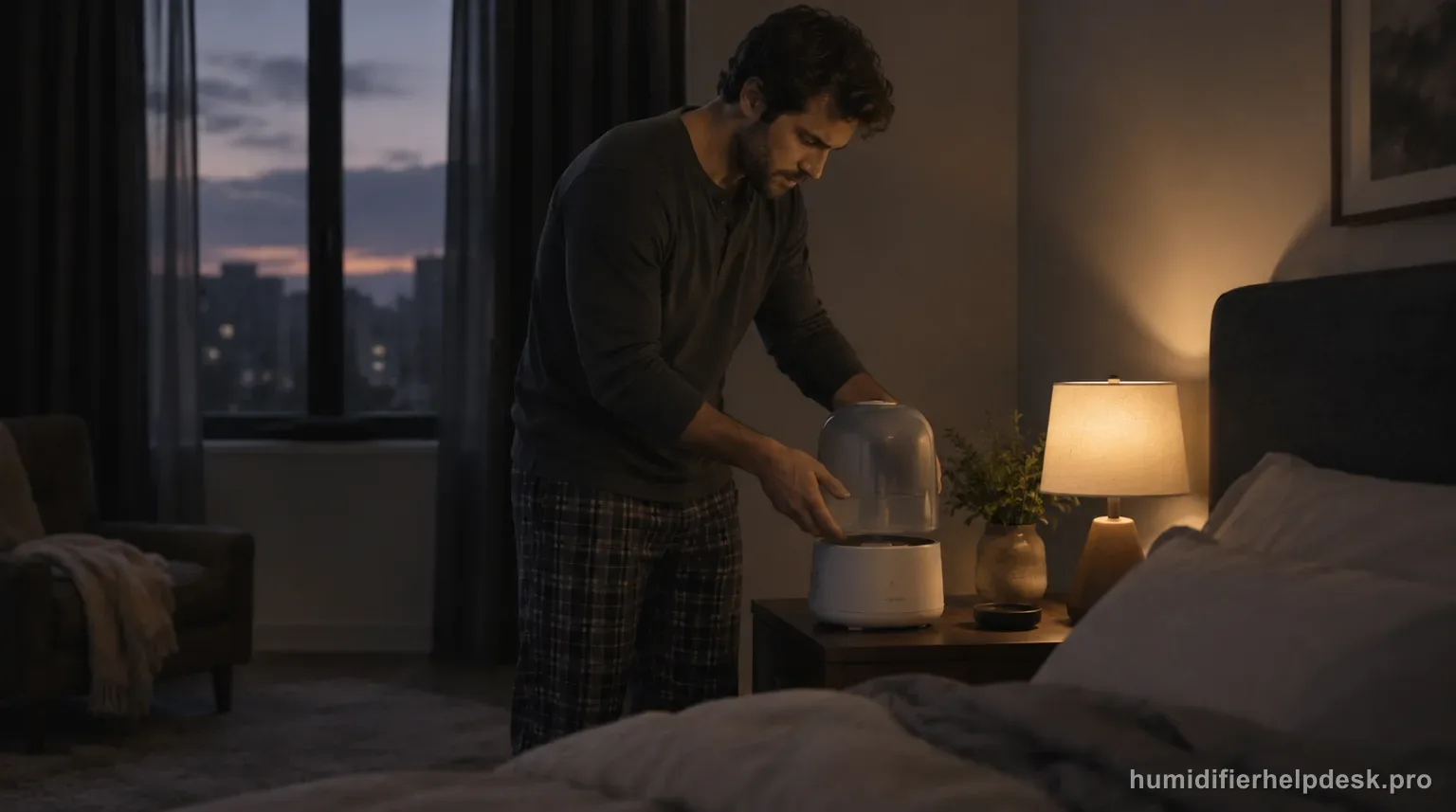
Start with the water probes, filter position, grate/spacer safety, and external USB-C power path before treating the main unit as failed.
Does this match what you are seeing?
Owners describe this Canopy Bedside / Nursery Humidifier 2.0 problem in a few different ways. If one of these sounds like yours, this guide covers it:
- Will not turn on
- Stopped working
- Keeps turning off
- No power or display
Check these in order
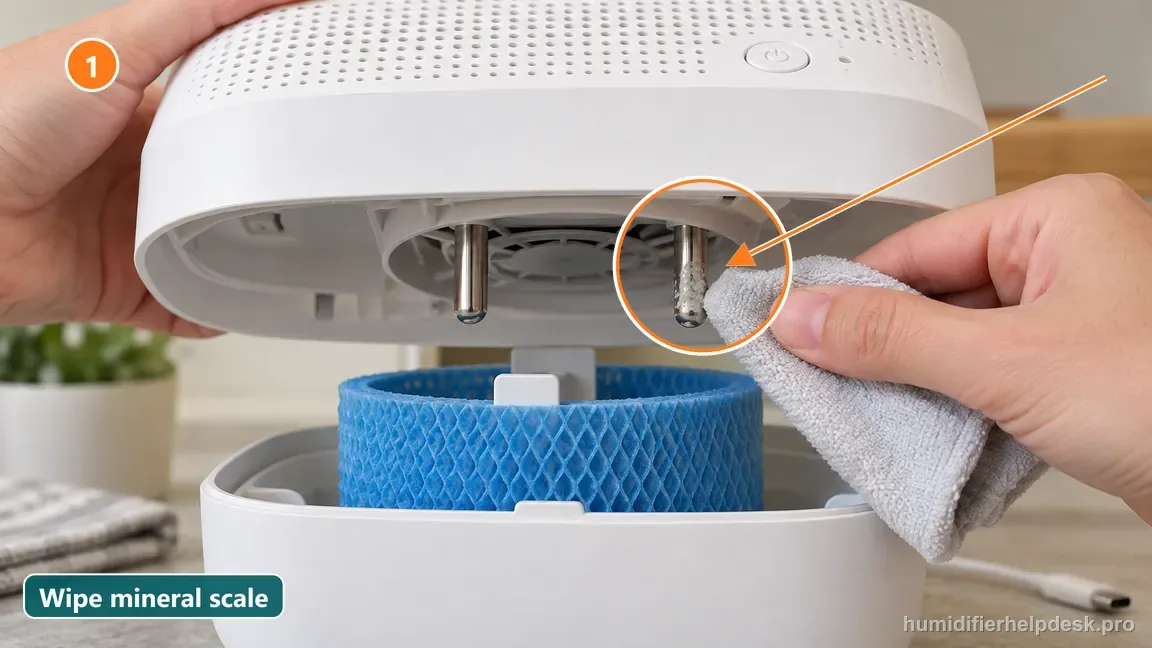
- Unplug and gently clean mineral buildup from the two water-sensing probes.
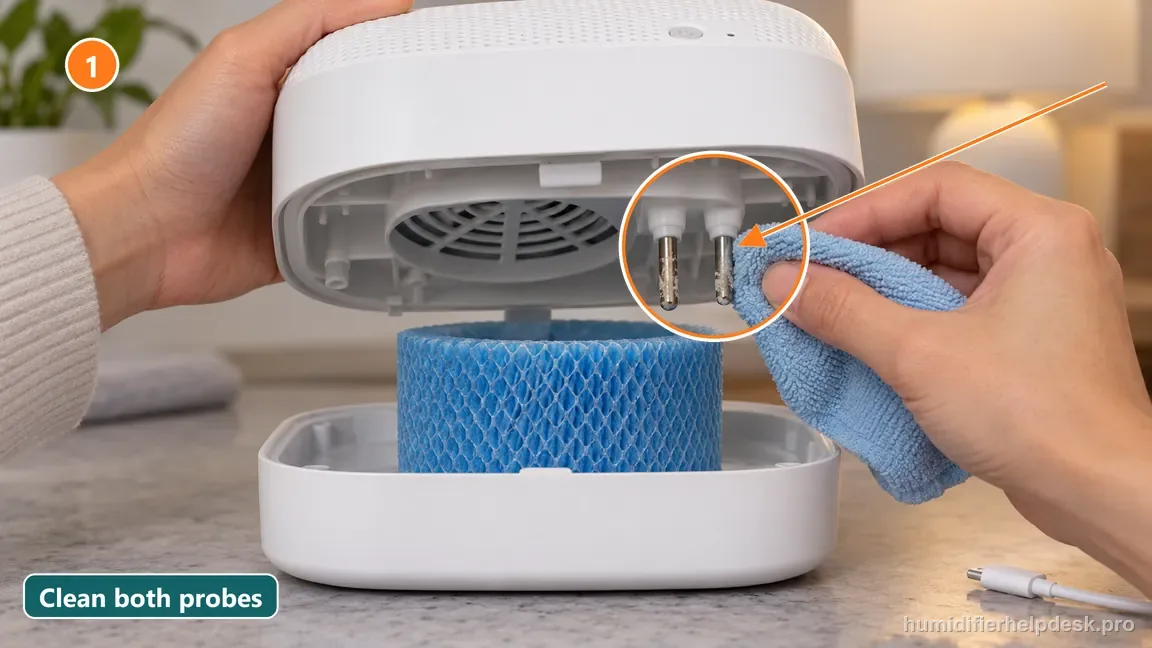
Illustrative: Gently clean mineral buildup from the two water-sensing probes with a damp cloth. - Make sure the filter sits fully in the tray and is not touching the fan.
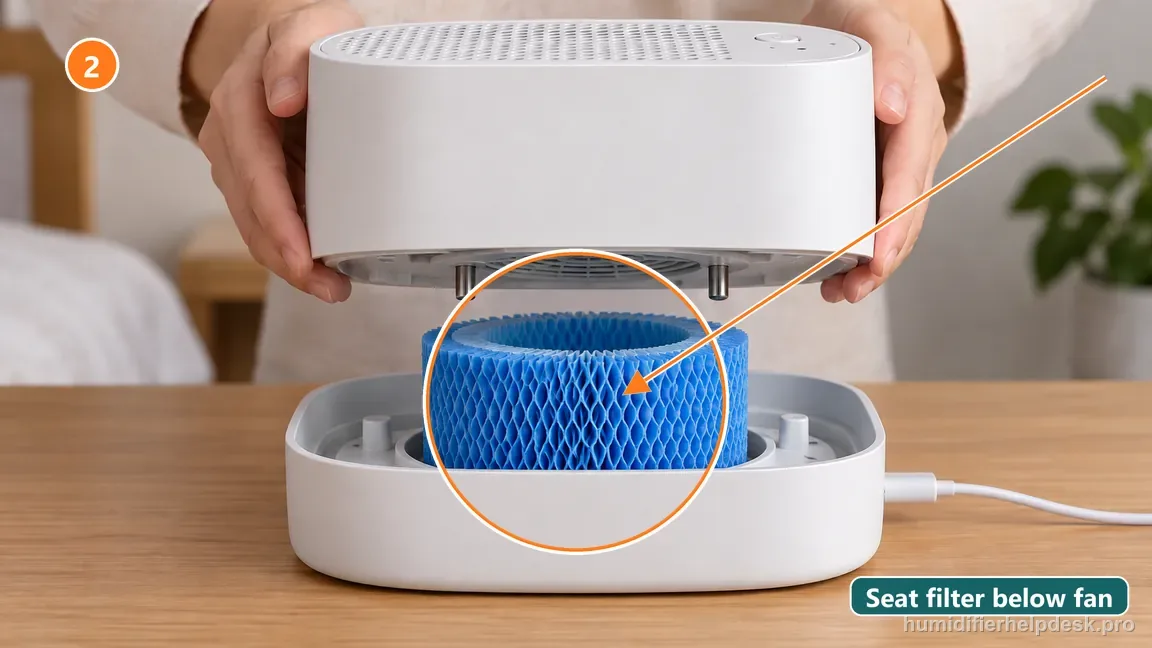
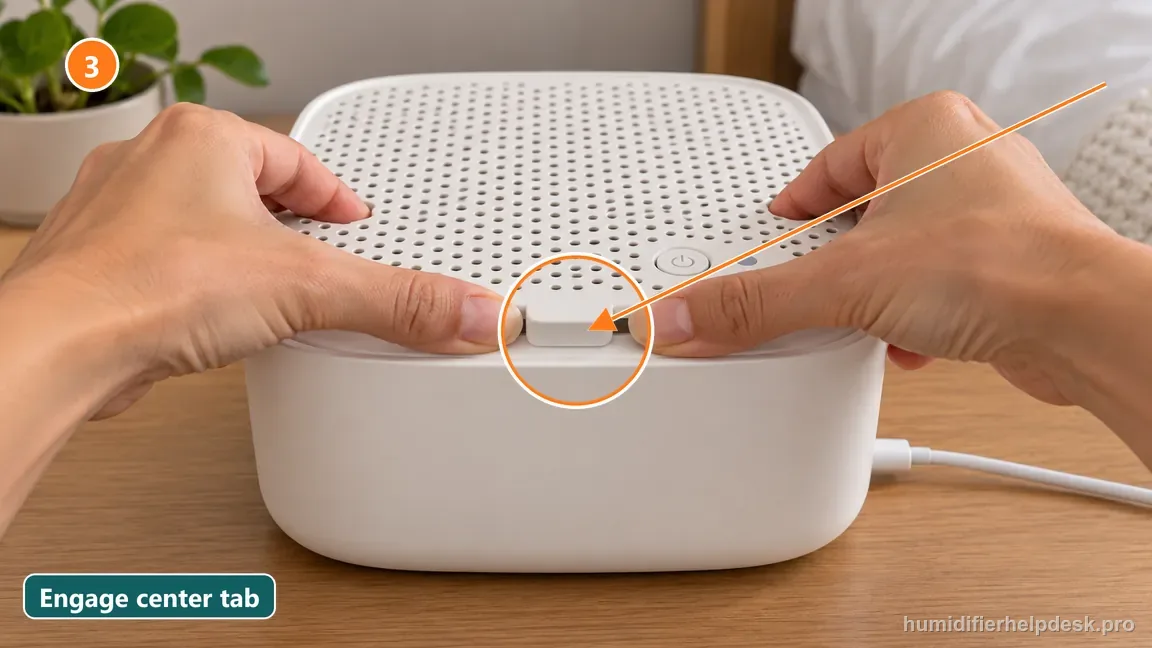
Illustrative: Seat the filter fully in its tray so it does not touch the fan. - Confirm the grate and spacer are fully attached; the 2.0 will not operate when they are detached.
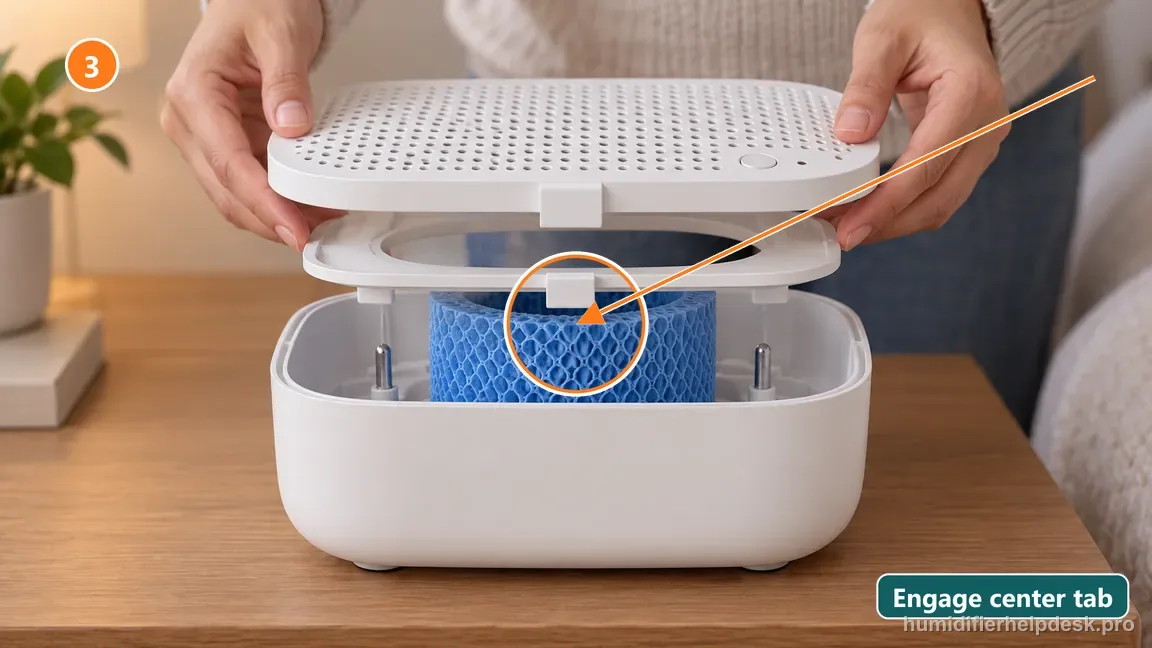
Illustrative: Attach both the grate and spacer and engage the center tab before operating. - Test the external USB-C cable and power brick with known-good compatible replacements.
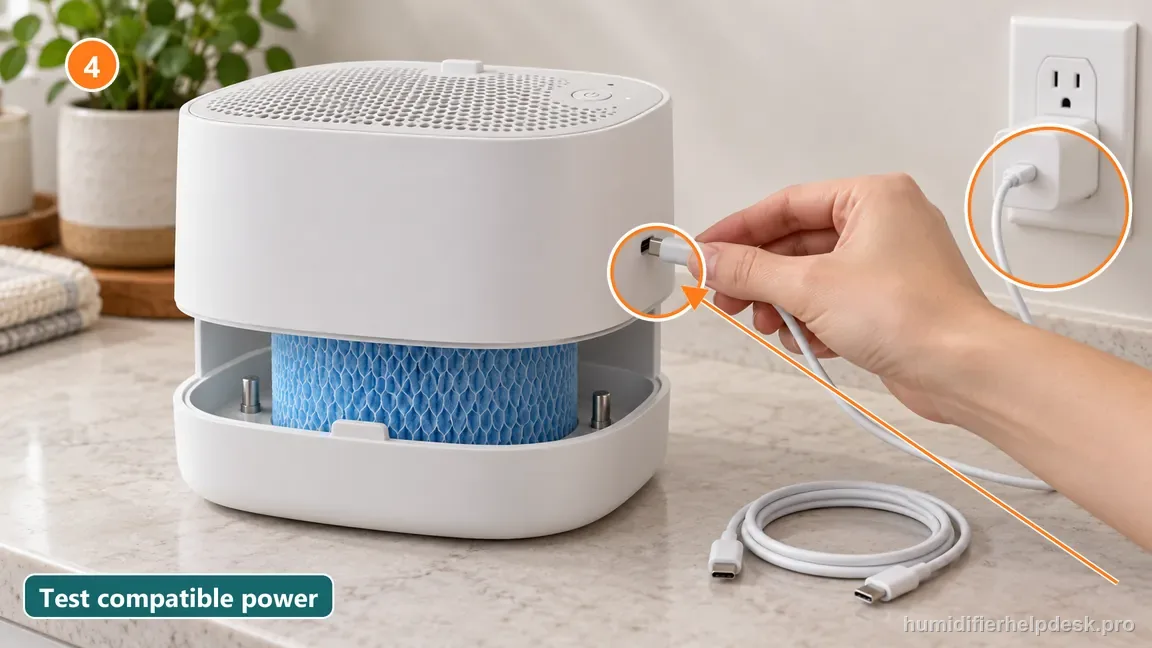
Illustrative: Test the external USB-C cable and compatible power adapter with known-good replacements.
Diagnostic decision path
Canopy's current power troubleshooting for Bedside/Nursery 2.0 stays entirely at the user-serviceable exterior: water-sensing probes, filter placement, grate/spacer safety connection, and the USB-C cable/power brick. That sequence is useful because each check separates a different cause without opening the electrical body.
- Disconnect power before moving the filter, grate, spacer, or cleaning the water probes.
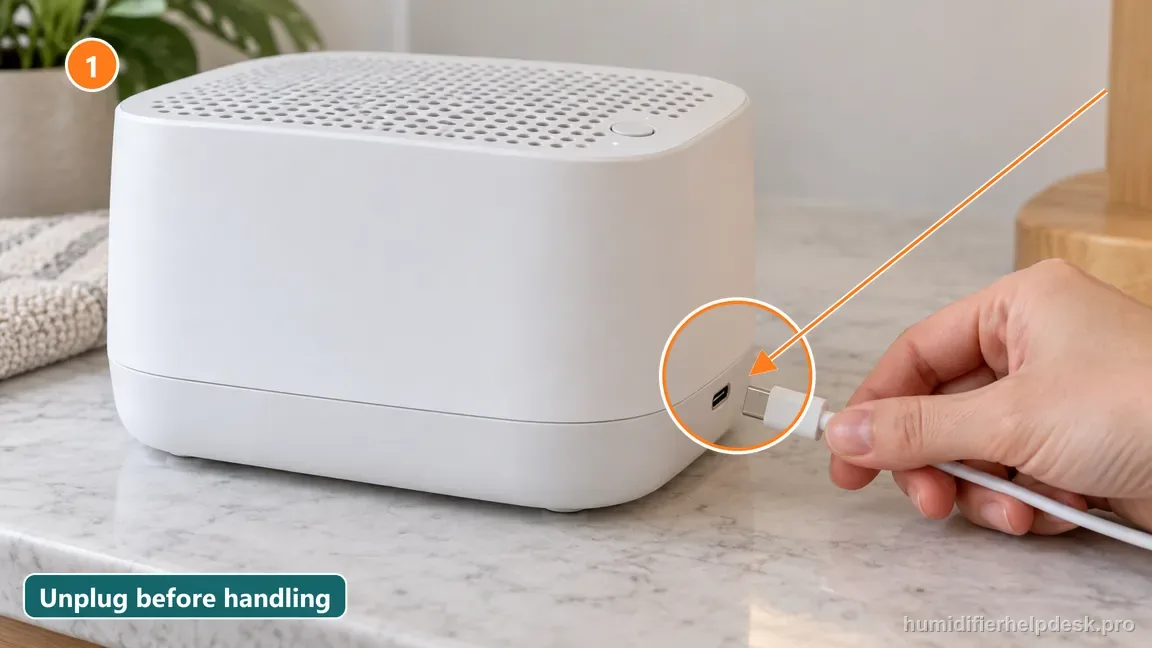
Illustrative: Unplug the power cable before moving the filter, grate, spacer, or probes. - Empty standing water if needed so the probe area can be inspected safely.
- Keep the main electrical body out of the dishwasher or sink while checking removable parts.
If: Mineral scale is visible on the two water-sensing probes
What it means: The unit may not be reading the water state correctly.
Do next: Gently clean the probes with a damp washcloth as Canopy directs, reassemble, and retest.
If: The paper filter is shifted high enough to touch the fan
What it means: Filter placement can physically stop normal fan operation.
Do next: Reseat the filter fully and low in the tray so it clears the fan.
If: The grate or spacer is not fully attached
What it means: The 2.0 safety design can keep the fan off when these parts are detached.
Do next: Reconnect the spacer and grate, paying attention to the center-tab connection near the power-button side.
If: The unit powers on with a different USB-C cable or power brick
What it means: The fault is in the external power accessory rather than the humidifier body.
Do next: Replace the failed cable/adapter through Canopy if covered, rather than disassembling the unit. Canopy says most standard USB-C cables work, so test the cable and power brick separately instead of assuming a proprietary cable is required.
If: Probes, filter, grate/spacer, cable, and adapter all check out
What it means: The supported external checks are exhausted.
Do next: Contact Canopy Customer Experience and provide the troubleshooting results; do not open the main body.
Bedside/Nursery 2.0 checks that differ from Large Room
The power checklist overlaps with Large Room, but the removable-grille safety is different. Use the 2.0 center tab here; a magnet check belongs to the Large Room model.
Water sensing
What you see
The two tray probes have mineral buildup.
What it means
The unit may intermittently misread the water state.
Next step
Unplug and gently clean the probes, keeping the electrical body dry.
Filter/fan
What you see
Filter has shifted upward toward the fan.
What it means
A displaced filter can interfere with fan operation.
Next step
Reseat the filter low in the tray and keep it clear of the fan.
Grille safety
What you see
The center tab near the power button is not engaged.
What it means
The 2.0 removable-grille connection is incomplete.
Next step
Reattach the grille/spacer correctly; do not bypass the tab.
External power
What you see
A compatible cable or brick makes the unit respond.
What it means
The failure is in a replaceable external accessory.
Next step
Document which accessory changed the result and contact Canopy.
How to interpret the retest
Use “Mineral scale is visible on the two water-sensing probes” to select the next manual-supported check; the observation is not a diagnosis by itself. On the Canopy Bedside / Nursery Humidifier 2.0, it corresponds to “The unit may not be reading the water state correctly”. Use “Unplug and gently clean mineral buildup from the two water-sensing probes” and retest. When the observation is present, continue with “Gently clean the probes with a damp washcloth as Canopy directs, reassemble, and retest”. When it is absent, rule out that explanation for now and keep the result with the current Canopy Bedside / Nursery Humidifier 2.0 will not turn on or stay on notes.
Use the next step as a controlled before-and-after comparison. Check “Make sure the filter sits fully in the tray and is not touching the fan” on the Canopy Bedside / Nursery Humidifier 2.0, then look specifically for “The paper filter is shifted high enough to touch the fan”. A match supports the manual's interpretation “Filter placement can physically stop normal fan operation” and sends you to “Reseat the filter fully and low in the tray so it clears the fan”. If the observation is missing, that result narrows the Canopy Bedside / Nursery Humidifier 2.0 will not turn on or stay on diagnosis without jumping to an unrelated reset.
This branch only fits if you can actually reproduce “The grate or spacer is not fully attached”. For the Canopy Bedside / Nursery Humidifier 2.0, use “Confirm the grate and spacer are fully attached; the 2.0 will not operate when they are detached” as the controlled test. If the same observation appears, the source meaning is “The 2.0 safety design can keep the fan off when these parts are detached” and the next action is “Reconnect the spacer and grate, paying attention to the center-tab connection near the power-button side”. If it does not appear, record the non-match and continue through the remaining Canopy Bedside / Nursery Humidifier 2.0 checks for will not turn on or stay on.
Model-specific context that changes the diagnosis
Two Canopy Bedside / Nursery Humidifier 2.0 clues that point to different fixes
Separate these two observations before choosing the next action. When “Mineral scale is visible on the two water-sensing probes” is true, the Canopy Bedside / Nursery Humidifier 2.0 path points to “The unit may not be reading the water state correctly”; use “Gently clean the probes with a damp washcloth as Canopy directs, reassemble, and retest”. When “The paper filter is shifted high enough to touch the fan” is the better match, the path changes to “Filter placement can physically stop normal fan operation”, so use “Reseat the filter fully and low in the tray so it clears the fan”. Retest one explanation before trying the action tied to the other.
Run the Canopy Bedside / Nursery Humidifier 2.0 checks in order
Treat this as a short sequence rather than changing several things together. Start with “Unplug and gently clean mineral buildup from the two water-sensing probes” and retest the Canopy Bedside / Nursery Humidifier 2.0. If the will not turn on or stay on complaint is unchanged, move to “Make sure the filter sits fully in the tray and is not touching the fan”. Use “Confirm the grate and spacer are fully attached; the 2.0 will not operate when they are detached” only after judging the earlier result. Keep unrelated conditions steady during this Canopy Bedside / Nursery Humidifier 2.0 will not turn on or stay on retest so you can tell which documented step changed the result.
Common mistakes that make this harder to diagnose
- Testing power with the grate/spacer removed, which can trigger the safety stop.
- Putting the electrical body in the dishwasher because the water-contact parts are dishwasher-safe.
- Buying a new humidifier before testing the removable USB-C power path.
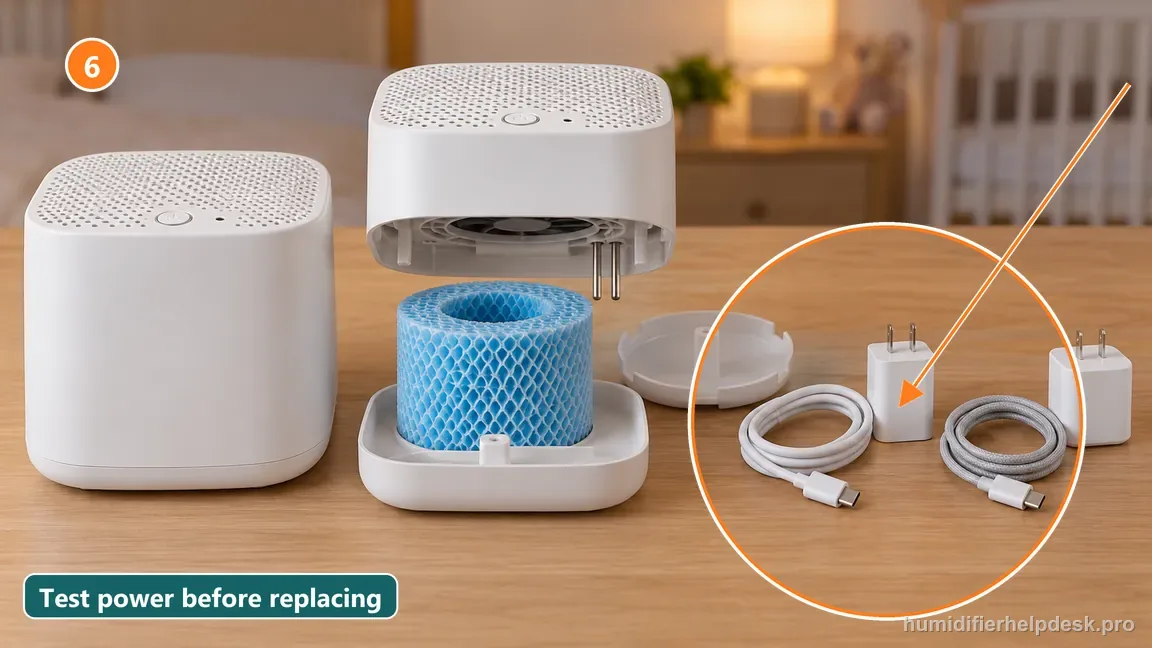
Illustrative: Test the cable and adapter with known-good compatible parts before buying a replacement.
The diagnosis is complete when cleaning/reseating restores power, an alternate cable identifies an accessory fault, or all supported external checks are documented for Canopy support.
Questions people ask about this exact symptom
Why will my Canopy Bedside / Nursery Humidifier 2.0 not power on or operate normally?
For the Canopy Bedside / Nursery Humidifier 2.0, start with the water probes, filter position, grate/spacer safety, and external USB-C power path before treating the main unit as failed. For this will not turn on or stay on check on the Canopy Bedside / Nursery Humidifier 2.0, start with “Unplug and gently clean mineral buildup from the two water-sensing probes” and check the result before making another change.
What should I check first if my Canopy Bedside / Nursery Humidifier 2.0 will not operate normally?
Work through the checks in order: “Unplug and gently clean mineral buildup from the two water-sensing probes”, then “Make sure the filter sits fully in the tray and is not touching the fan”, then “Confirm the grate and spacer are fully attached; the 2.0 will not operate when they are detached”.
When should I contact Canopy about this Canopy Bedside / Nursery Humidifier 2.0 problem?
Use Canopy support if the Canopy Bedside / Nursery Humidifier 2.0 still has the same problem after the documented checks for will not turn on or stay on. Have the Canopy Bedside / Nursery Humidifier 2.0's last retest notes, current mode, and any warning light or code ready; tell support you followed the documented will not turn on or stay on checks.
Why this path is model-specific
Canopy’s power article names dirty water probes, misplaced filter, grate safety, and the external cable/adapter as supported checks for intermittent or failed operation.
For the Canopy Bedside / Nursery Humidifier 2.0, the machine type matters: it is evaporative. Its moisture output is not supposed to look like ultrasonic fog, so “I cannot see mist” by itself is not evidence of a failure.
This symptom appears on other humidifiers too, but the meaning and reset path can change by technology, sensor logic, and control layout. Use the exact model source above before borrowing a fix from a neighboring model.
Compare this symptom across verified models
If you are still deciding whether this behavior is normal or model-specific, use the symptom hub to compare only manufacturer-linked guides. Keep the Canopy Bedside / Nursery Humidifier 2.0 instructions above as the controlling path for this machine.
If the problem is still there
If the checks above do not change the symptom, use the manufacturer support path for this exact model. We intentionally stop before undocumented resets, sensor bypasses, internal mains work, or parts replacement that the consumer manual does not authorize.
What we do not recommend
Do not defeat a float, water-level sensor, overheat protection, interlock, or other safety feature. Do not open mains-powered sections for live testing. If the unit smells burned, becomes abnormally hot, smokes, sparks, has water near electrical parts, or repeatedly trips a circuit, stop using it and keep clear. Unplug it only if the plug, outlet, and surrounding area are dry and safe to reach; otherwise do not touch wet equipment and contact manufacturer support for next steps.
Primary source for this diagnosis
Source checked during the October 13, 2026 editorial review. Manufacturer documents can change; a material re-review updates this guide’s reviewed date rather than stamping unrelated pages.