
Canopy’s current help center says to replace the filter and hold On/Off for 30 seconds, while a current Nursery 2.0 replacement-filter commerce page shows 10 seconds. Use the help-center sequence first; if the light does not clear, confirm the exact-model instruction with Canopy rather than cycling random hold times.
Does this match what you are seeing?
Owners describe this Canopy Bedside / Nursery Humidifier 2.0 problem in a few different ways. If one of these sounds like yours, this guide covers it:
- Filter light stays on
- Check filter light reset
- Filter indicator will not reset
- Wick light still on after replacement
Check these in order
- Inspect the filter first; replace it if hardened, crusty, or heavily discolored.
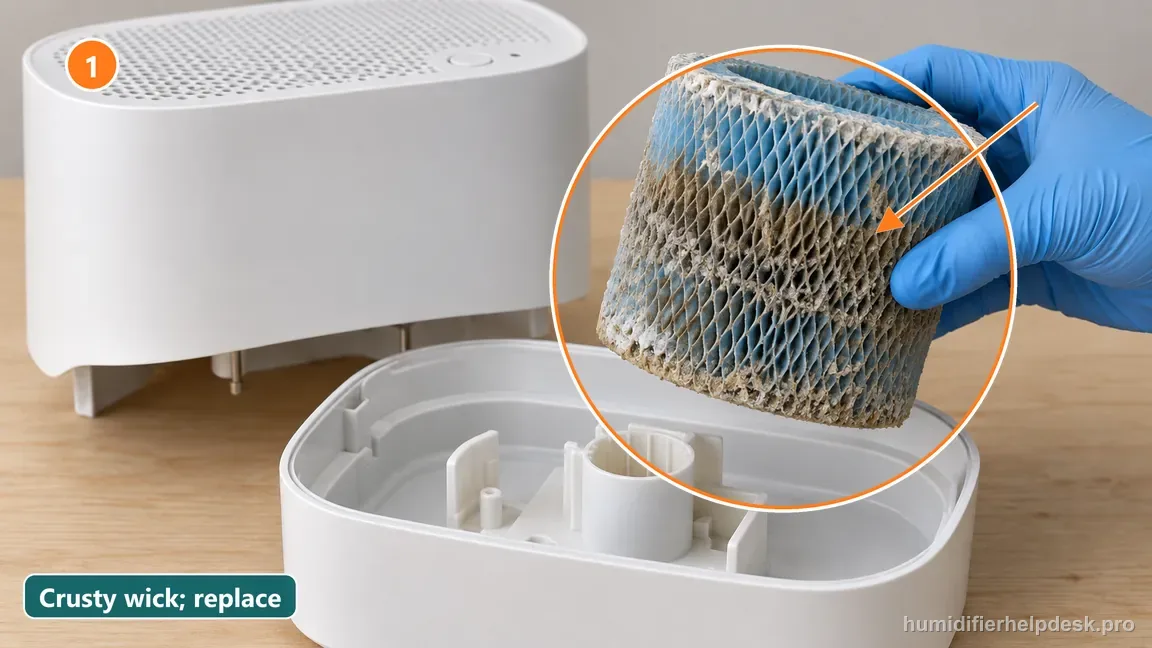
Illustrative: Inspect the blue wick first and replace it if it is crusty, hardened, or heavily discolored. - Install the replacement filter fully in the tray and reattach the grate/spacer.
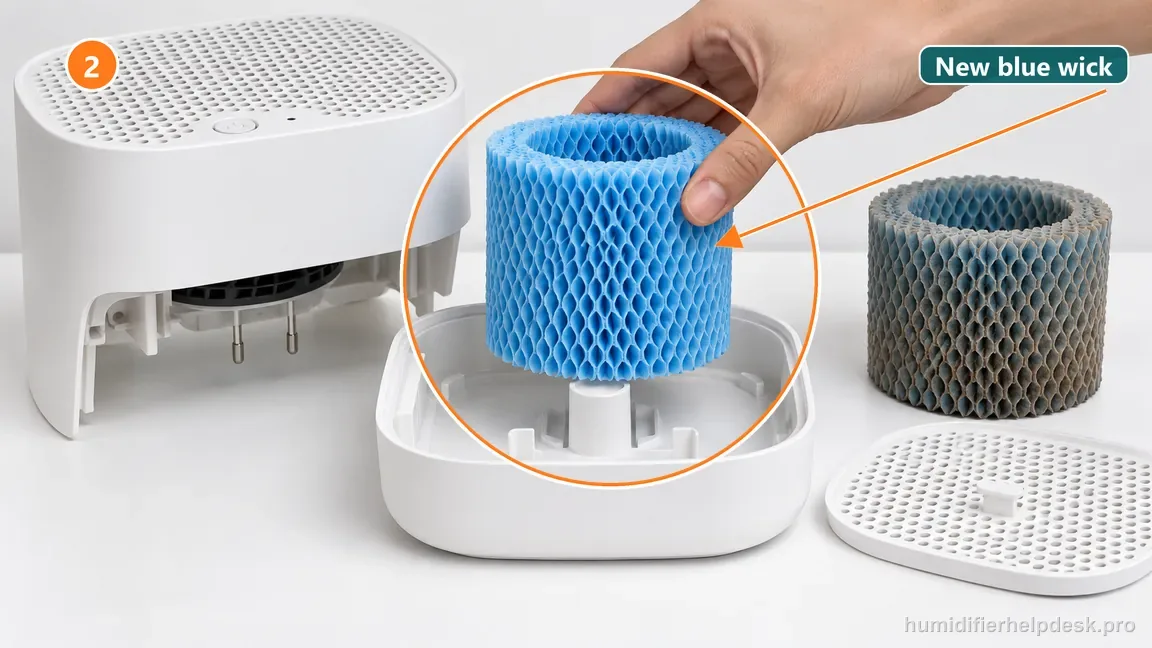
Illustrative: Set the correct replacement wick fully into its tray before restoring the top parts. - Use the current help-center 30-second On/Off hold first.
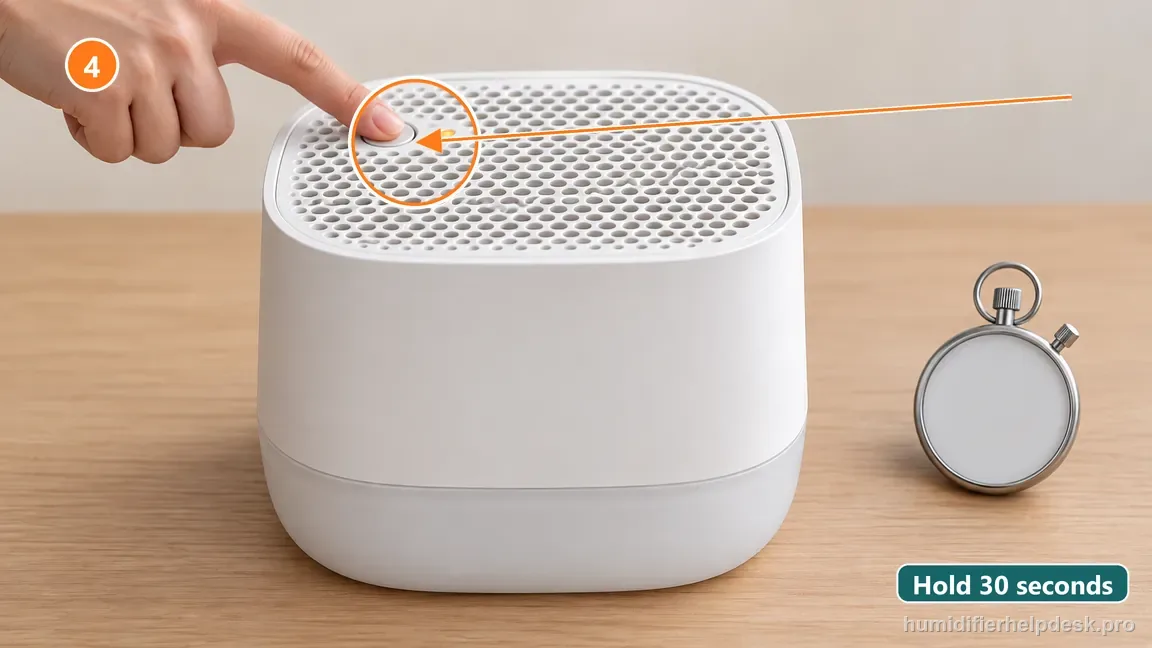
Illustrative: Use the help-center 30-second On/Off hold as the first reset instruction. - If the Filter light does not clear, stop alternating 10- and 30-second holds and confirm the exact-model reset with Canopy support.
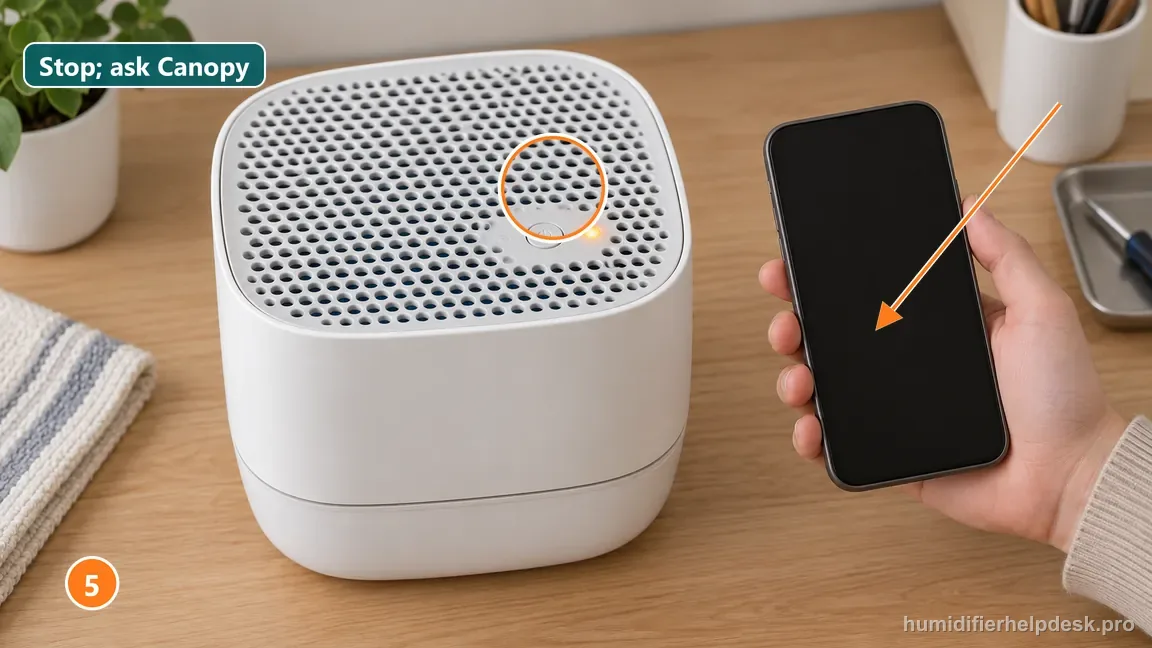
Illustrative: If the Filter light remains on, stop mixing hold times and confirm the exact model instruction.
Diagnostic decision path
Canopy's current help-center guidance says to replace the Bedside/Nursery filter, then hold the On/Off button for 30 seconds to reset the Filter light. A separate commerce/filter page currently shows a shorter 10-second instruction, so the safest diagnostic is to use the current help-center sequence and avoid repeated random button holds if the indicator does not clear.
- Inspect the filter before resetting; the reminder is maintenance information, not a fault code to erase.
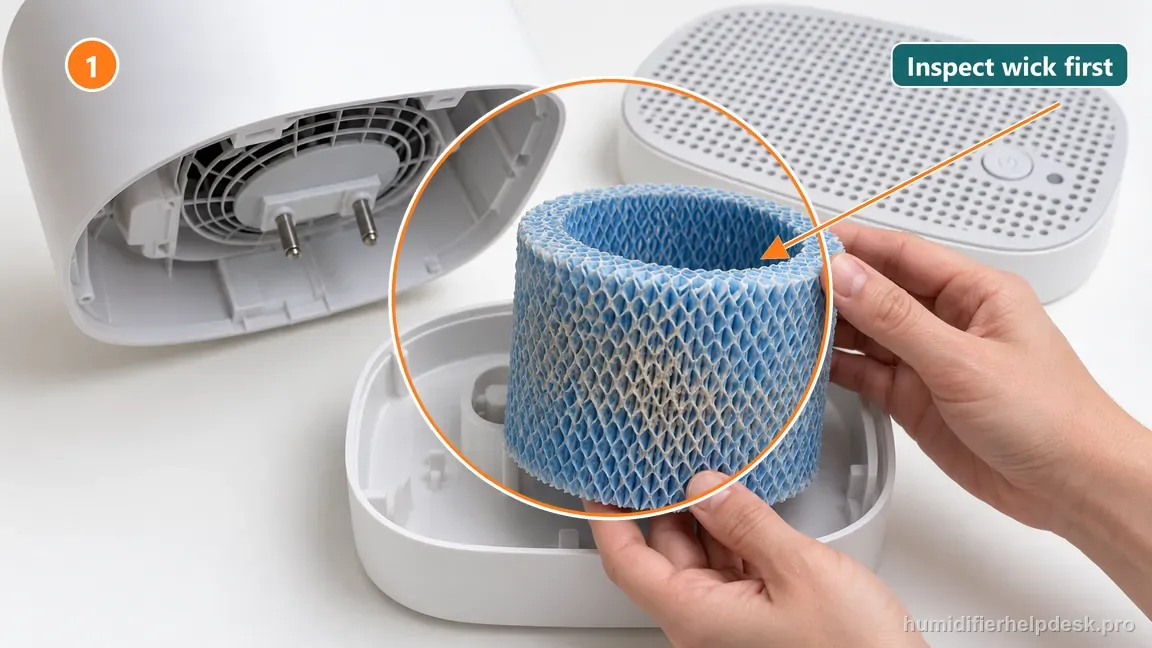
Illustrative: Inspect the wick so the maintenance reminder is not cleared without checking filter condition. - Replace a hardened/crusty or heavily discolored filter and seat the new one correctly.
- Reassemble the grate/spacer before performing the reset so the unit is in its normal operating state.
If: The old filter is still serviceable and the light appeared only because of the timer
What it means: The reminder may be reset only after you have actually inspected/serviced the filter.
Do next: Complete the maintenance decision first, then use the current help-center reset sequence.
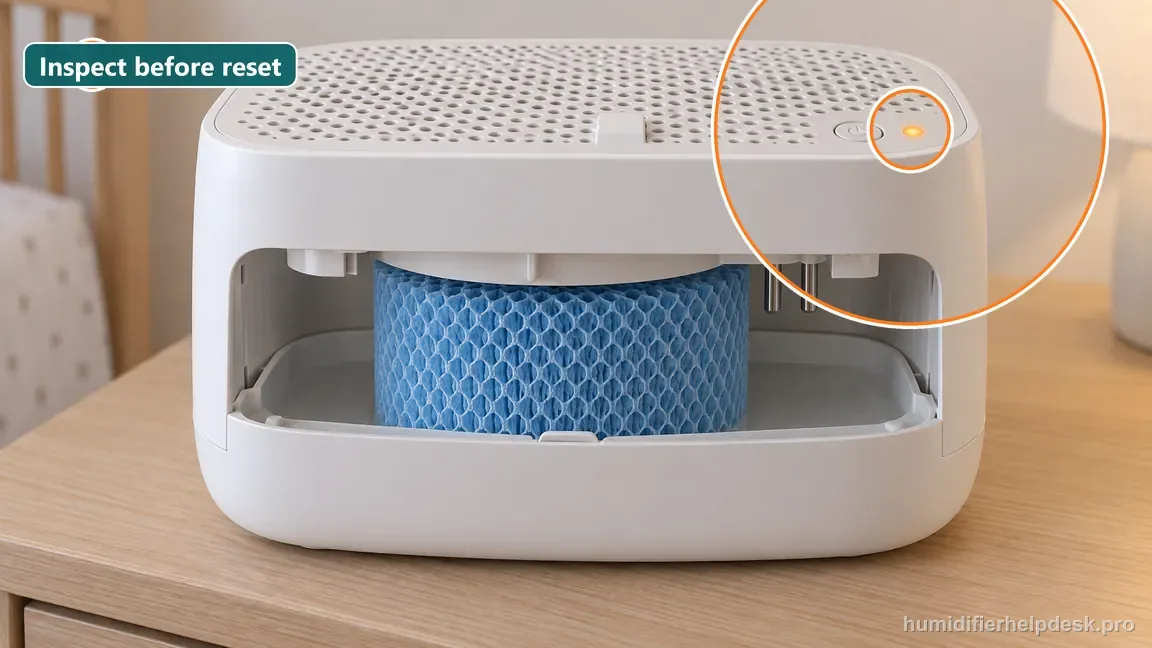
If: A replacement filter is installed
What it means: The timer can be restarted for the new filter cycle.
Do next: Hold On/Off for 30 seconds as Canopy's current help center directs and check whether the Filter light clears.
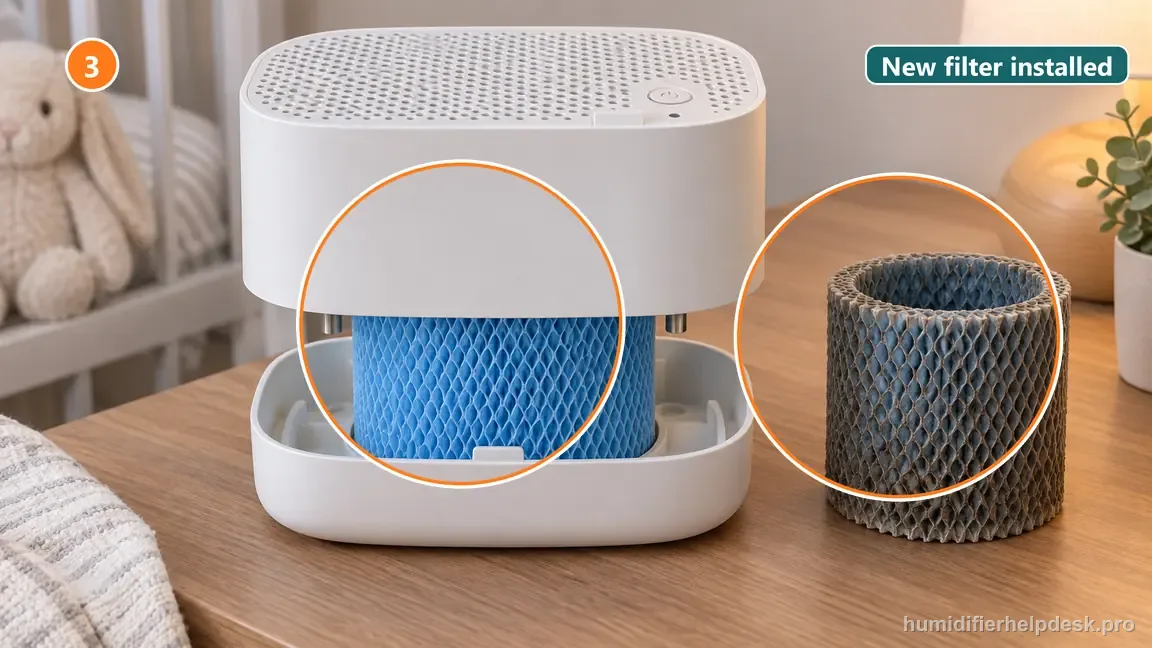
If: The light clears after the 30-second hold
What it means: The current support reset registered successfully.
Do next: Return to normal use and judge the next replacement by condition, water hardness, and the reminder.
If: The light does not clear
What it means: Repeating mixed 10-second/30-second sequences may only add confusion because Canopy currently publishes conflicting durations on different pages.
Do next: Confirm the exact 2.0 model/current instructions with Canopy support rather than cycling arbitrary long-press combinations.
If: The new filter is touching the fan or the grate/spacer is incomplete
What it means: A separate assembly issue can coexist with the reminder.
Do next: Correct filter seating and assembly first; do not interpret a fan stop as a failed filter reset.
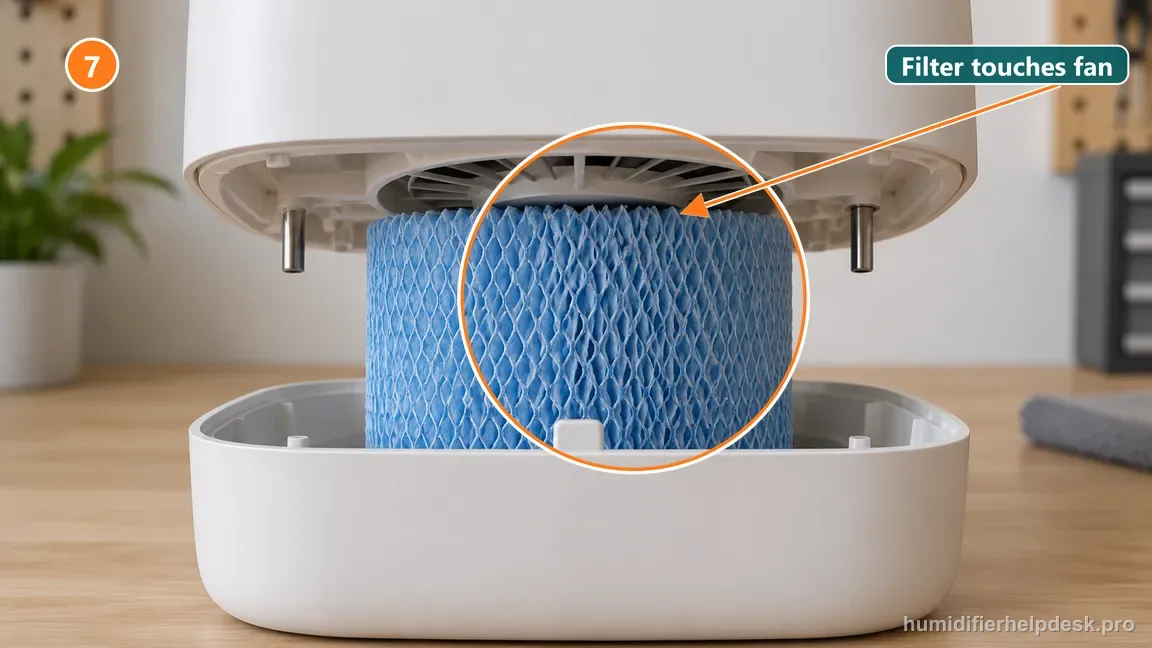
A short reset path for Bedside/Nursery 2.0
Keep maintenance and reset as two separate decisions. The indicator is a reminder; it does not inspect the filter condition for you, and the published reset-time conflict should not turn into trial-and-error button holds.
1 · Inspect
What you see
Filter is hardened, crusty, or heavily discolored.
What it means
The reminder and physical condition agree.
Next step
Replace with the correct Bedside/Nursery 2.0 filter.
2 · Reassemble
What you see
New filter is fully seated; tray, spacer, and grille are back in place.
What it means
The 2.0 center-tab grille connection must be engaged for normal fan operation.
Next step
Check the center tab near the power button before testing.
3 · Reset once
What you see
Assembly is correct and the replacement filter is installed.
What it means
Canopy help-center guidance specifies a 30-second On/Off hold; another replacement page says 10 seconds.
Next step
Use 30 seconds first, then stop if the indicator remains and confirm with support.
4 · Verify
What you see
Filter light clears, or remains after the documented hold.
What it means
A cleared light confirms the reminder reset; a persistent light needs exact-model confirmation.
Next step
Record the model, filter type, and hold used before contacting Canopy.
How to interpret the retest
This Canopy Bedside / Nursery Humidifier 2.0 branch only fits when the unit actually shows “The old filter is still serviceable and the light appeared only because of the timer”. The Canopy Bedside / Nursery Humidifier 2.0 source path describes that state as “The reminder may be reset only after you have actually inspected/serviced the filter”. Check “Inspect the filter first; replace it if hardened, crusty, or heavily discolored”, then reproduce the same complaint under otherwise similar conditions. A match points to “Complete the maintenance decision first, then use the current help-center reset sequence”. If it does not match, this explanation does not fit the current Canopy Bedside / Nursery Humidifier 2.0 filter light or reset test.
On the Canopy Bedside / Nursery Humidifier 2.0, use “A replacement filter is installed” as the observation to check first. On the Canopy Bedside / Nursery Humidifier 2.0, the source-backed interpretation is “The timer can be restarted for the new filter cycle”. Make “Install the replacement filter fully in the tray and reattach the grate/spacer” the only deliberate change, then repeat the same symptom test. If the observation matches, continue with “Hold On/Off for 30 seconds as Canopy's current help center directs and check whether the Filter light clears”; if it does not, note that this Canopy Bedside / Nursery Humidifier 2.0 filter light or reset path did not match and move on.
Model-specific context that changes the diagnosis
Choose the Canopy Bedside / Nursery Humidifier 2.0 branch that matches what you see
Start with what the unit actually does, not with an internal-part theory. On the Canopy Bedside / Nursery Humidifier 2.0, “The old filter is still serviceable and the light appeared only because of the timer” supports the interpretation “The reminder may be reset only after you have actually inspected/serviced the filter” and leads to “Complete the maintenance decision first, then use the current help-center reset sequence”. “A replacement filter is installed” supports “The timer can be restarted for the new filter cycle” and leads to “Hold On/Off for 30 seconds as Canopy's current help center directs and check whether the Filter light clears”. For the current Canopy Bedside / Nursery Humidifier 2.0 filter light or reset complaint, choose the state you can actually reproduce and work from that result.
Retest the Canopy Bedside / Nursery Humidifier 2.0 without changing multiple variables
For the cleanest comparison, use “Inspect the filter first; replace it if hardened, crusty, or heavily discolored” as the first Canopy Bedside / Nursery Humidifier 2.0 check. Retest before going to “Install the replacement filter fully in the tray and reattach the grate/spacer”, and reach “Use the current help-center 30-second On/Off hold first” only if the earlier result is unchanged. For the Canopy Bedside / Nursery Humidifier 2.0, the goal is to learn which single documented condition affects the filter light or reset complaint while unrelated settings stay steady long enough to judge the result.
Common mistakes that make this harder to diagnose
- Resetting the light without checking the filter condition.
- Mixing instructions from different Canopy pages and repeatedly holding the button for arbitrary durations.
- Assuming the Filter light means the fan or water probes have failed.
The maintenance cycle is complete when a serviceable/new filter is correctly installed and the current help-center reset clears the Filter indicator. If the indicator persists, use exact-model Canopy support because current public pages conflict on hold duration.
Questions people ask about this exact symptom
Why will the maintenance reminder on my Canopy Bedside / Nursery Humidifier 2.0 not clear?
For the Canopy Bedside / Nursery Humidifier 2.0, Canopy’s current help center says to replace the filter and hold On/Off for 30 seconds, while a current Nursery 2.0 replacement-filter commerce page shows 10 seconds; use the help-center sequence first; if the light does not clear, confirm the exact-model instruction with Canopy rather than cycling random hold times.
What should I check first if my Canopy Bedside / Nursery Humidifier 2.0 shows a maintenance reminder that will not clear?
Make one supported correction at a time so the result stays interpretable. On the Canopy Bedside / Nursery Humidifier 2.0, begin with “Inspect the filter first; replace it if hardened, crusty, or heavily discolored” and observe the result. Continue to “Install the replacement filter fully in the tray and reattach the grate/spacer”, then “Use the current help-center 30-second On/Off hold first”, only if the earlier step does not change the result.
When should I contact Canopy about this Canopy Bedside / Nursery Humidifier 2.0 problem?
If the Canopy Bedside / Nursery Humidifier 2.0 still has the same problem after the manual-supported checks for filter light or reset, contact Canopy rather than disassembling the unit. Tell support what changed after the last filter light or reset check on the Canopy Bedside / Nursery Humidifier 2.0, and do not bypass any protection or interlock.
Why this path is model-specific
Canopy currently publishes conflicting reset durations: its help-center operating/filter guidance says 30 seconds, while a Nursery 2.0 replacement-filter page says 10 seconds.
For the Canopy Bedside / Nursery Humidifier 2.0, the machine type matters: it is evaporative. Its moisture output is not supposed to look like ultrasonic fog, so “I cannot see mist” by itself is not evidence of a failure.
This symptom appears on other humidifiers too, but the meaning and reset path can change by technology, sensor logic, and control layout. Use the exact model source above before borrowing a fix from a neighboring model.
Compare this symptom across verified models
If you are still deciding whether this behavior is normal or model-specific, use the symptom hub to compare only manufacturer-linked guides. Keep the Canopy Bedside / Nursery Humidifier 2.0 instructions above as the controlling path for this machine.
If the problem is still there
If the checks above do not change the symptom, use the manufacturer support path for this exact model. We intentionally stop before undocumented resets, sensor bypasses, internal mains work, or parts replacement that the consumer manual does not authorize.
What we do not recommend
Do not defeat a float, water-level sensor, overheat protection, interlock, or other safety feature. Do not open mains-powered sections for live testing. If the unit smells burned, becomes abnormally hot, smokes, sparks, has water near electrical parts, or repeatedly trips a circuit, stop using it and keep clear. Unplug it only if the plug, outlet, and surrounding area are dry and safe to reach; otherwise do not touch wet equipment and contact manufacturer support for next steps.
Primary source for this diagnosis
Source checked during the October 13, 2026 editorial review. Manufacturer documents can change; a material re-review updates this guide’s reviewed date rather than stamping unrelated pages.